Send form enquiries to Slack, Microsoft Teams or Discord
Post every new form submission to a team chat channel, with all the fields, the page it came from and an Open in Inbox link — set up in two minutes.
On this page
Slack
- In Slack, create an app (or open yours) and turn on Incoming Webhooks.
- Click Add New Webhook to Workspace and pick the channel, such as
#website-leads. - Copy the webhook address — it starts with
https://hooks.slack.com/. - In AgencyX, go to Integrations, find Slack and click Set up.
- Paste it into Webhook URL, add the channel name for your own reference, and click Connect.
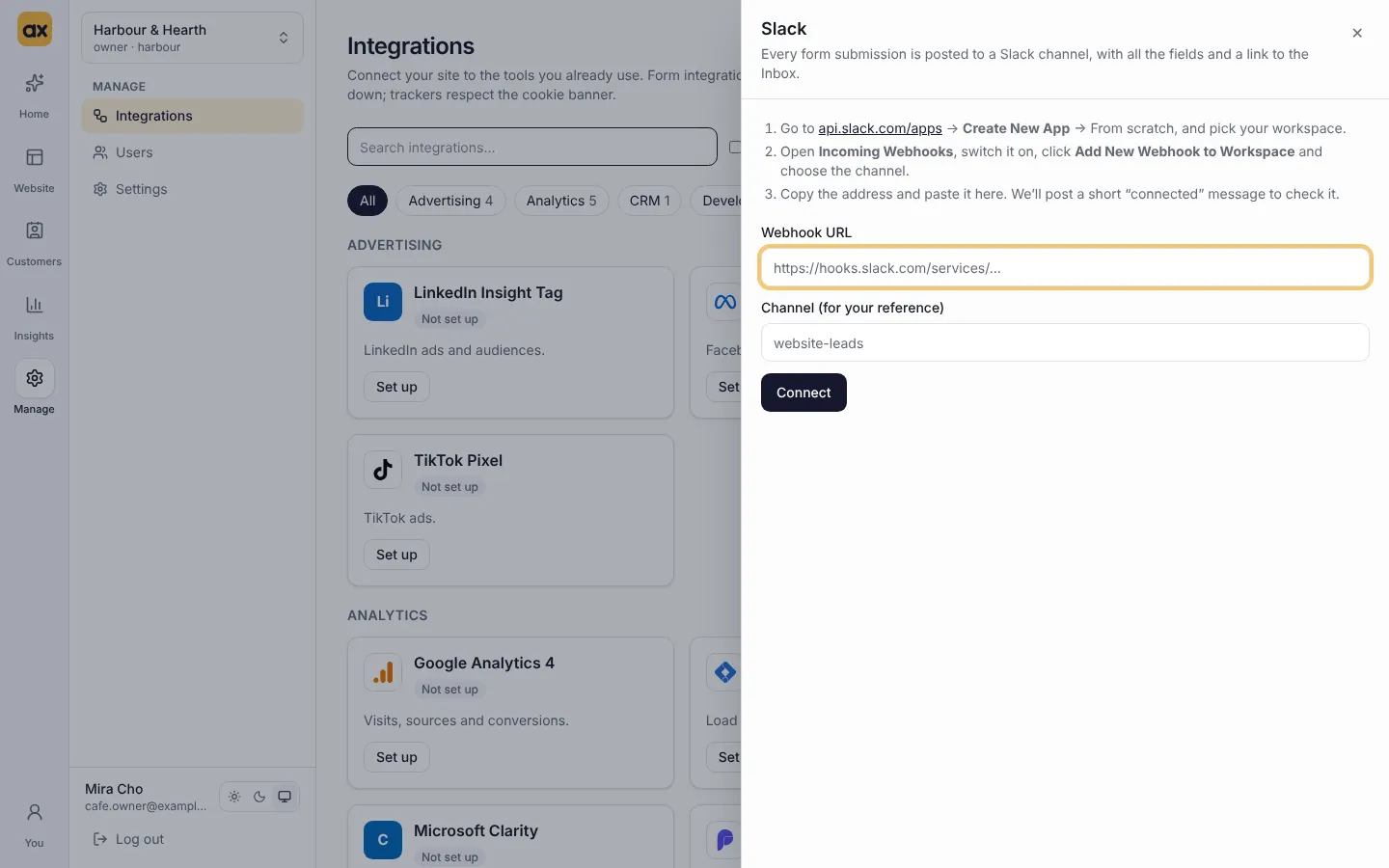
A short connected message is posted to check it works. From then on, each submission appears in the channel with every filled field, the page it came from and an Open in Inbox link.
Microsoft Teams
In Teams, create a Workflows flow that posts to a channel when a webhook request is received, and copy its address. Paste it into the Microsoft Teams tile. Submissions arrive as cards with an Open in Inbox button.
Discord
In the Discord channel's settings go to Integrations → Webhooks, create one and click Copy Webhook URL. Paste it into the Discord tile. Submissions arrive as embeds and never ping anyone.
Check deliveries
Open the tile with Manage to see Recent deliveries, Retry a failed one, Pause or Disconnect. Very long messages are shortened to fit each app, with a note saying how many fields are in the Inbox.
Common questions
Does it include spam?
No. Only submissions that pass the spam checks are sent.
What if Slack is down?
Deliveries are retried automatically over several hours. If the webhook was removed or the channel archived, the delivery fails straight away with the reason so you know to reconnect.
Can I send only some forms?
Yes. Choose all forms, including newsletter signups, or pick a list.
Something out of date or unclear? Search other guides or tell us from your dashboard.