Manage your newsletter subscribers
See everyone who signed up through your newsletter forms and pop-ups, check their sync status, and unsubscribe, delete or re-sync people.
Open Subscribers
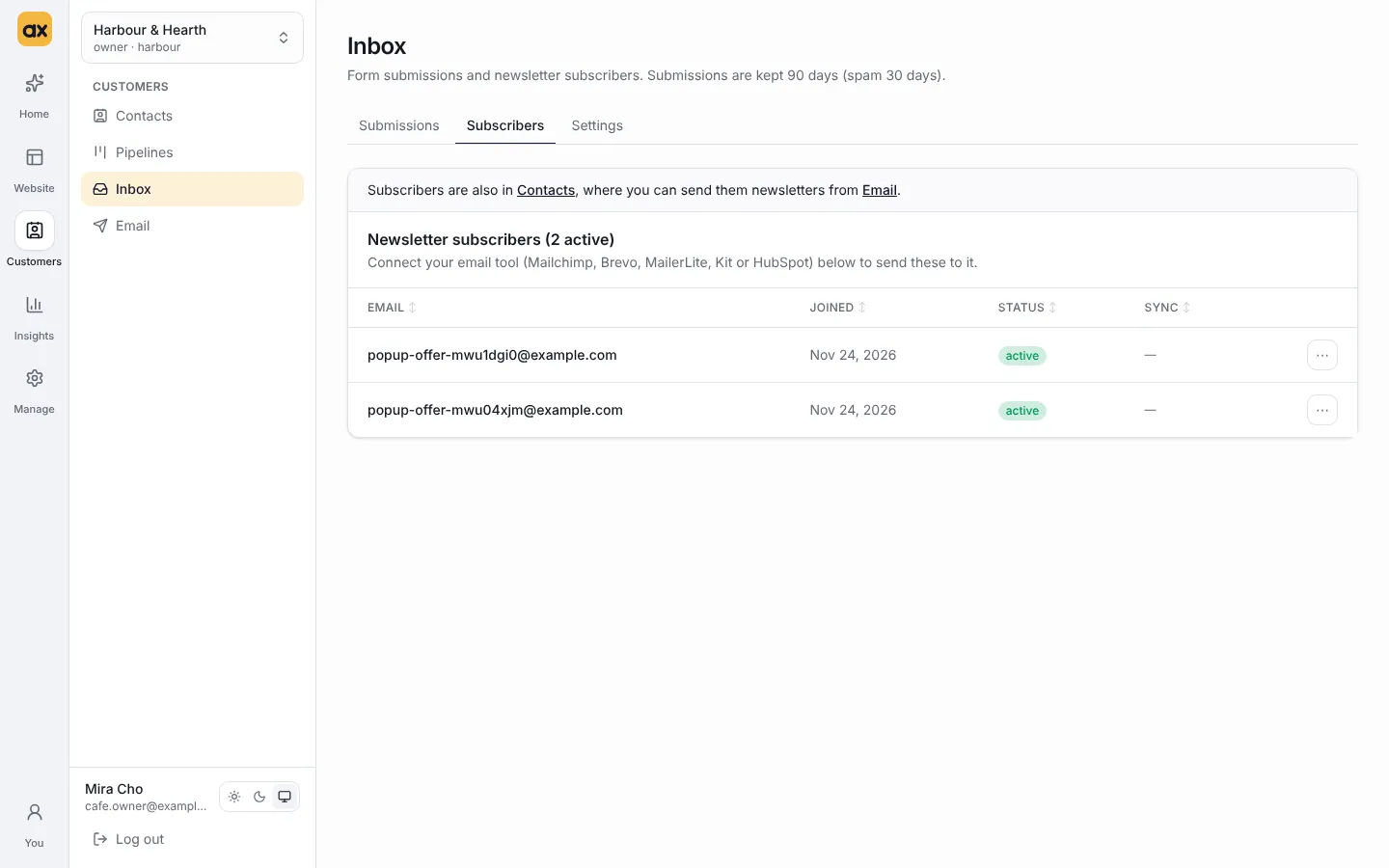
Go to Inbox → Subscribers. Everyone who signed up is listed with when they joined, their status and whether they've been synced to your email tool.
Manage someone
Open the ⋯ menu on a row to Unsubscribe, Delete or Sync now.
Collect more sign-ups
Add a Newsletter signup block to your footer or home page, or a Pop-up that opens once per visitor. See Add a pop-up.
Common questions
How do people sign up?
Through a Newsletter signup block on any page, or a Pop-up block set to email signup.
Can I export my subscribers?
Yes — in Contacts, filter by Subscribed and click Export CSV. Or connect an email marketing tool and they're synced there.
Something out of date or unclear? Search other guides or tell us from your dashboard.