Help Center
How can we help?
Plain-English guides, with screenshots, for everything you can do with your AgencyX website.
Start here
All getting-started guides →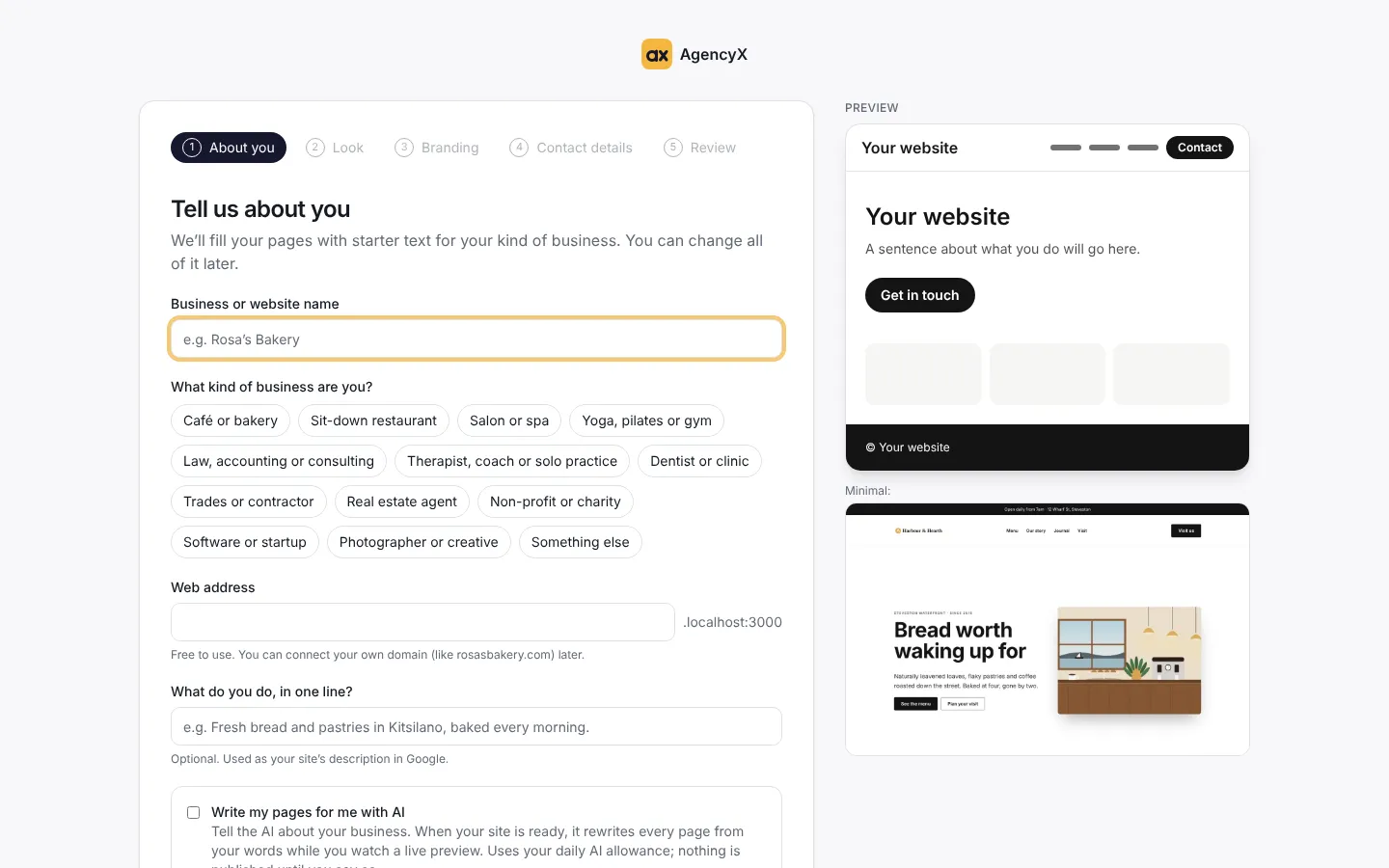
Create your website in five steps
Sign up, tell us about your business, pick a look and your colours, and get a ready-to-edit draft website with starter pages — in about five minutes.
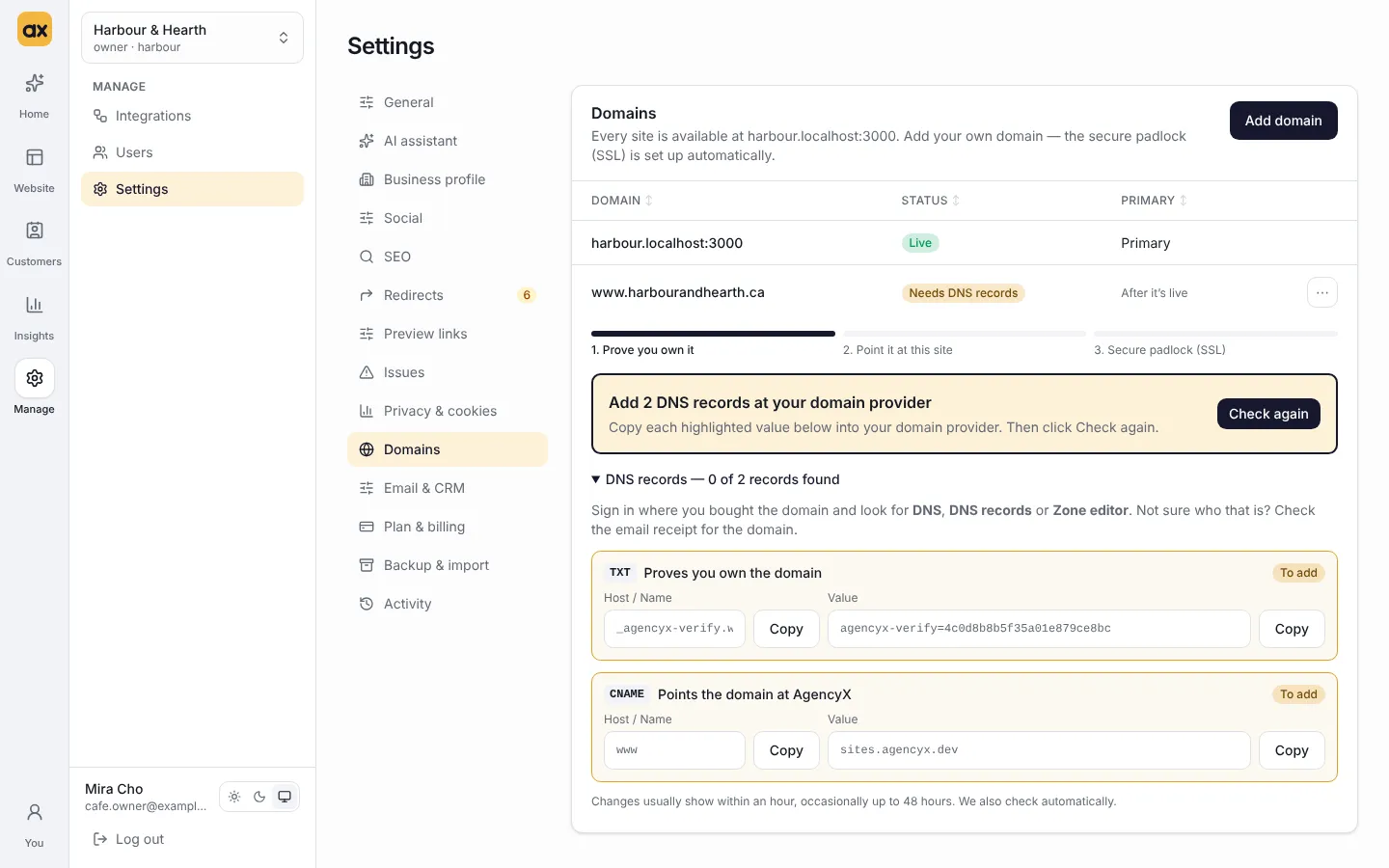
Connect your own domain name
Use your own address, like yourbusiness.ca. Add the records shown at your domain provider, click Verify, and the secure padlock is set up for you.
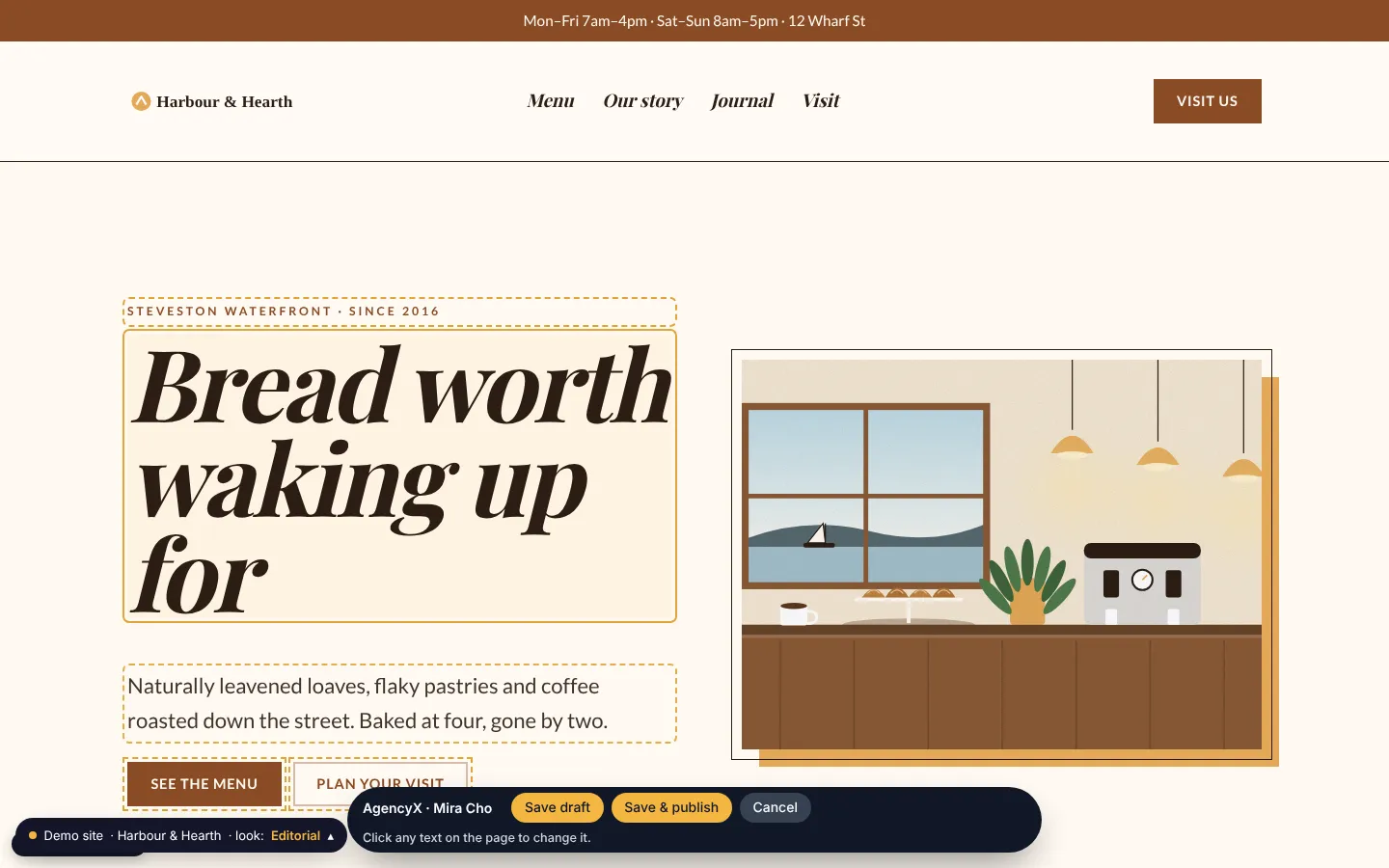
Edit text right on your live website
Fix a typo or update a price without opening the editor — sign in on your own site, click Edit text, change the words in place and publish.
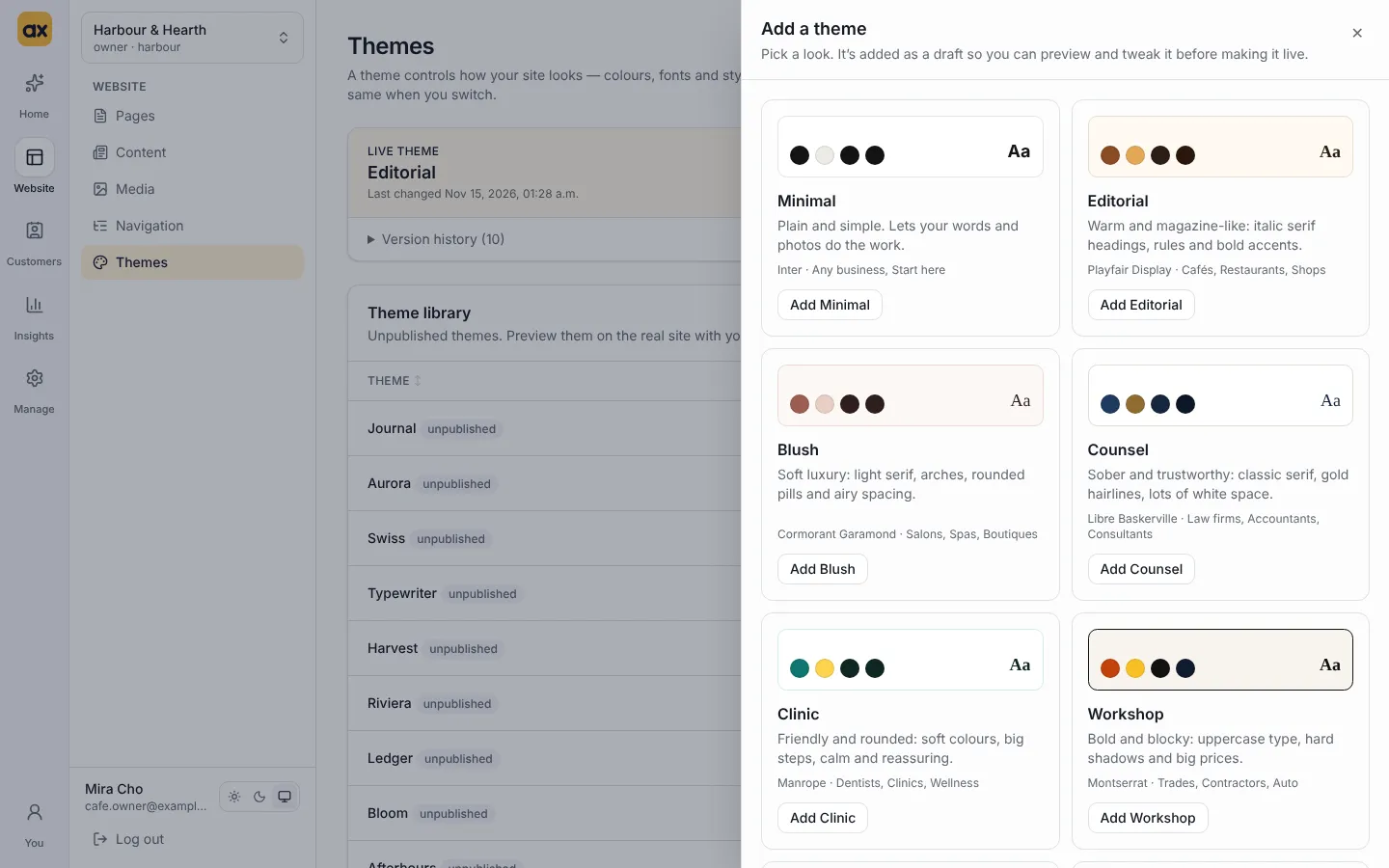
Choose a theme and try it on your real site
Browse 22 themes, add one as a draft, preview it with your own pages and content, then publish it in one click — and roll back if you change your mind.
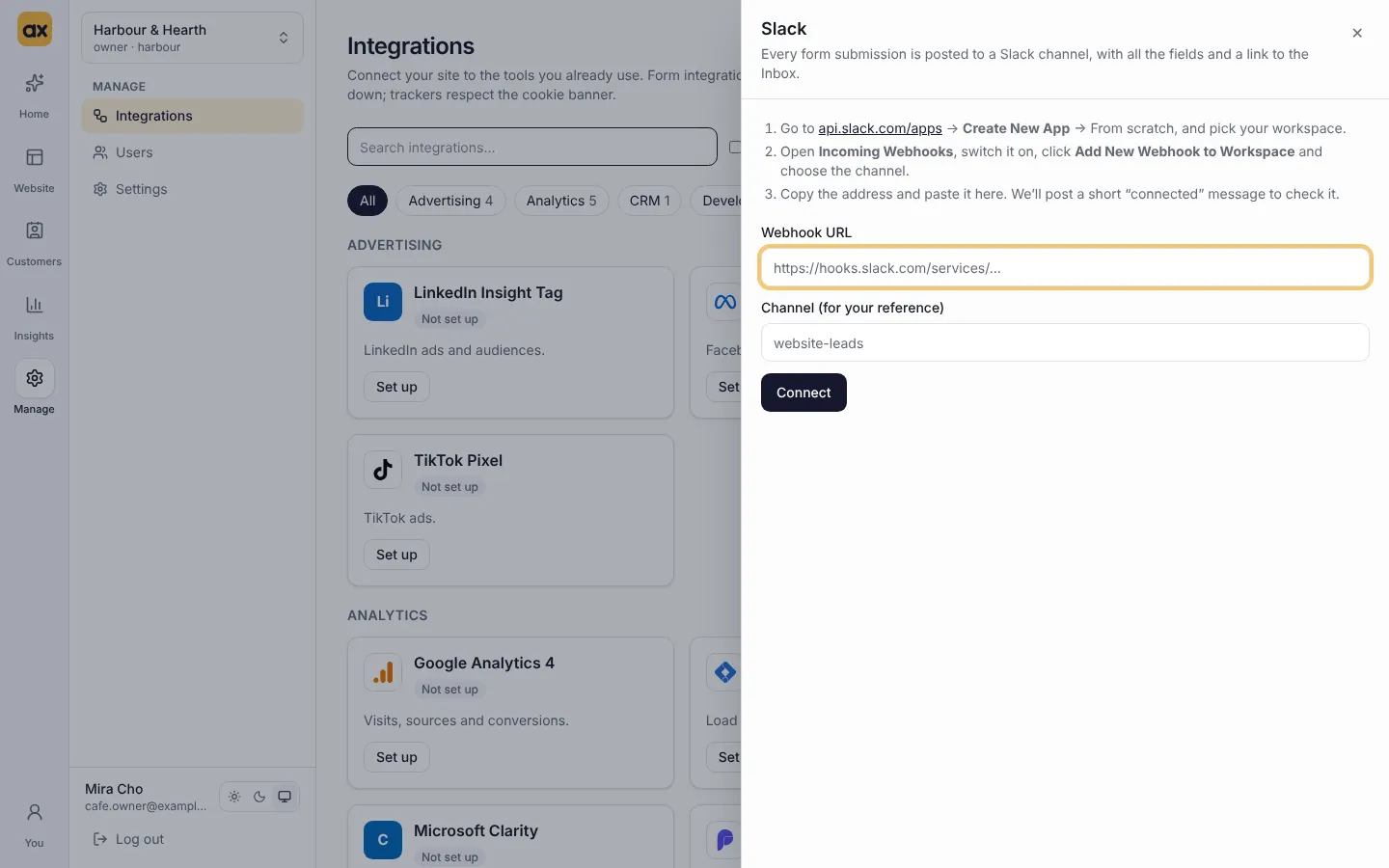
Send form enquiries to Slack, Microsoft Teams or Discord
Post every new form submission to a team chat channel, with all the fields, the page it came from and an Open in Inbox link — set up in two minutes.
Browse by topic
75 guidesGetting started10 guides
Create your site, find your way around and go live.
- Create your website in five steps
- Connect Claude, ChatGPT, Gemini or another AI provider
- Build and edit your site by chatting with AI
- Find your way around the dashboard
Pages & editing12 guides
Build pages from sections, edit words on the page and publish safely.
- Create a new page
- Edit a page with blocks
- Edit text right on your live website
- Publish, unpublish and roll back a page
Themes & design6 guides
Try themes, use your brand colours and fonts, and add motion.
- Choose a theme and try it on your real site
- Use your brand colours, fonts and logo
- Add motion and scroll effects to your site
- Edit your header, footer and announcement bar
Blog, lists & media10 guides
Write posts, manage lists like your team or services, and upload photos and files.
- Write and publish a blog post
- Organise posts with categories and authors
- Add a menu, services, prices, FAQs, team or events
- Create your own content type with custom fields
Domains & Google10 guides
Use your own domain, get found on Google and keep old links working.
- Connect your own domain name
- Get found on Google — a checklist for new sites
- Set a page's search title, description and SEO checklist
- Change a page's address without breaking links
Customers & email9 guides
Keep your customers in one place, track deals and send newsletters and emails.
- Add and manage your contacts
- Organise contacts with tags and lists
- Import and export contacts (CSV)
- Track deals with pipelines
Forms & integrations9 guides
Collect enquiries and send them where your team already works.
- Add a contact form and read messages in your Inbox
- Set up form notifications and spam protection
- Send form enquiries to Slack, Microsoft Teams or Discord
- Send form enquiries to HubSpot as contacts
Team, billing & account9 guides
Invite your team, choose a plan and keep your account safe.
- Invite your team to work on your website
- Roles and permissions — who can do what
- Turn on two-factor login for your account
- Reset your password and log out everywhere
Free website tools
Check any site’s SEO, links, speed, SSL and email — no account needed.
Website SEO checker
Enter any page and get a score out of 100, with a plain-English list of what to fix first — no signup.
Broken link checker
Check every link on a page — internal and external — and find the ones that are broken or redirected.
Meta tag & social preview checker
Preview your page in Google search results and as a shared link, and see which meta tags are missing or too long.
SPF, DKIM & DMARC checker
Find out why your email lands in spam: check the three records inboxes use to trust your domain.
Page size & speed checker
Measure what a page makes visitors download and find the files and settings that slow it down.
Colour contrast checker
Check if your text is readable on its background — and get the nearest colour that passes WCAG.
Can’t find what you need?
Tell us what you’re trying to do. A real person replies, usually within one business day.