Edit your header, footer and announcement bar
Change the parts every page shares — your header and menu, a sticky header, a call-to-action button, the footer columns and a scheduled announcement bar.
The header, footer and announcement bar appear on every page, so they're edited once, in your theme.
Open the theme workspace
Go to Themes and click Customize on your live theme. Under Sections you'll see Announcement bar, Header and Footer.
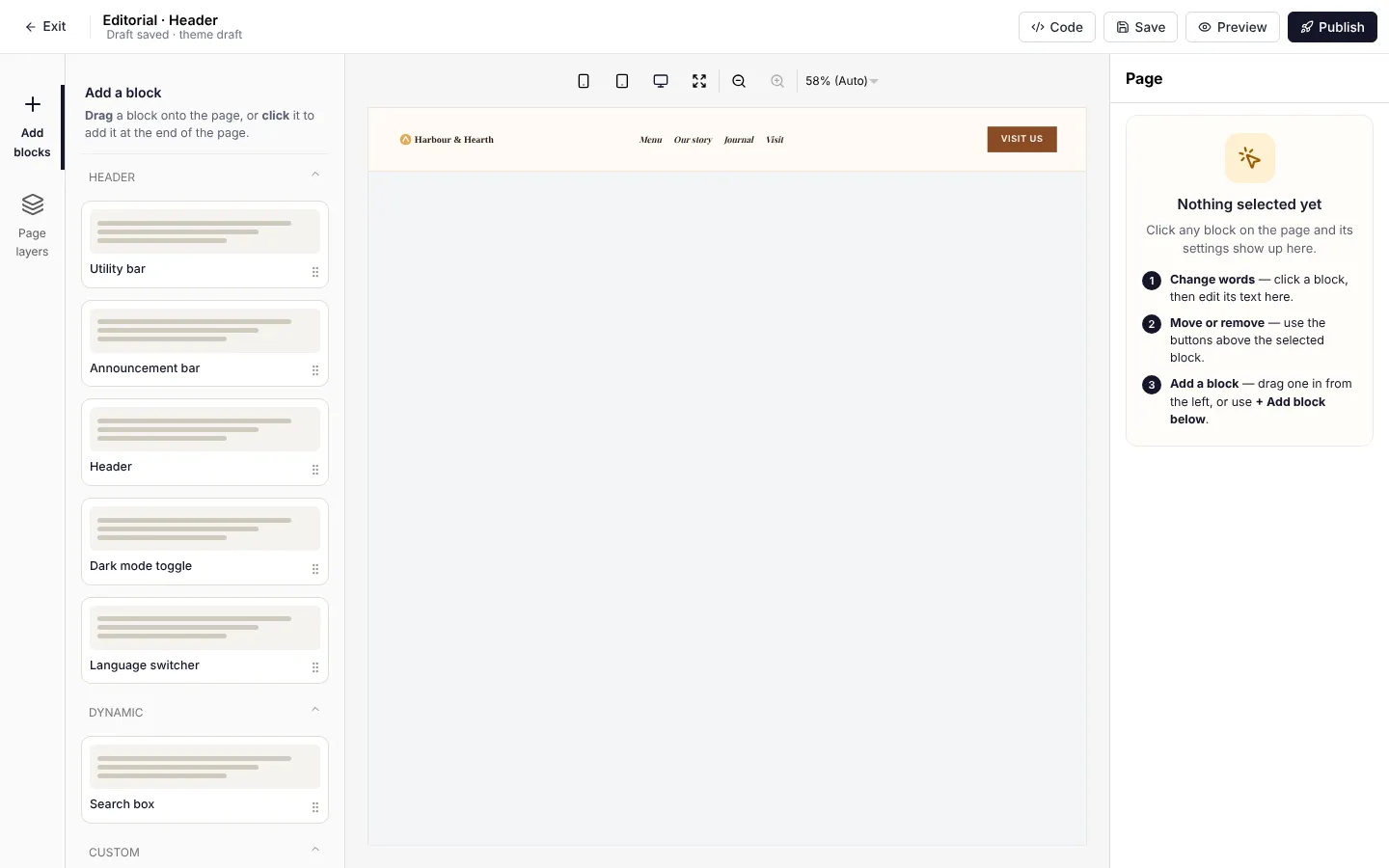
Edit the header
Choose Header (or Edit visually beside it). You can:
- pick which menu it shows, and turn on a mega menu for big dropdowns,
- add a call-to-action button, like Book now,
- make it sticky, so it stays at the top as visitors scroll,
- show a dark-mode toggle (if dark mode is on),
- adjust the mobile menu drawer.
Edit the footer
Choose Footer. Add or remove columns — menus, text, contact details, social links, opening hours. Text columns accept simple Markdown, so links and email addresses are clickable. Your social icons show under the logo unless you turn that off.
Add an announcement bar
Choose Announcement bar and write a short message, with an optional link — Now taking holiday orders →. Set show from and hide after dates to run it for a limited time, and make it closable if visitors should be able to dismiss it.
Publish
Click Save, then Publish. To undo header and footer edits you haven't published, click Discard changes next to Publish.
Common questions
Can I show a message only for a few days?
Yes. The announcement bar has show-from and hide-after dates in your site's time zone, and can be closable so visitors can dismiss it for a week.
Why don't my changes show to visitors?
Header and footer changes are part of the theme. Click Publish in the theme workspace to put them live, or Discard changes to undo them.
Something out of date or unclear? Search other guides or tell us from your dashboard.