Add your business details, hours and social links
Fill in your business profile — contact details, address, opening hours and social links — once, and they appear in your footer, contact page and on Google.
Your business profile is the one place for the facts about your business. Fill it in once and your footer, contact page, opening-hours blocks and the details Google reads all stay in step.
Open Manage → Business profile
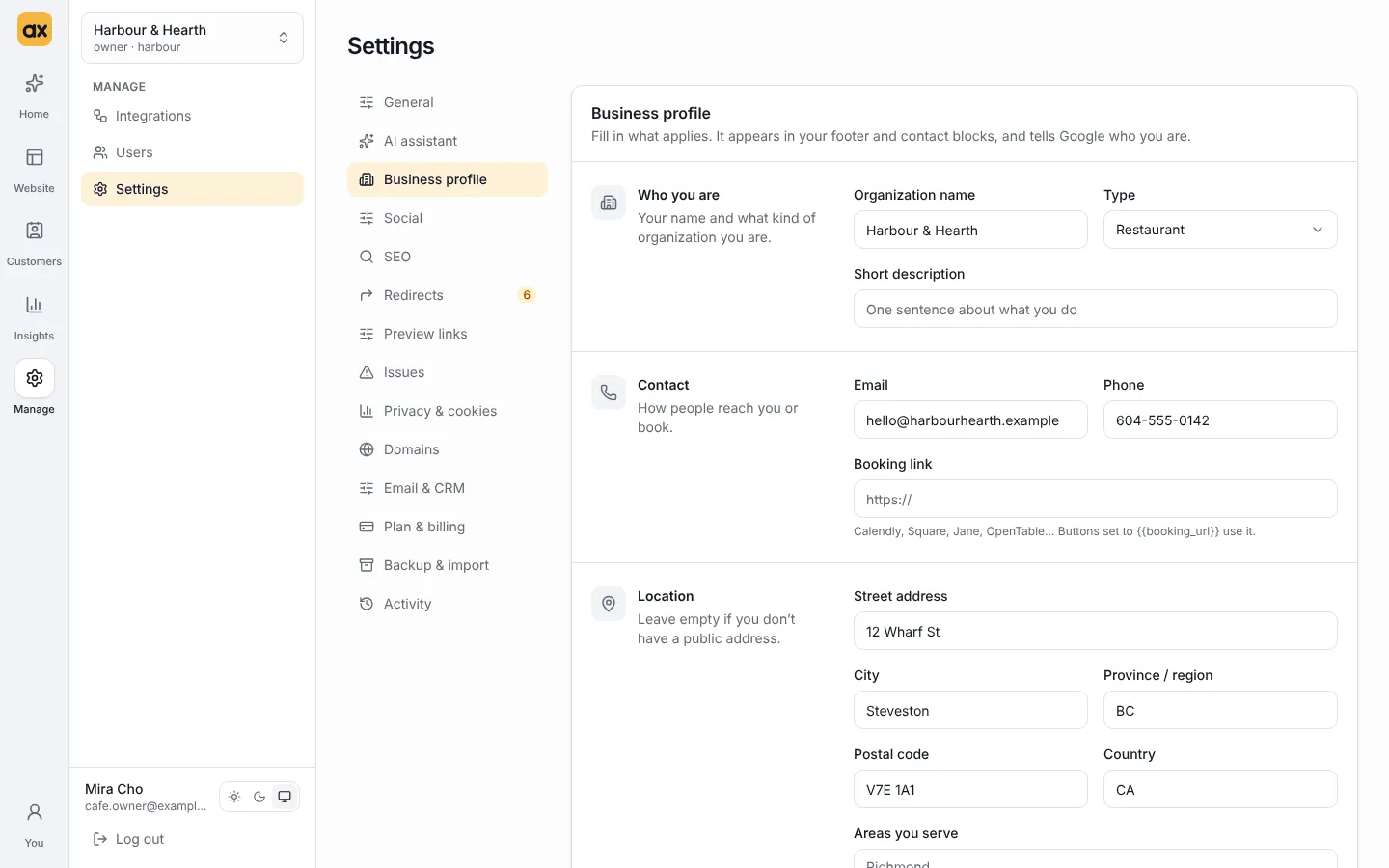
It's split into groups, each with a line explaining what it's for:
- Who you are — your organisation's name, type (Restaurant, Dentist, Plumber…) and a short description.
- Contact — email, phone and a Booking link if customers book online (Calendly, Square, Jane, OpenTable and others). Buttons that say Book use this link.
- Location — your street address, city, province and postal code, plus the areas you serve. Leave it empty if you don't have a public address.
- Hours — a weekly grid with up to two time ranges a day, and a button to copy Monday to the other weekdays.
Click Save at the bottom of each group.
Add your social links
Open Manage → Social. There's one box per network: Facebook, Instagram, LinkedIn, X, YouTube, TikTok, Threads, Pinterest, Bluesky, GitHub, WhatsApp and email. Paste your profile address — instagram.com/yourbusiness is enough; https:// is added for you. Click Save social links.
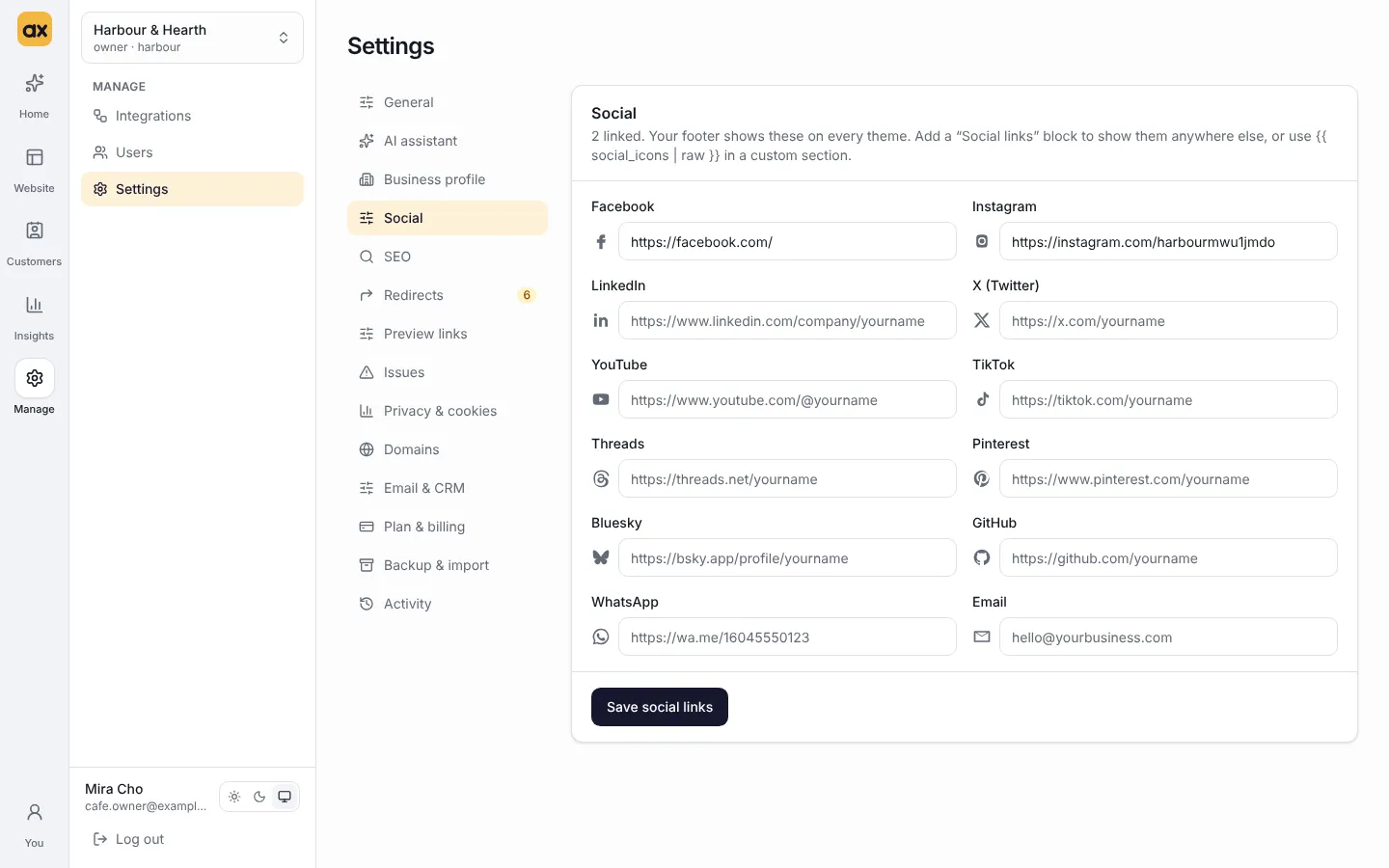
Anything that isn't a link is refused, with the network named, so a typo can't break your footer.
Check where they show
- Footer: every theme shows your social icons under the logo once at least one link is set.
- Contact details appear in your footer and contact page.
- Opening hours show in the Opening hours block with today highlighted and Open now · closes 4pm worked out in your time zone.
- Google: your profile and social links are added to your pages as structured data.
To show social icons somewhere else — your header or a sidebar — add the Social links block from the editor's Content category.
Common questions
Why does my address matter for Google?
Your business profile is turned into structured data that tells Google your name, type of business, address, phone and hours, which helps it show your business correctly in search and maps.
Where do social icons appear?
In every theme's footer, under the logo, as soon as you add a link. You can also add a Social links block anywhere on a page.
Can I show split shifts, like a lunch break?
Yes. Each day in the opening-hours grid takes two time ranges.
Something out of date or unclear? Search other guides or tell us from your dashboard.