Move your WordPress site to AgencyX
Import pages, blog posts, authors, categories, tags and images from WordPress, check what will come across first, and keep every old link working.
On this page
You can bring a WordPress site across without losing your content or your search traffic.
Export from WordPress
In your WordPress dashboard go to Tools → Export, choose All content and click Download Export File. You get an .xml file.
Check the file
In AgencyX go to Manage → Backup & import. Under Import from WordPress, choose the file and click Check file. Nothing is changed yet.
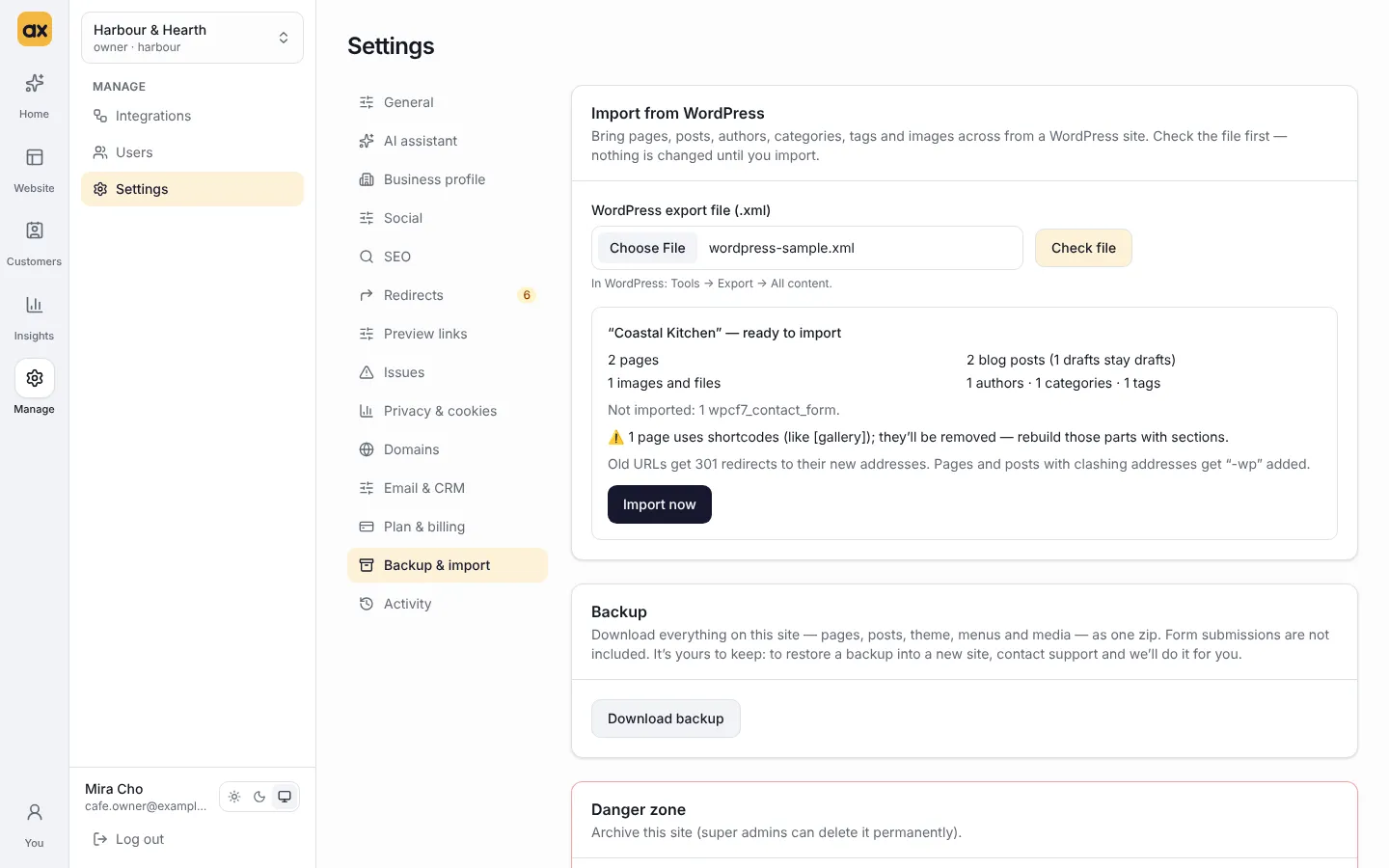
The check shows how many pages, blog posts, images and files, authors, categories and tags it found, and lists anything that needs attention — like pages built with shortcodes, and addresses that clash with pages you already have.
Import
Click Import now. Your pages, posts, authors, categories, tags and images are added to the site, and every old address gets a 301 redirect to its new one.
Tidy up
- Open Pages and Content and look over what came across.
- Check Manage → Redirects for the old addresses and where they now go.
- Pick a theme and add your logo — imported content takes on your theme automatically.
- When everything looks right, connect your domain so the old address points to your new site.
Common questions
Will my Google rankings drop?
Every old WordPress address gets a permanent (301) redirect to its new address, so links and search results keep working and search engines move their ranking to the new page.
What doesn't come across?
Plugins, page-builder layouts and shortcodes can't be imported. The check tells you which pages use shortcodes so you can rebuild those parts with blocks.
Can I import more than once?
Yes. Pages and posts whose address is already taken are imported with a new address and the check warns you about them.
Something out of date or unclear? Search other guides or tell us from your dashboard.