Write and publish a blog post
Write a post with headings, images and links, add a cover image, excerpt and SEO details, then publish it now, schedule it or send it for review.
A blog keeps your site fresh, answers your customers' questions and gives Google more reasons to send people your way.
Start a new post
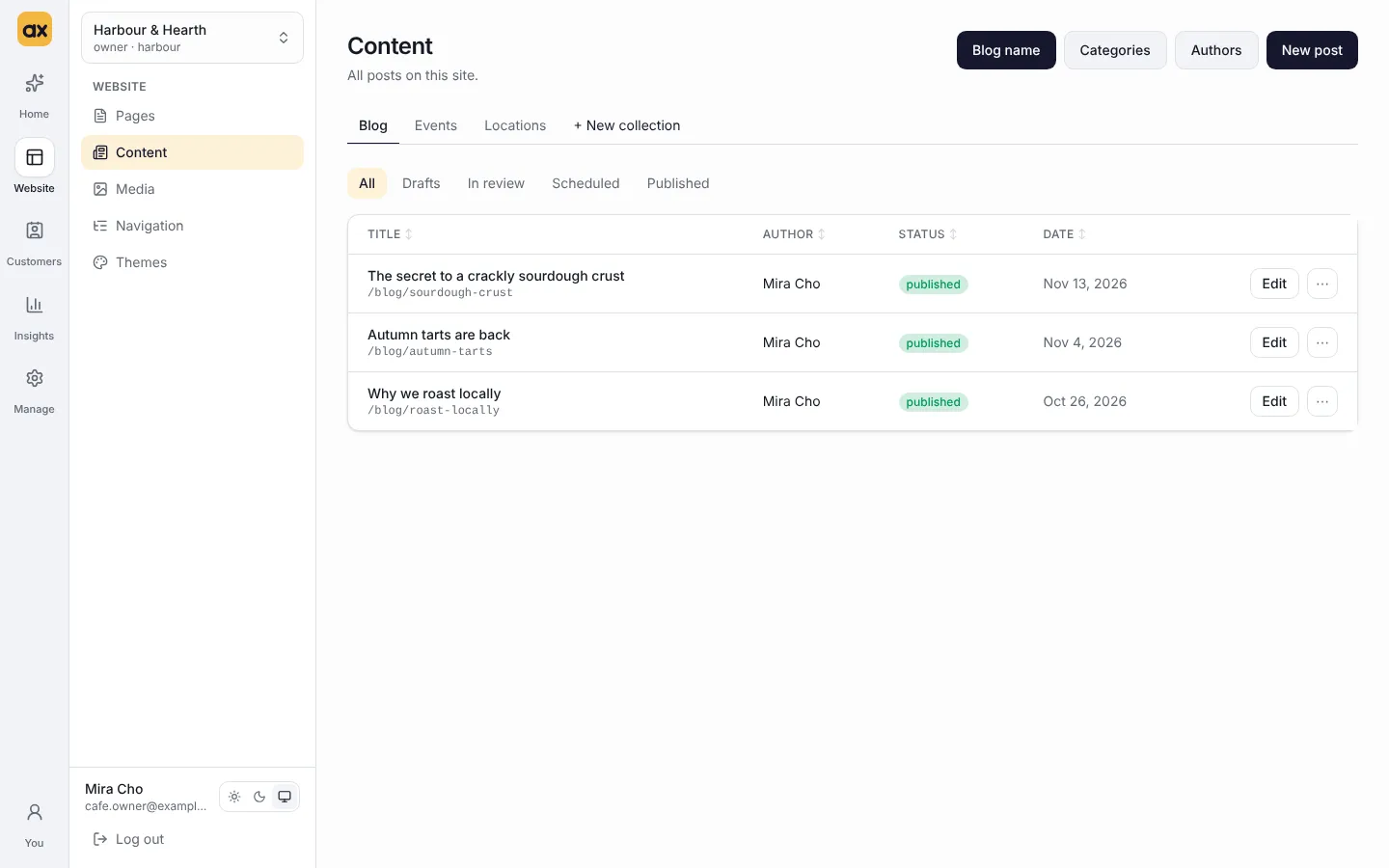
In the menu, open Website and click Content. The Blog tab lists your posts, with filters for Drafts, In review, Scheduled and Published. Click New post.
Write
Give the post a title, then write. The toolbar has headings, bold and italic, lists, quotes, links and images. Links to your own pages are made by reference, so they keep working if a page moves.
Add the details
On the right:
- URL slug — the post's address, like
/blog/how-to-store-sourdough. - Excerpt — a one- or two-line summary shown on the blog page.
- Cover image — shown at the top and when the post is shared.
- Author, categories and tags.
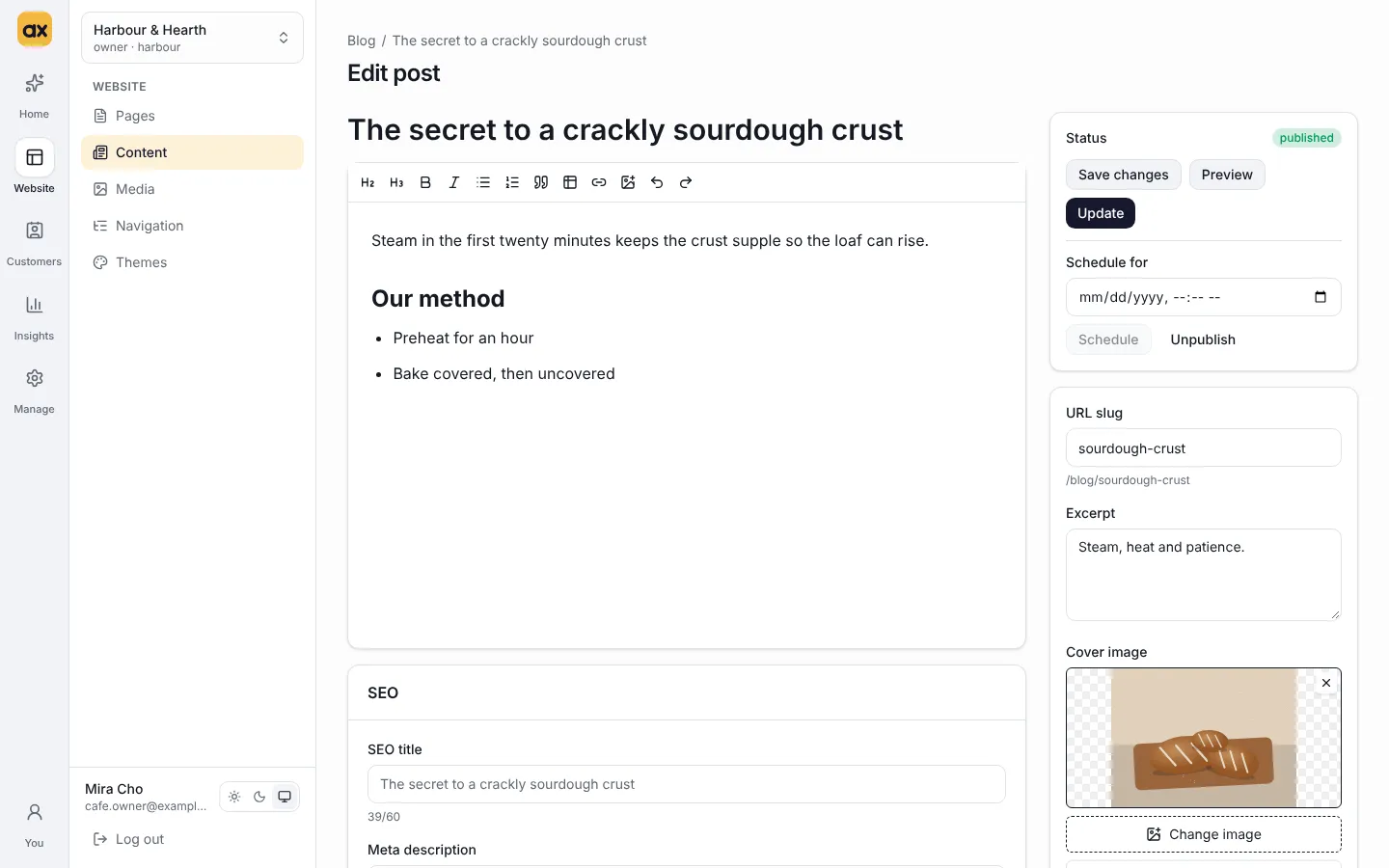
Below the text, SEO holds the post's search title and description. Leave them empty to use the title and excerpt.
Publish, schedule or submit
- Publish — live now.
- Schedule for — pick a date and time and it goes live on its own.
- Submit for review — if you're an author, an editor or owner approves it.
Once a post is live, Update publishes your edits, Save changes keeps them in the draft and Unpublish takes it down.
Your blog page
Published posts appear at /blog, newest first, with category pages at /blog/category/…. Rename the blog — News & Events, Journal — with Blog name on the Content screen, and add an optional intro line.
Common questions
Can I rename my blog to News or Journal?
Yes. On Content, click Blog name. The name is used for the blog's heading, breadcrumbs and browser title; the address stays /blog.
How many posts can I publish?
Free includes 10 blog posts, Pro 50 and Max 500.
Can AI help me write?
If AI suggestions are switched on for your site, the editor offers Rewrite — clearer, shorter, friendlier, more formal or fixed grammar. Nothing changes until you accept it.
Something out of date or unclear? Search other guides or tell us from your dashboard.