Publish your website in more than one language
Add French or another language, translate each page into its own version, give visitors a language switcher and tell Google which version is which.
Add a language
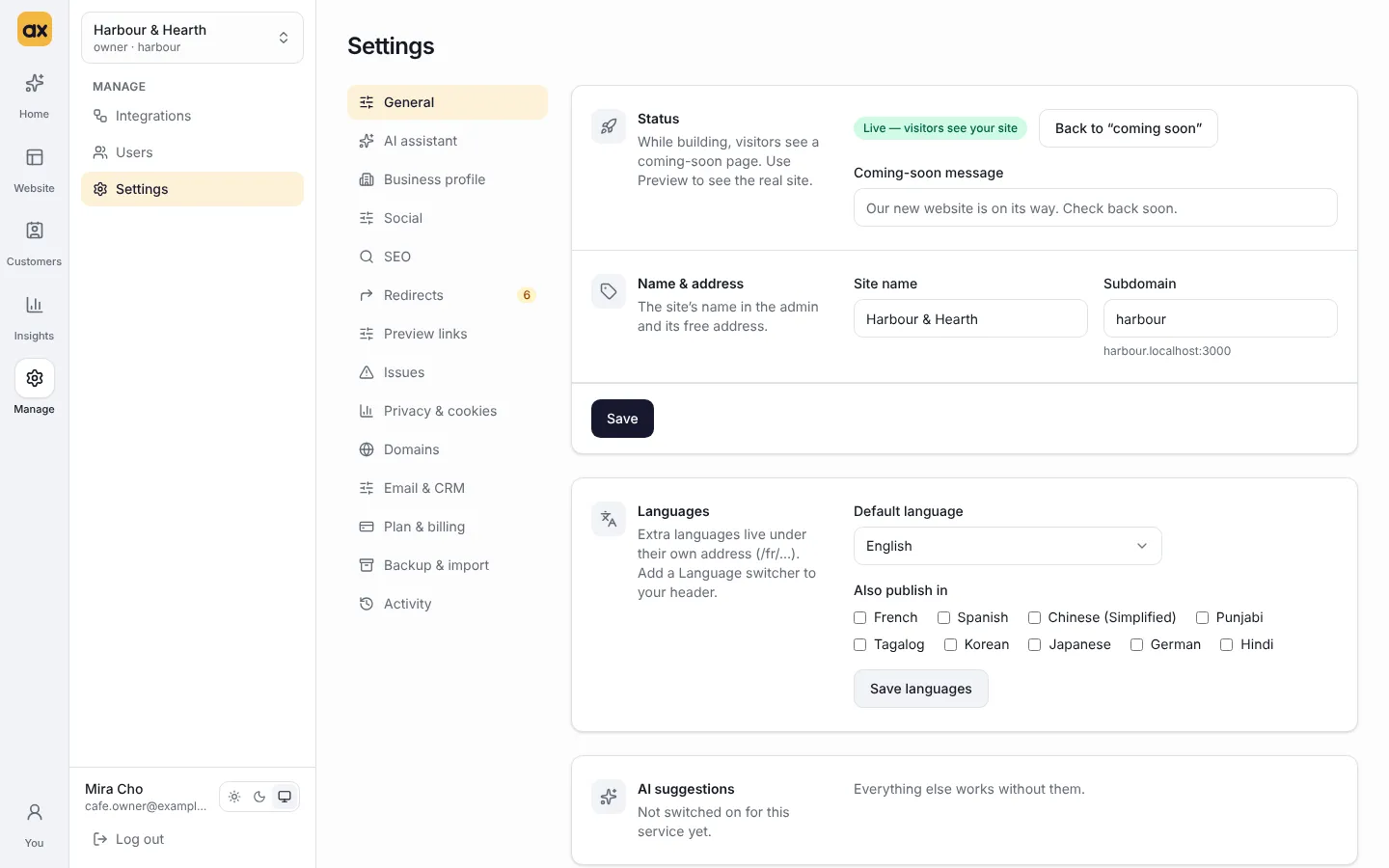
Go to Manage → General and find Languages. Your Default language is usually English; tick the others you'll publish in — French, Spanish, Chinese (Simplified), Punjabi, Tagalog, Korean, Japanese, German or Hindi — and click Save languages.
Translate a page
Open a page in the editor and use Translations → Translate. A copy is created at the language's address — /fr/about for the French version of /about — for you to translate and publish.
Add a language switcher
Add the Language switcher block to your header (in the theme) or to any page, so visitors can change language.
Translate your menu
Create a menu with the language added to its handle — main-fr for the French main menu. It replaces main on French pages.
Common questions
What if a page isn't translated yet?
Visitors see the page in your default language until a translation exists.
Does Google know about my translations?
Yes. Each page tells search engines about its other language versions, and pages carry the right language code.
Something out of date or unclear? Search other guides or tell us from your dashboard.