Share PDFs, documents, video and audio files
Upload menus, price lists, forms, video and audio to your library, get a permanent link to each file, and add download buttons and links to any page.
Your media library holds every file, not just photos. Filter it with All, Images, Documents and Video & audio.
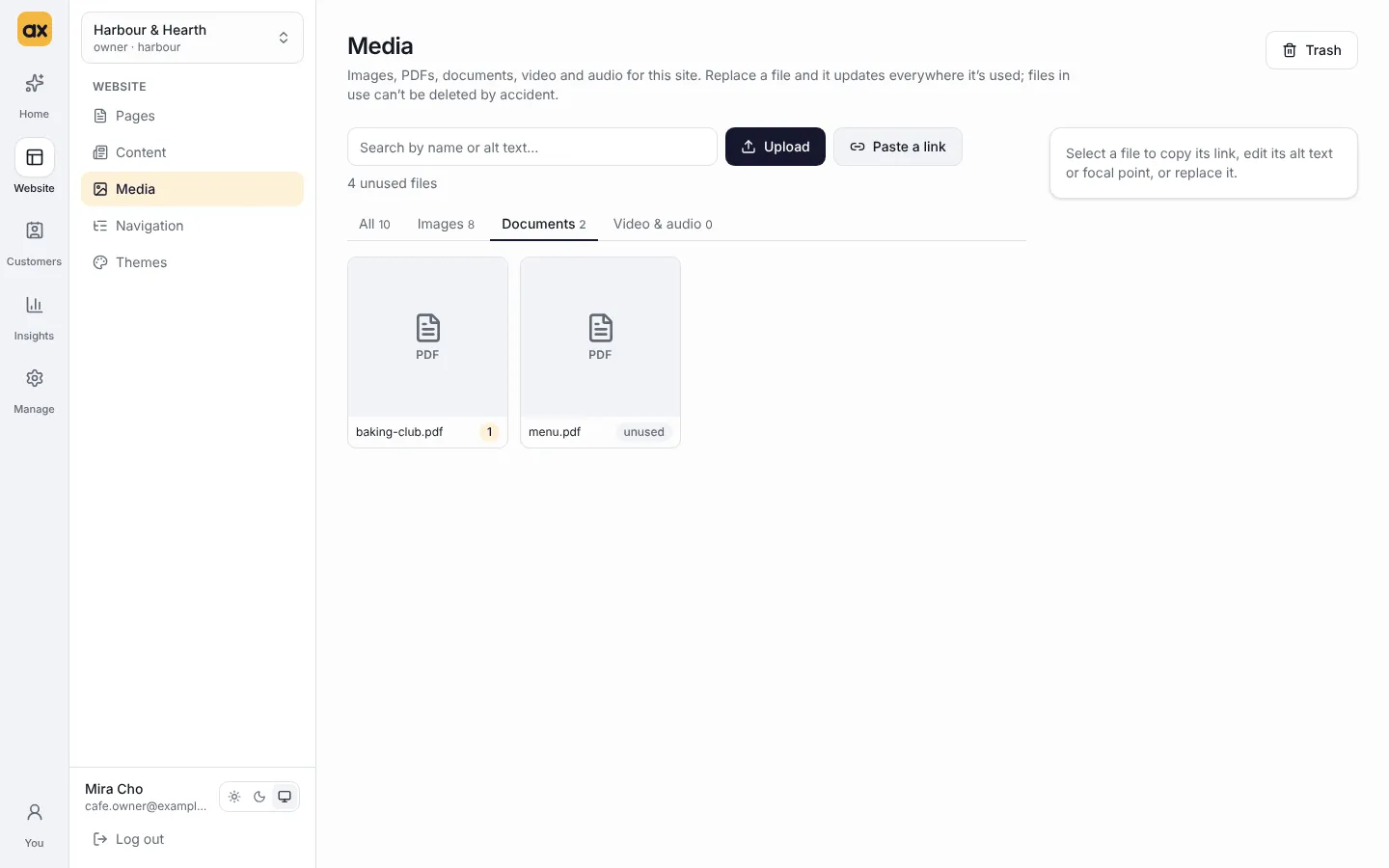
Upload the file
Go to Media → Upload and choose the file. Give it a Title — it's used as the link text.
Copy its permanent link
Select the file and copy its permanent link. It looks like yoursite.ca/files/…/menu.pdf and keeps working even when you replace the file. PDFs, video and audio open in the browser; Office files and CSVs download.
Link to it from your site
- Any link — a button, a menu item or a text link — can point to File (PDF, document, video…). Pick it from the library; the link follows the file even if it's replaced.
- The Downloads block lists files with their type and size.
Update it later
Select the file and use Replace file. Every link and button keeps working.
Common questions
Will the link break if I upload a new version?
No. Use Replace file and the permanent link keeps working, pointing at the new version.
Which files can I upload?
PDFs, Word, Excel and PowerPoint files, CSV and text files, MP4, WebM and MOV video, and MP3, M4A, WAV and OGG audio — up to 20 MB each. Web pages, scripts and archives aren't allowed.
What about long videos?
Put them on YouTube or Vimeo and add them with the Video block — it's faster for visitors.
Something out of date or unclear? Search other guides or tell us from your dashboard.