Add a menu, services, prices, FAQs, team or events
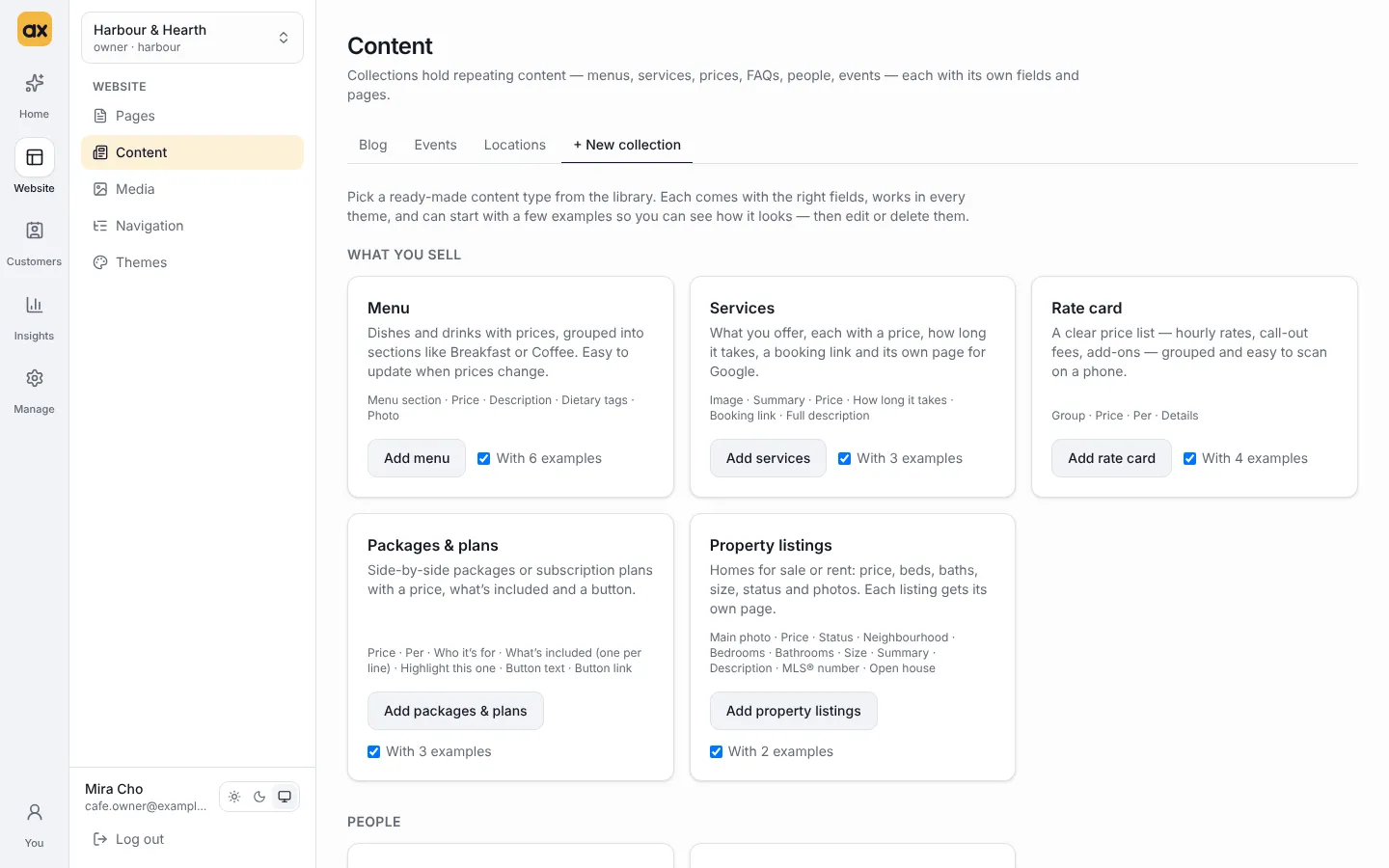
Pick a ready-made content type from the library — menu, services, rate card, packages, FAQs, team, events, jobs or locations — with examples to start from.
Add a collection
Go to Content and click + New collection. The library groups ready-made types on shelves — What you sell, People, What's on, Help & proof and Places. Leave With … examples ticked to start with a few made-up items you can edit or delete (they stay as drafts if your site is already live).
New websites already have the types that suit their business — a café starts with a Menu and FAQs, a salon with Services and a Rate card, a software company with Packages & plans — filled with examples.
| Type | Comes with |
|---|---|
| Menu | Menu section (Breakfast, Coffee…), price, description, dietary tags, photo. Shows as a menu with dotted price lines. |
| Services | Image, summary, price, how long it takes, booking link, full description — each service gets its own page. |
| Rate card | Group, price, “per” (hour, visit…), details. Shows as a clear price list. |
| Packages & plans | Price, period, who it’s for, what’s included, highlight, button. Shows as pricing cards. |
| FAQs | Question, answer, topic. Shows as questions that open and close. |
| Jobs | Employer, location, type, salary, application closing date, apply link. |
| Team | Photo, role, short bio, LinkedIn. |
| Events | Starts, ends, venue, online event, registration link. |
| Locations | Photo, address, phone, opening hours, booking link. |
| Case studies | Client, cover image, summary, story. |
| Testimonials | Quote, name or company, photo. |
Or choose Your own type to design the fields yourself — see Create your own content type.
Add items
Open the collection's tab under Content and click New (for example New event). Fill in the fields — required ones are checked when you publish — and click Save & publish.
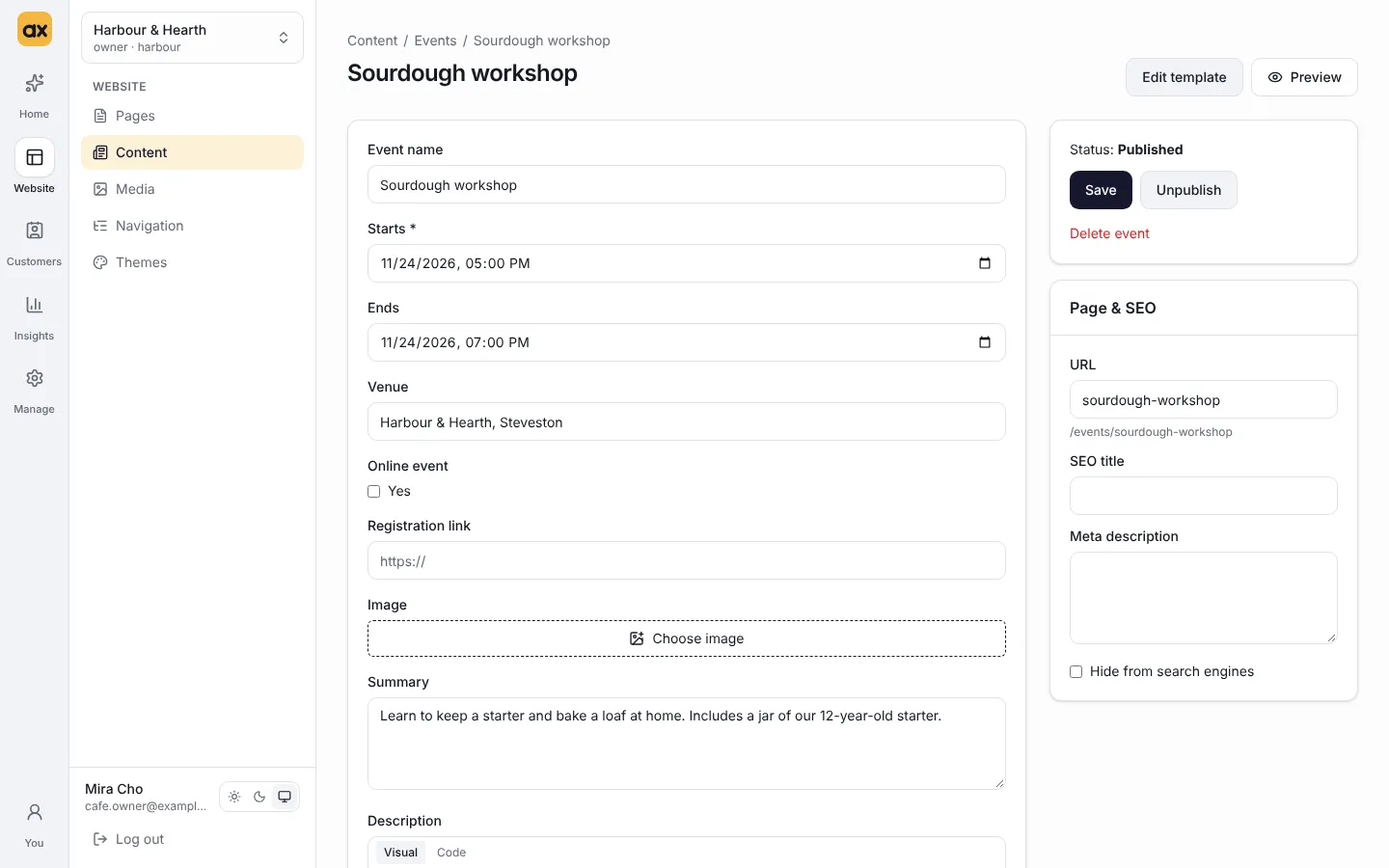
Items with pages get their own address (like /events/sourdough-workshop), SEO fields and a place in your sitemap.
Show it on a page
In the page editor, add a Collection list block. Pick the collection and a layout — Best for this type picks the right one for you (a menu or price list, questions and answers, pricing plans or cards), or choose cards, list, table or quotes yourself — and optionally filter it, limit how many show, or hide past dates.
What Google sees
Item pages include structured data for their type — a job posting, an event, a person or a local business location — which helps them show up with extra detail in search results.
Common questions
Why use a collection instead of writing it on a page?
Each item has the same fields, so the list stays tidy and consistent. Items can have their own pages, appear in any number of lists, and tell Google the details — like job postings and events — that can show as rich results.
Can I show past events?
The Collection list block can hide past dates, so your upcoming events list stays current on its own.
Something out of date or unclear? Search other guides or tell us from your dashboard.