Get found on Google — a checklist for new sites
The steps that matter most for showing up in search — Google Business Profile, Search Console, your sitemap, titles and descriptions, reviews and links.
On this page
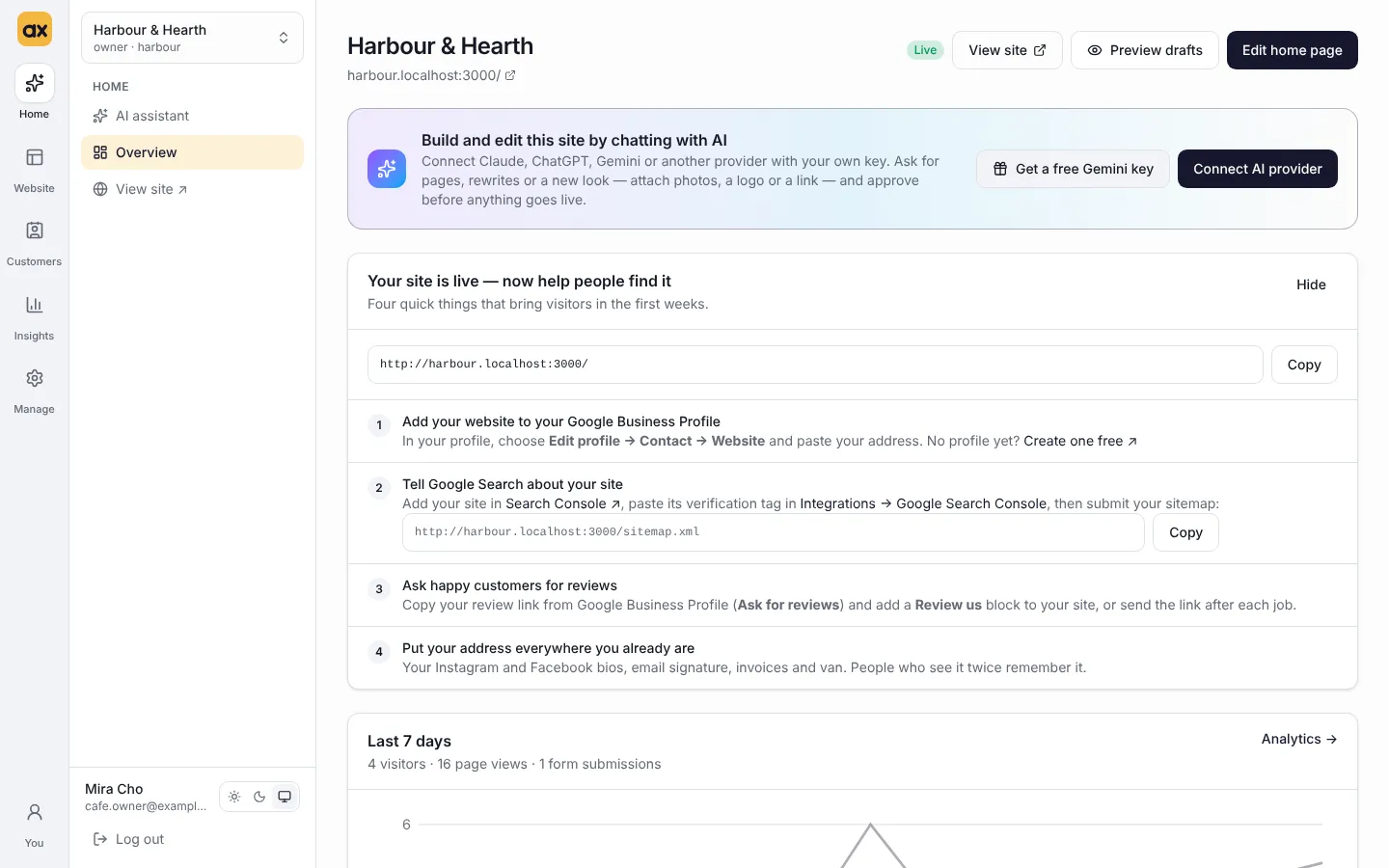
The technical side of SEO is built in to every AgencyX site. What's left is telling Google you exist and giving it good reasons to send people to you. Once your site is live, Overview lists these steps for you.
Add your website to your Google Business Profile
For local businesses this is the most important step. In your Google Business Profile, open Edit profile → Contact → Website and paste your site's address. No profile yet? Create one free at google.com/business.
Tell Google Search about your site
- Open Google Search Console and add your site.
- Choose the HTML tag way to verify and copy the code.
- In AgencyX, go to Integrations → Google Search Console, paste it and save (just the code is kept).
- Back in Search Console, click Verify, then open Sitemaps and submit
sitemap.xml.
Do the same for Bing with Bing Webmaster Tools and the Bing tile.
Fill in your business profile
Your name, type of business, address, phone and hours in Manage → Business profile are turned into structured data that Google reads. See Add your business details.
Write good titles and descriptions
Each page's search title and description are what people see in Google. Make them specific: Sourdough bakery in Steveston · Harbour & Hearth beats Home. See Page SEO settings.
Ask happy customers for reviews
Copy your review link from your Google Business Profile (Ask for reviews) and add a Review us block to your site, or send the link in emails.
Put your address everywhere you already are
Add your website to your Instagram and Facebook bios, your email signature, invoices and van. Links from local directories, suppliers and partners help too.
Already done for you
- A sitemap at
/sitemap.xml, updated whenever you publish, and arobots.txtthat points to it. - Structured data for your business, pages, posts, events, jobs and FAQs.
- Share images for every page, made from your title and colours when a page has no picture.
- Fast pages served from a cache and updated the moment you publish.
- An
llms.txtfile that lists your pages for AI search tools.
Common questions
How long until I show up on Google?
A new site can take from a few days to a few weeks to appear. Submitting your sitemap in Search Console speeds that up.
Do I need to do technical SEO?
No. Every AgencyX site already has fast server-rendered pages, a sitemap, structured data, share images and the right tags. Your job is good content and the steps in this guide.
Does AgencyX tell search engines about new pages?
Yes. When you publish, Bing and other search engines that support IndexNow are notified straight away, and your sitemap updates for Google.
Something out of date or unclear? Search other guides or tell us from your dashboard.