Fix issues in your site's health report
Find and fix the problems that hold pages back — missing descriptions, duplicate titles, broken links, missing alt text and accessibility gaps.
Open Issues
Go to Manage → Issues. The count at the top shows errors and warnings that search engines notice.
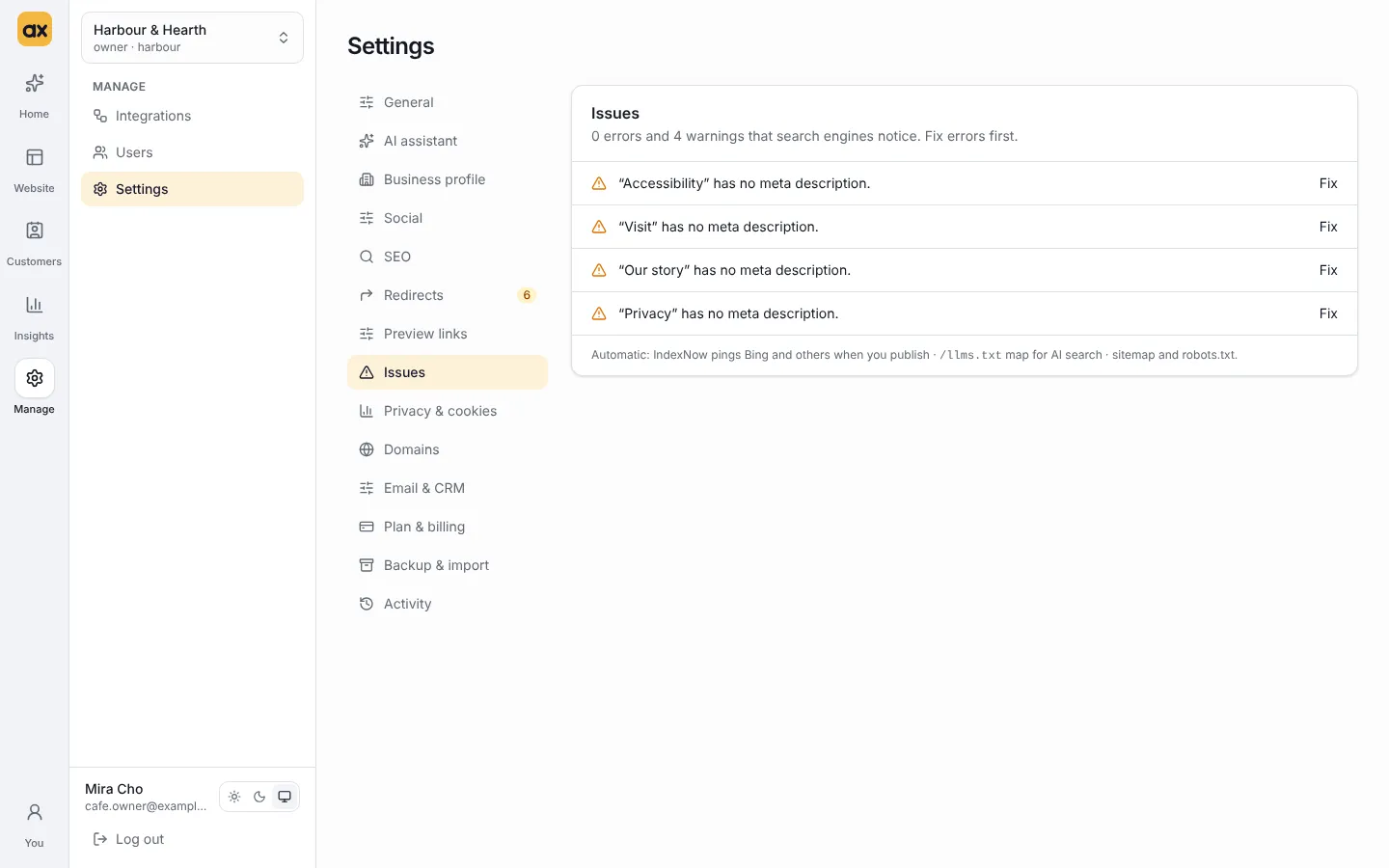
Each line says what's wrong and has a Fix link to the right place.
What's checked
- Broken internal links — links to pages that no longer exist.
- Missing meta descriptions and duplicate titles.
- Images without alt text.
- Pages with [bracketed] placeholders left over from the starter text.
- Accessibility: theme colour pairs below the WCAG AA contrast standard (light and dark), headings that skip a level (H1 → H3), and videos left with a default title.
Pages people couldn't find
Missing addresses visitors have tried are in Manage → Redirects. See Set up redirects.
Common questions
Do I have to fix every warning?
Fix errors first — they affect visitors or search engines most. Warnings are worth working through over time.
Do you add an accessibility overlay?
No. Overlays don't fix the underlying problems. The report points to the actual things you can fix, like low-contrast colours and skipped headings.
Something out of date or unclear? Search other guides or tell us from your dashboard.