Add extra pages and sitemaps to your sitemap
List pages AgencyX doesn't manage — a PDF, a booking app, a shop — in your sitemap, or point it at whole sitemaps from a help center or store you run.
Your sitemap tells search engines which pages exist. AgencyX keeps it up to date for you. Use this when you also want search engines to find things that live outside AgencyX.
Open the Sitemap card
Go to Manage → SEO and scroll to Sitemap.
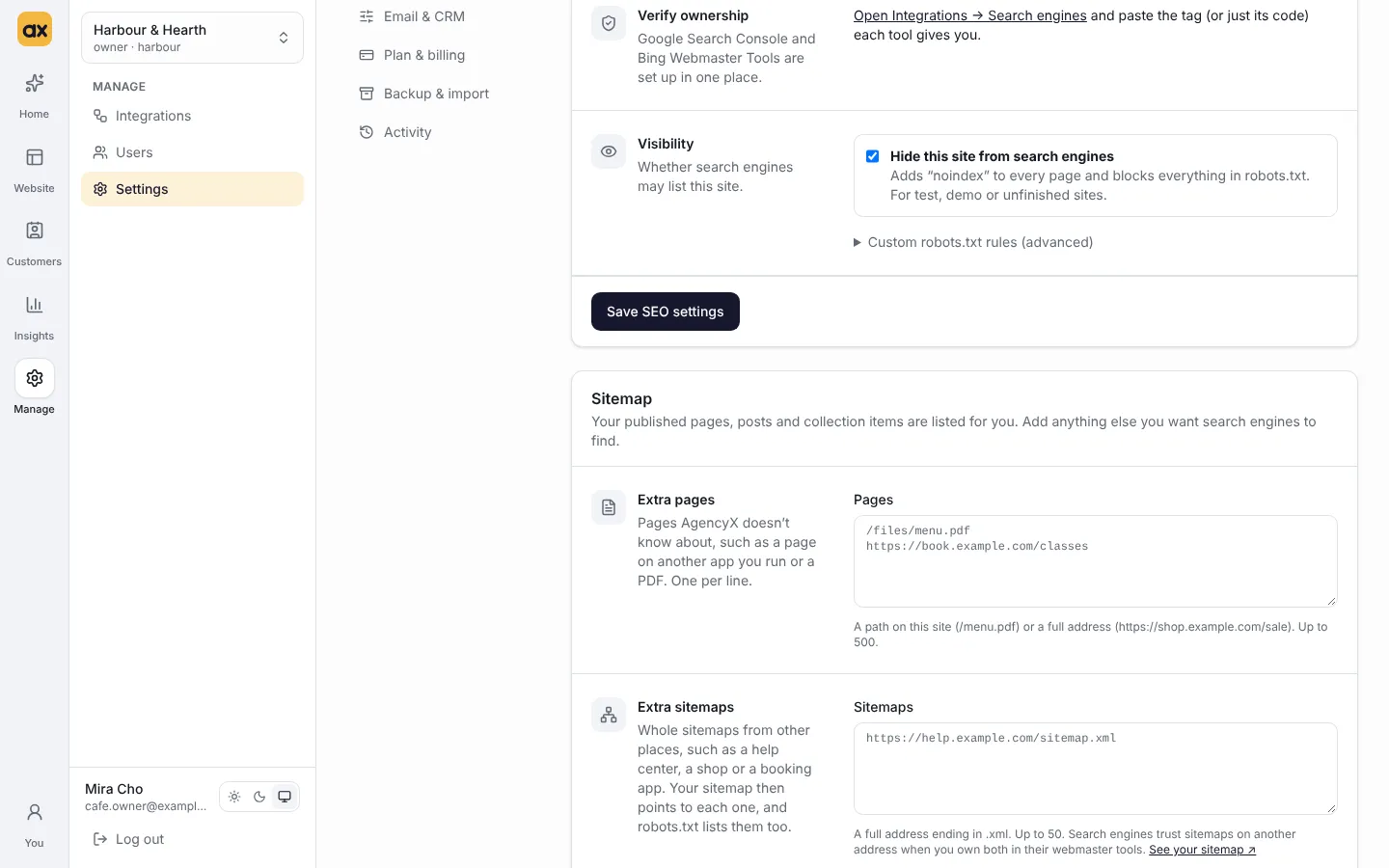
Add single pages
In Extra pages → Pages, add one per line:
- a path on your site, like
/files/…/menu.pdf, or - a full address on another site you run, like
https://book.example.com/classes.
Up to 500 pages. Lines starting with # are ignored, so you can leave notes.
Add whole sitemaps
In Extra sitemaps → Sitemaps, add the full address of each sitemap, ending in .xml — for example https://help.example.com/sitemap.xml for a help center, or your shop's sitemap. Up to 50.
Your /sitemap.xml then becomes a sitemap index that lists your own pages' sitemap and each one you added, and your robots.txt lists them too.
Save
Click Save sitemap. Anything that isn't a valid address is refused with a message saying which line to fix.
Common questions
Do I need to add my normal pages?
No. Published pages, blog posts and collection items are listed automatically, with the date they last changed.
Will Google trust a sitemap on another address?
Yes, when you've verified both addresses in Google Search Console (and Bing Webmaster Tools). Otherwise search engines may ignore it.
Where can I see my sitemap?
At /sitemap.xml on your site. The Sitemap card has a See your sitemap link.
Something out of date or unclear? Search other guides or tell us from your dashboard.