Add Google Analytics, pixels and a cookie banner
Connect Google Analytics, Tag Manager, Clarity, Meta Pixel and other tools by pasting their ID. A cookie banner appears and each tool waits for consent.
Open Integrations
In the menu, open Manage and click Integrations. Tools are grouped: Analytics, Advertising, Search engines and Live chat. Search or use the category chips to find one.
Set up a tool
Click Set up on the tool and paste its ID:
| Tool | What to paste |
|---|---|
| Google Analytics 4 | Measurement ID, like G-XXXXXXX |
| Google Tag Manager | Container ID, like GTM-XXXXXX |
| Microsoft Clarity, Hotjar, Plausible | Your project or site ID |
| Meta Pixel, TikTok Pixel, LinkedIn Insight, Pinterest Tag | The pixel or partner ID |
| Google Search Console, Bing | The verification code |
| Crisp, Tawk.to | Your chat widget ID |
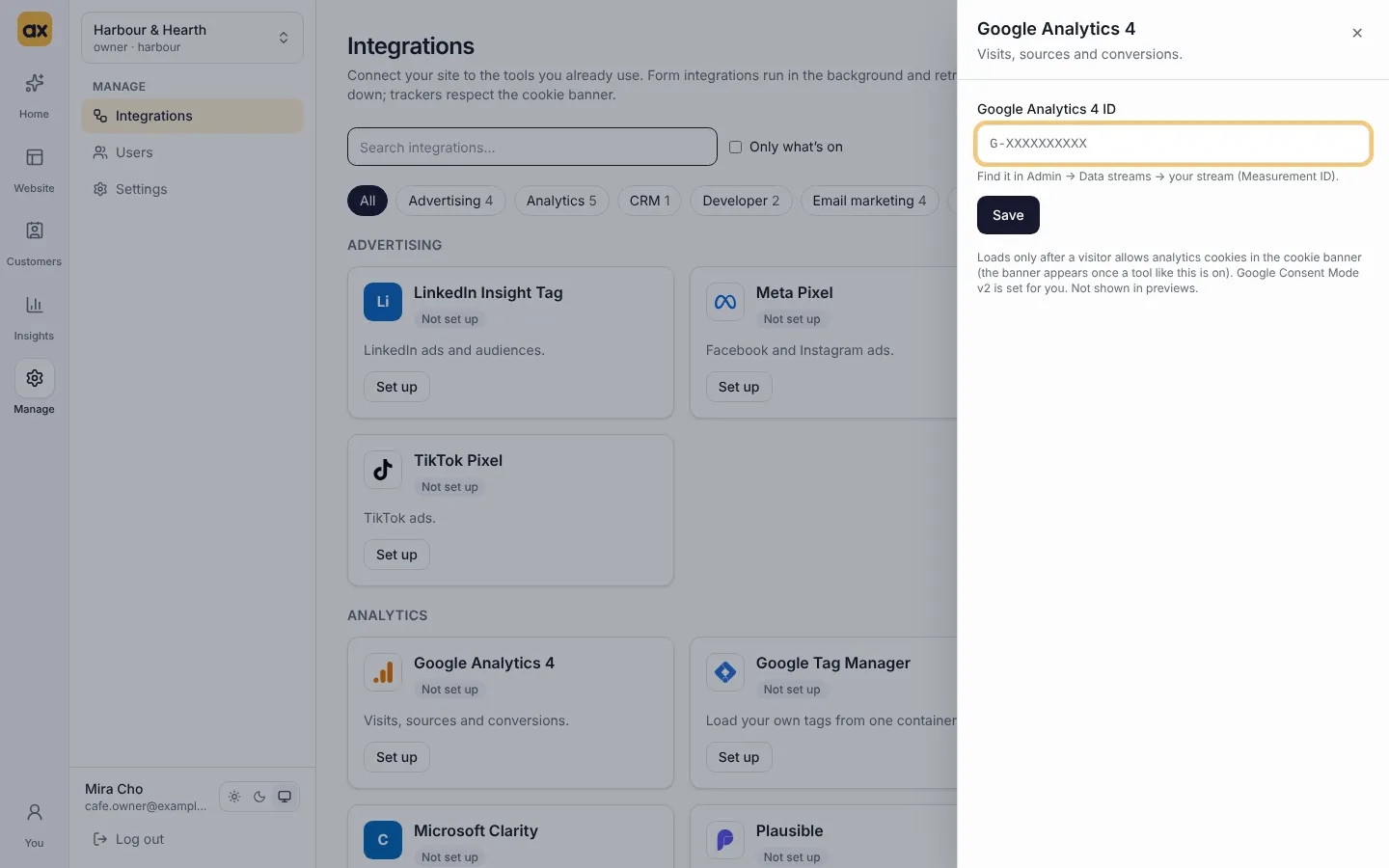
Each ID is checked for the right format. Click Save. To turn a tool off, open it and click Remove.
The cookie banner
When a tool that sets cookies is on, visitors see a cookie banner with Accept, Reject and Choose. Each tool only loads after its category is allowed, and Google tags use Consent Mode v2.
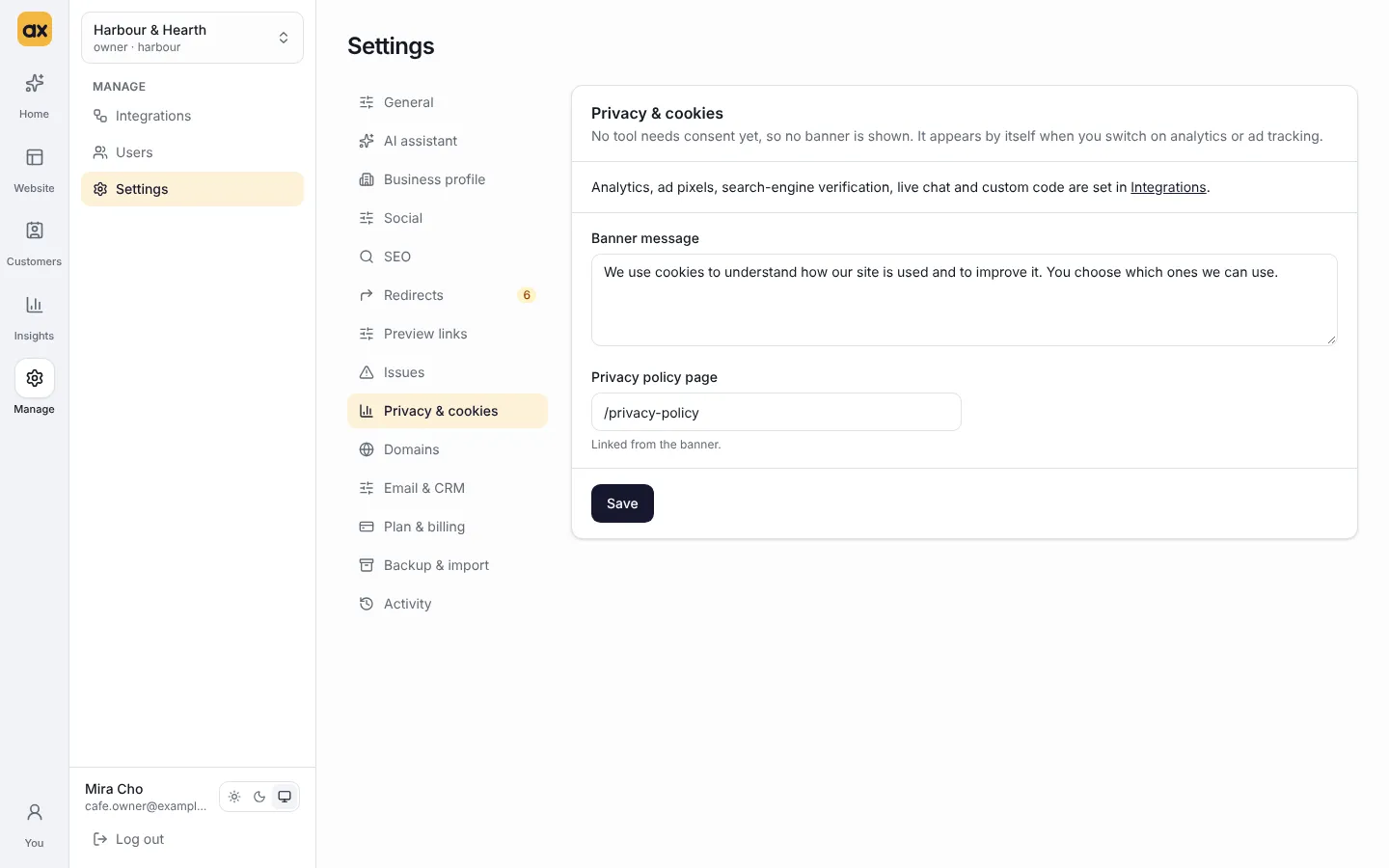
Change the banner's message and your privacy policy link in Manage → Privacy & cookies.
Custom code
For anything else, the Custom code tile adds your own code to the page head or the end of the body.
Common questions
Can I paste the code snippet Google gives me?
You only need the ID, like G-XXXXXXX. If you paste a snippet or meta tag, just the ID is kept.
Do visitors have to accept cookies?
Tools that set cookies only load after a visitor allows their category. Visitors can accept, reject or choose.
Do these tools load in previews?
No. Analytics and marketing tags never load in the editor, previews or the theme workspace, so your own testing doesn't skew the numbers.
Something out of date or unclear? Search other guides or tell us from your dashboard.