Hide a site from search engines and edit robots.txt
Keep a test or unfinished site out of Google with one switch, or fine-tune what crawlers may visit with your own robots.txt rules.
On this page
Hide the whole site
Go to Manage → SEO. Under Visibility, tick Hide this site from search engines and click Save SEO settings.
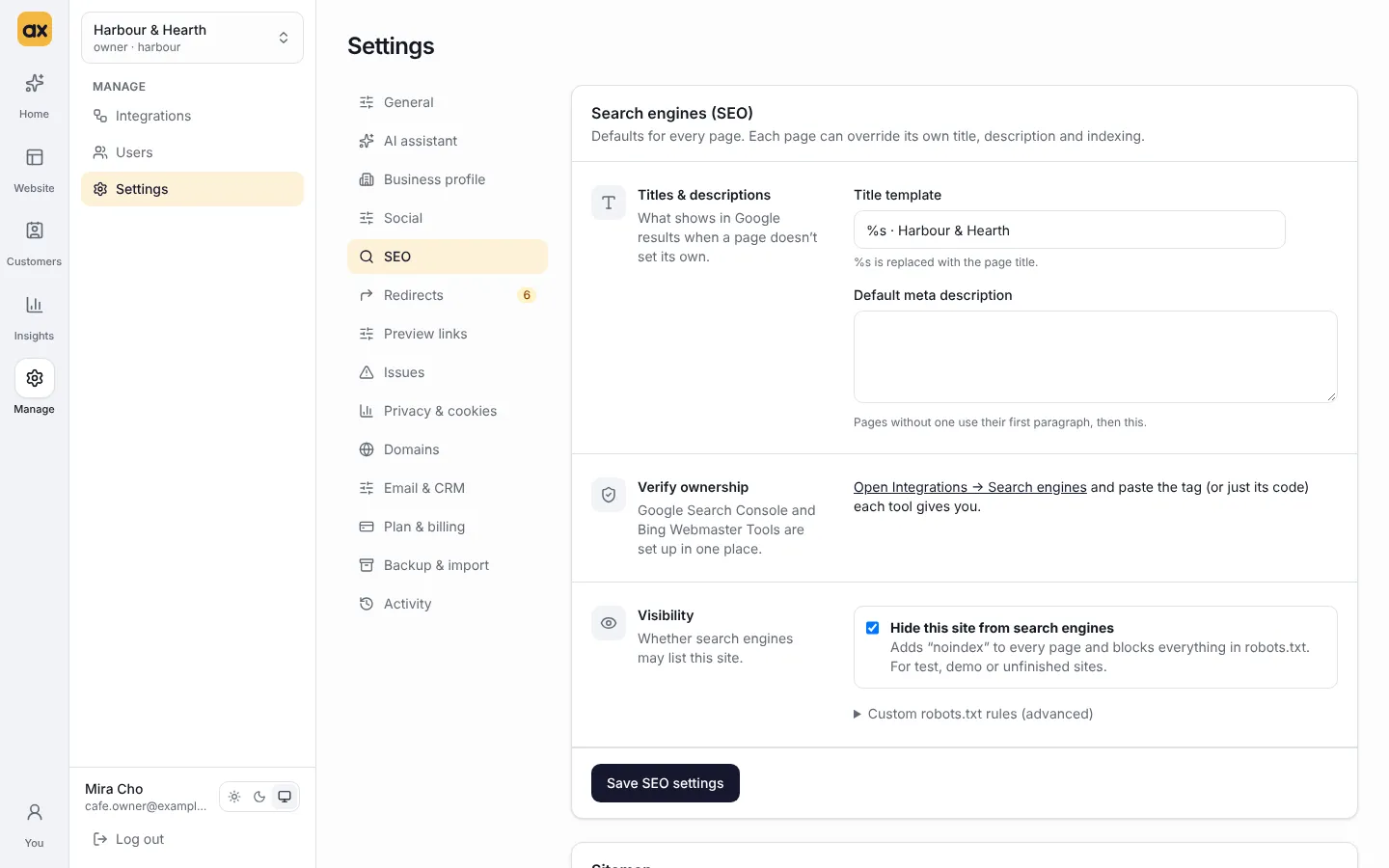
Every page then says noindex, and /robots.txt blocks all crawlers. Useful for test sites and sites you're still building while they're live.
Hide one page
Open the page from Pages and tick Hide from search engines (noindex) and, usually, Exclude from sitemap. See Page SEO settings.
Edit robots.txt
Under Visibility, open Custom robots.txt rules (advanced). The safe default is shown as an example; the sitemap line is added for you, and a link opens your live file.
Common questions
Is my coming-soon site already hidden?
Yes. While a site is coming soon, every page tells search engines not to list it.
Will hiding a page remove it from Google straight away?
Google removes it the next time it visits the page, which can take days. For urgent removals use the Removals tool in Google Search Console.
Something out of date or unclear? Search other guides or tell us from your dashboard.