Show a coming-soon page while you build
Keep your site private while you work on it. Visitors see a coming-soon page with your message; you and anyone with a preview link see the real site.
On this page
A new site is in Coming soon mode until you launch it. You can also switch a live site back to it — for a redesign, say.
Open Manage → General
In the menu, open Manage and click Settings. General opens first, with Status at the top.
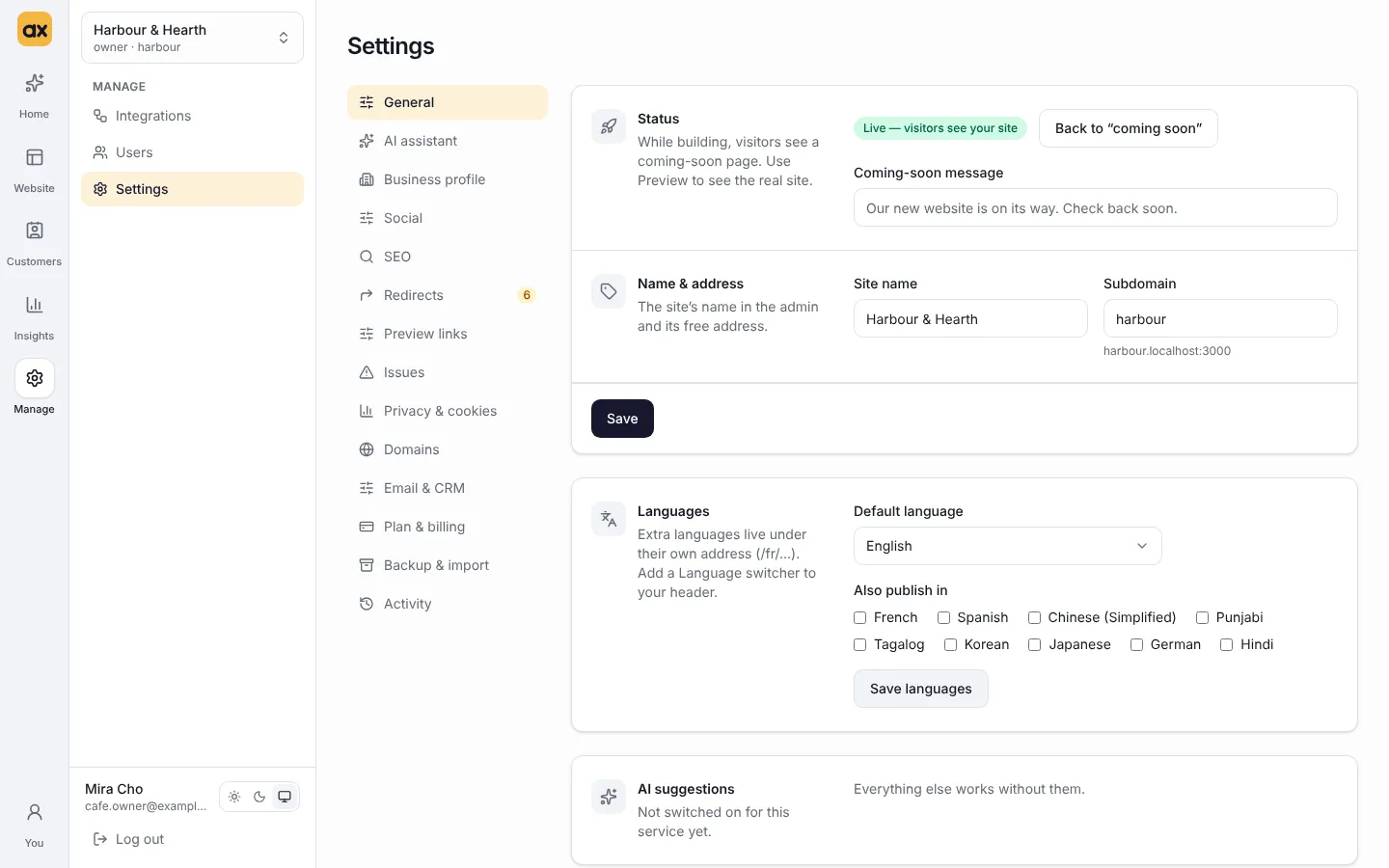
Choose Coming soon and write your message
Set Status to Coming soon. In Coming-soon message, write what visitors should read — for example Our new website is on its way. Check back soon. Click Save.
Visitors now see a simple page in your site's colours with your message, and search engines are told not to list the site.
Keep working
You still see the real site: View site and Preview drafts at the top of your site's home screen open it for you because you're signed in. To show it to someone without an account, share a preview link.
Go live when you're ready
Set Status back to Live and click Save. See Launch your website for the checklist to run through first.
Common questions
Can a client see the real site while it says coming soon?
Yes. Create a preview link in Manage → Preview links and send it to them. It opens the real site, even while it's coming soon, and you can turn it off at any time.
Will Google index my coming-soon page?
No. While the site is coming soon every page tells search engines not to list it.
Something out of date or unclear? Search other guides or tell us from your dashboard.