- Help Center
- Domains & Google
Domains & Google
Use your own domain, get found on Google and keep old links working.
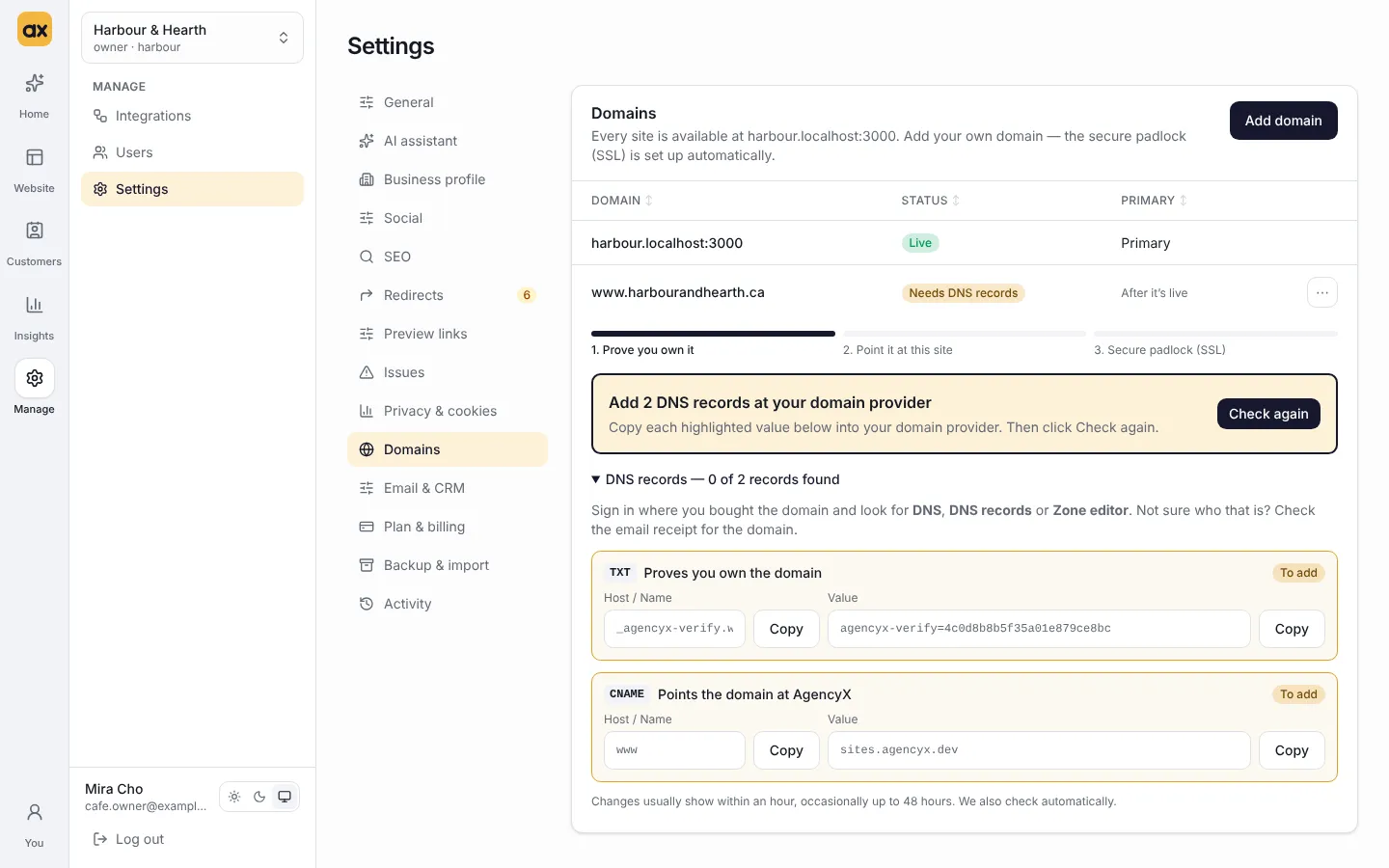
Connect your own domain name
Use your own address, like yourbusiness.ca. Add the records shown at your domain provider, click Verify, and the secure padlock is set up for you.
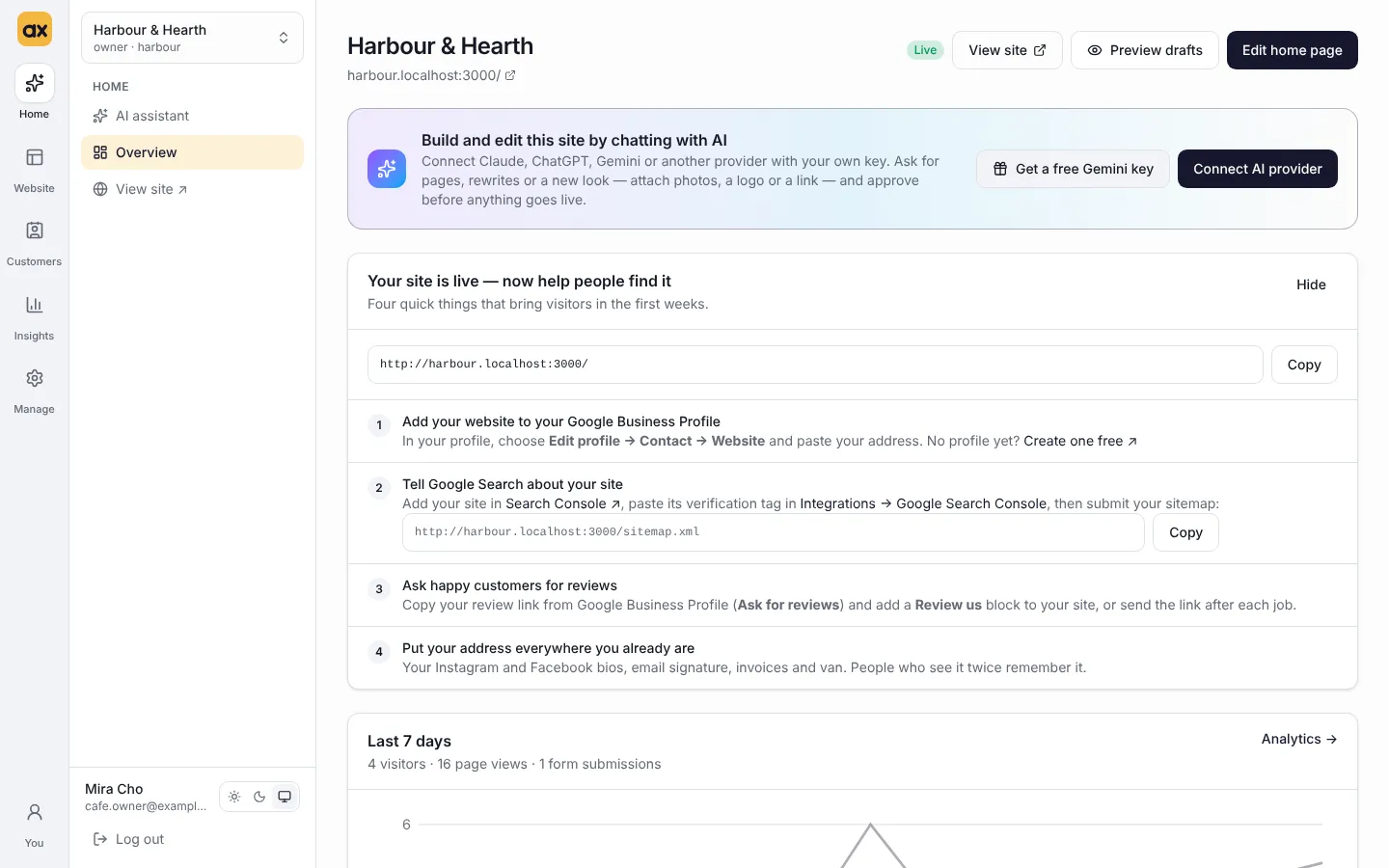
Get found on Google — a checklist for new sites
The steps that matter most for showing up in search — Google Business Profile, Search Console, your sitemap, titles and descriptions, reviews and links.
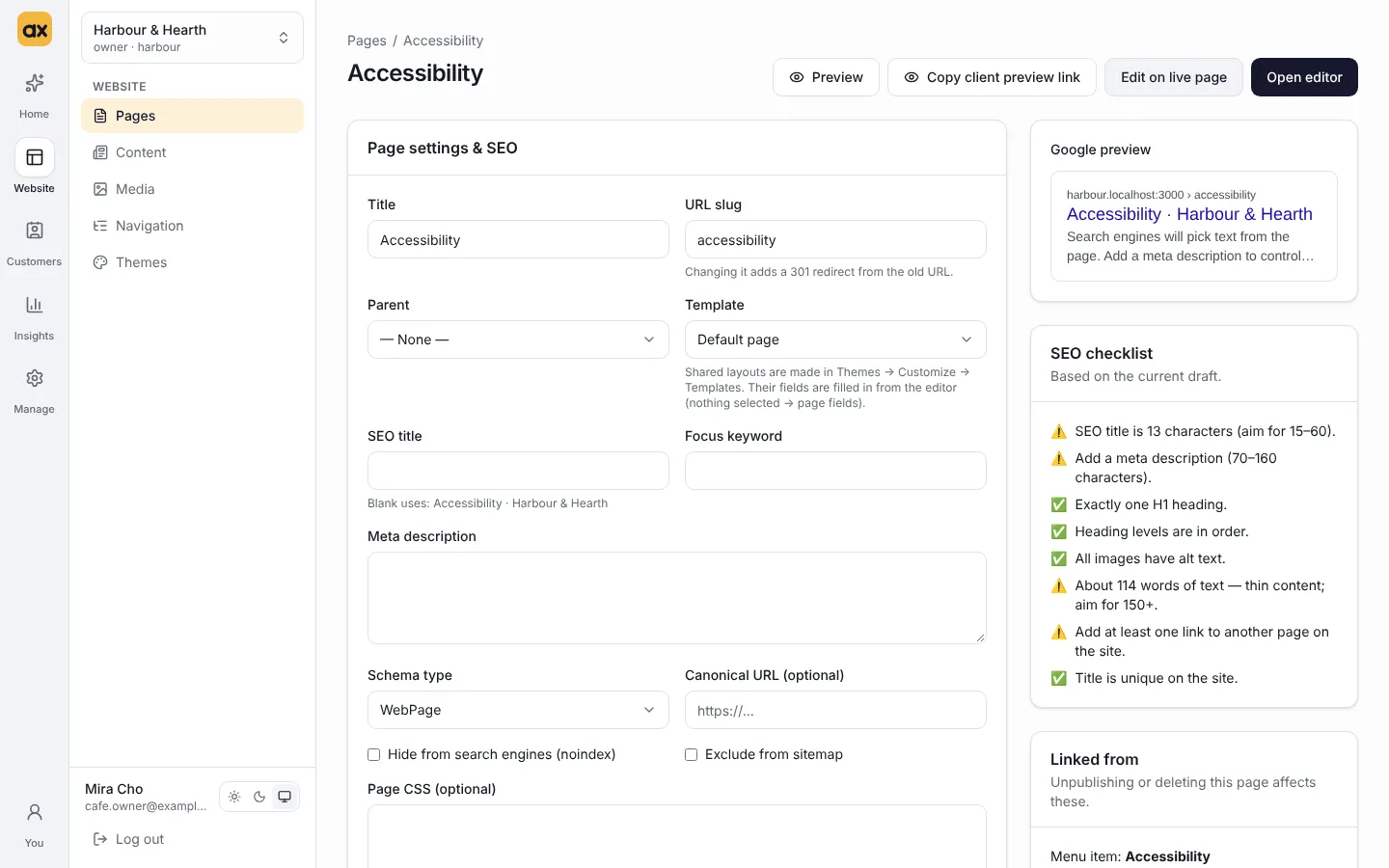
Set a page's search title, description and SEO checklist
Write the title and description Google shows, see a live search preview, and work through each page's SEO checklist — headings, alt text, length and links.
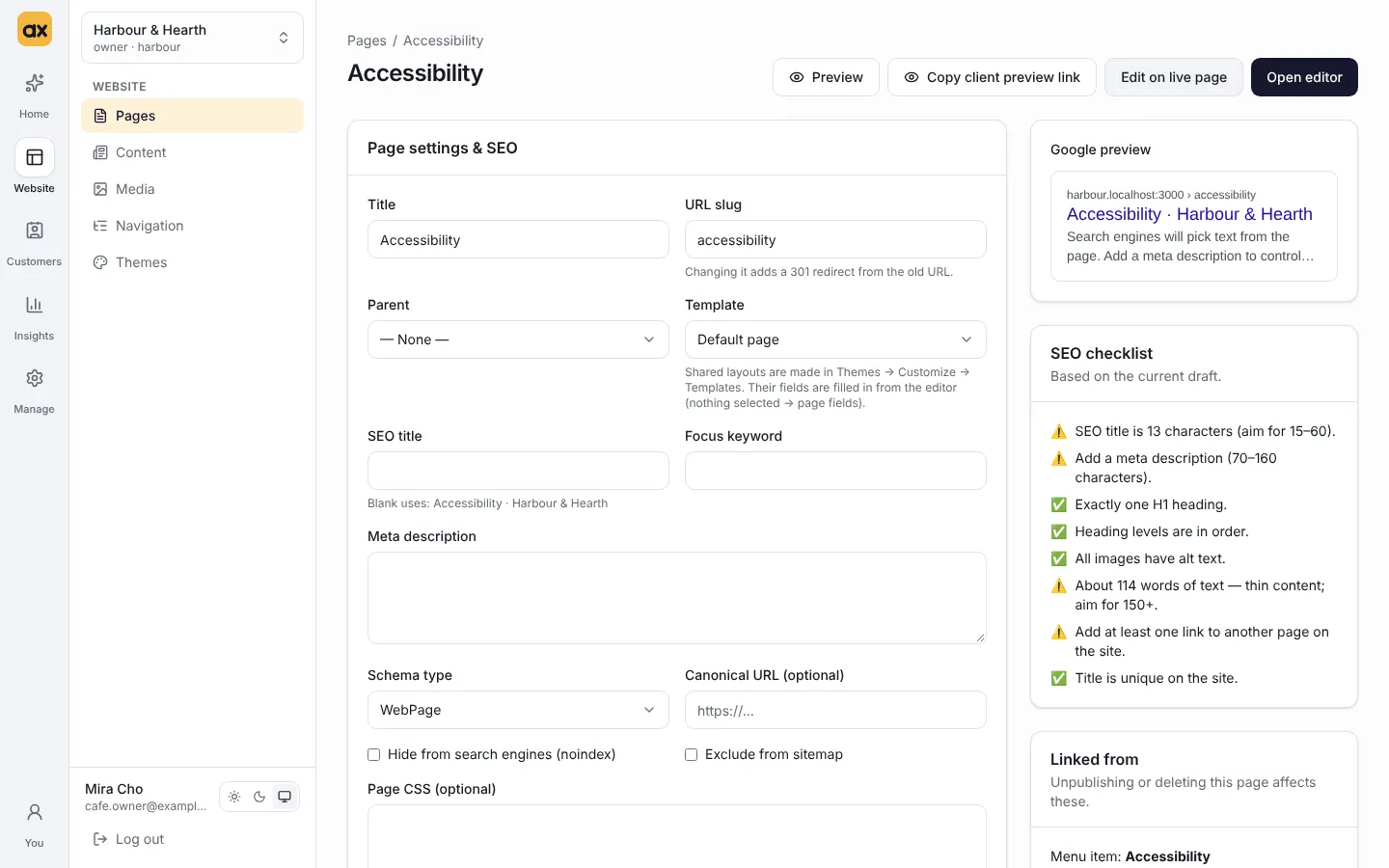
Change a page's address without breaking links
Rename a page's web address or move it under another page. Old links keep working with an automatic redirect, and your menus and links update themselves.
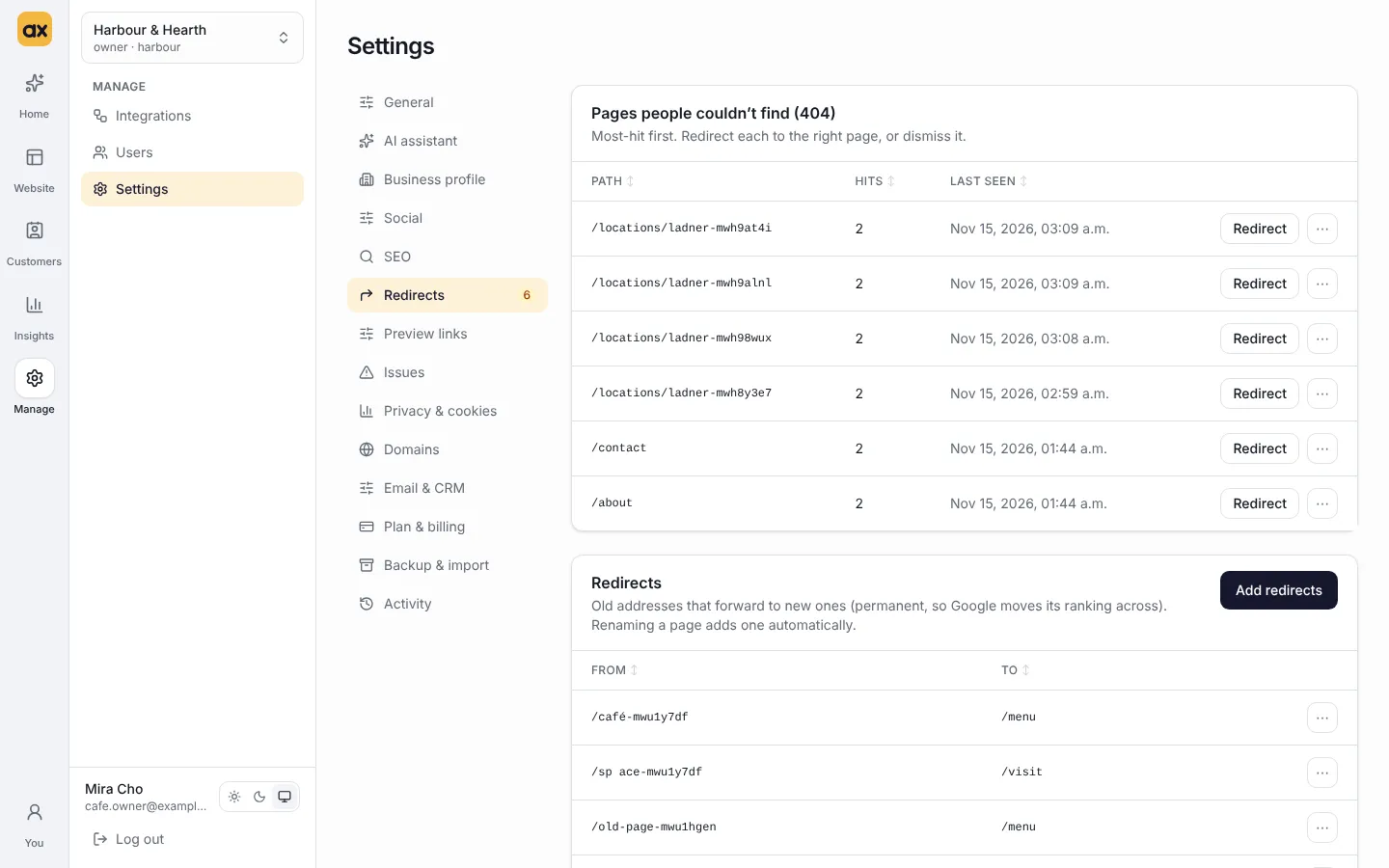
Set up redirects and fix pages people can't find
See which missing addresses visitors are hitting, send each one to the right page in a click, and add your own redirects — single pages or whole folders.
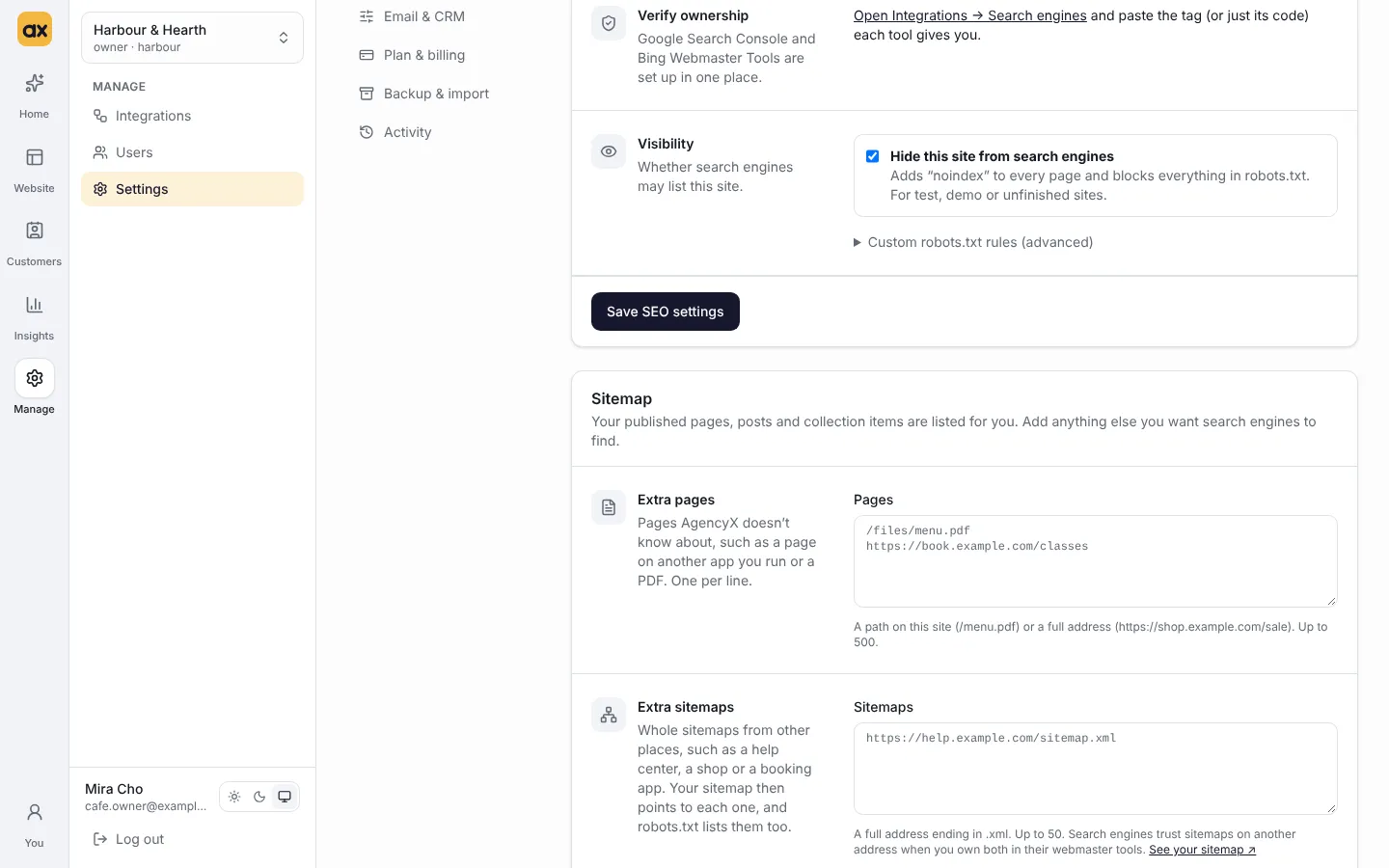
Add extra pages and sitemaps to your sitemap
List pages AgencyX doesn't manage — a PDF, a booking app, a shop — in your sitemap, or point it at whole sitemaps from a help center or store you run.
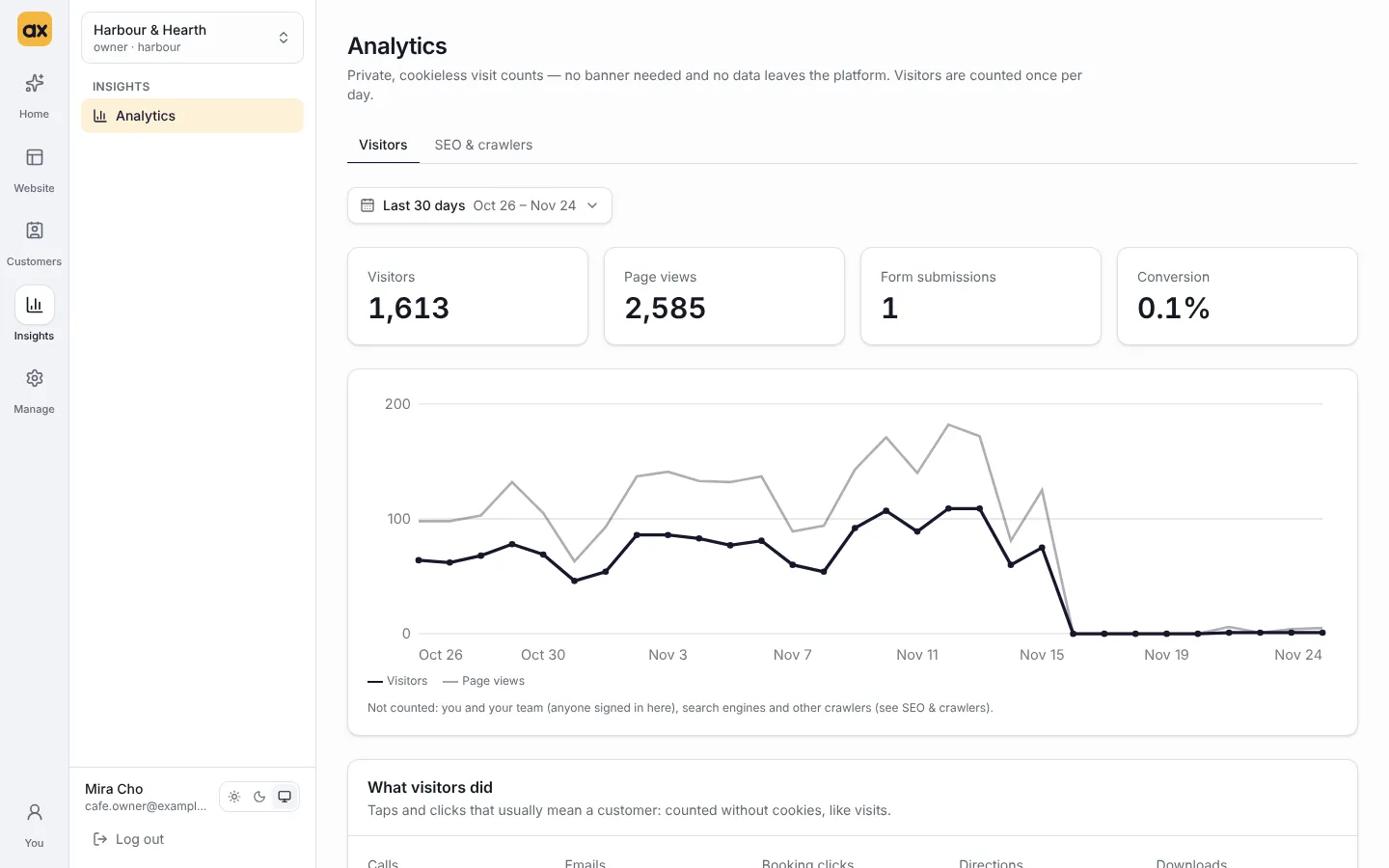
See who visits your site with Analytics
Track visitors, page views, top pages, where people came from and what they did — calls, emails, bookings, directions and downloads — with no cookies.
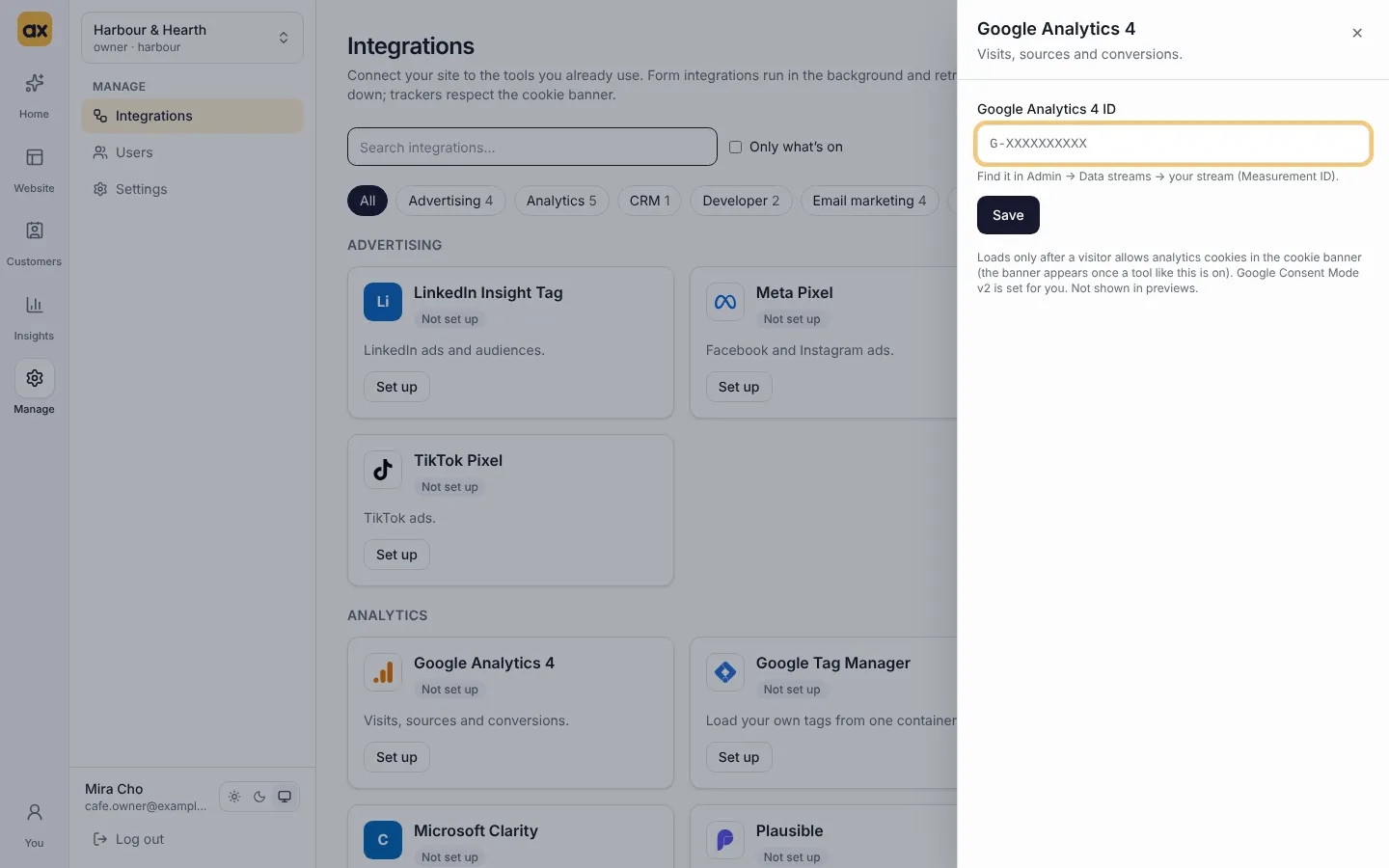
Add Google Analytics, pixels and a cookie banner
Connect Google Analytics, Tag Manager, Clarity, Meta Pixel and other tools by pasting their ID. A cookie banner appears and each tool waits for consent.
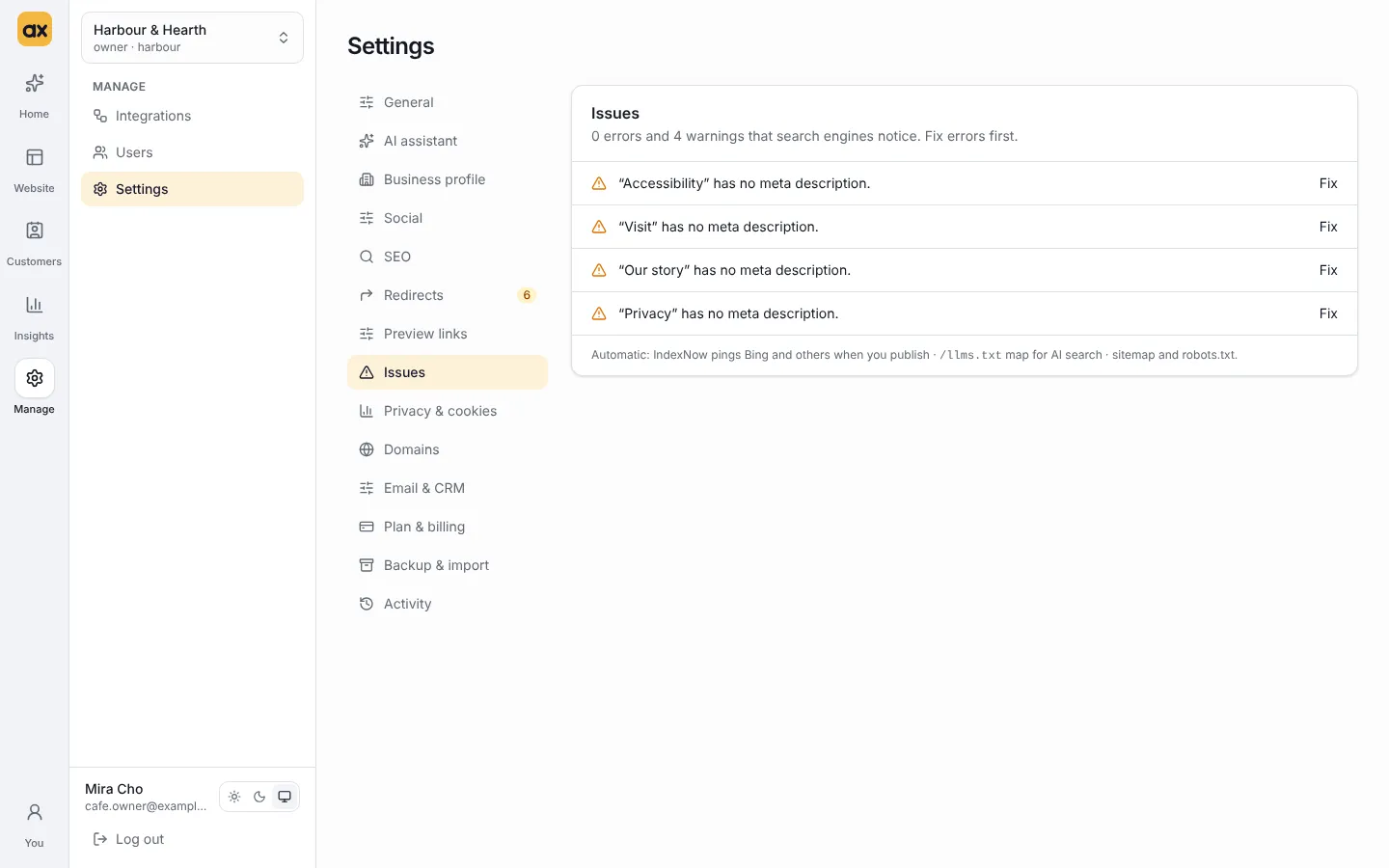
Fix issues in your site's health report
Find and fix the problems that hold pages back — missing descriptions, duplicate titles, broken links, missing alt text and accessibility gaps.
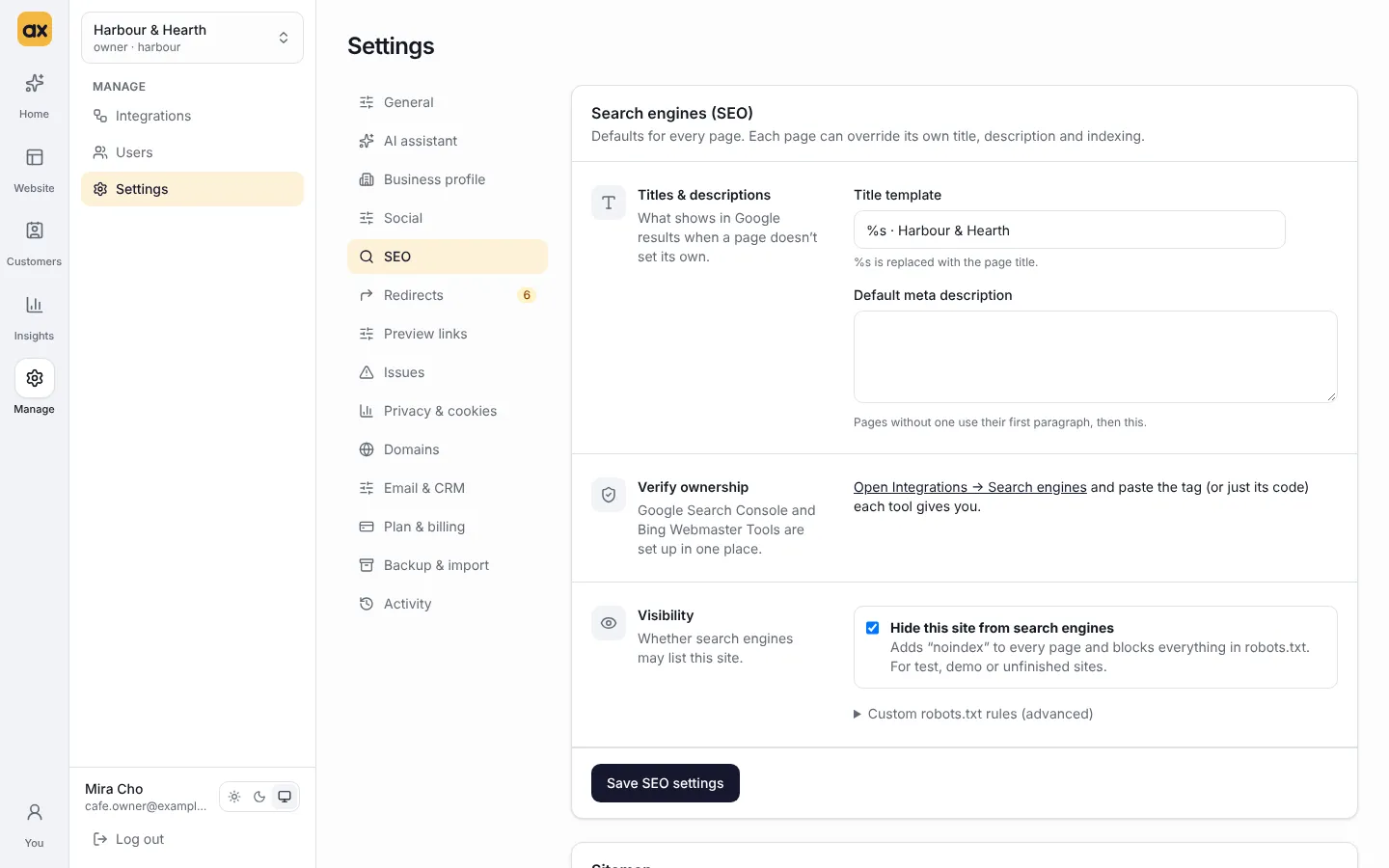
Hide a site from search engines and edit robots.txt
Keep a test or unfinished site out of Google with one switch, or fine-tune what crawlers may visit with your own robots.txt rules.
Can’t find what you need?
Tell us what you’re trying to do. A real person replies, usually within one business day.