- Help Center
- Customers & email
Customers & email
Keep your customers in one place, track deals and send newsletters and emails.
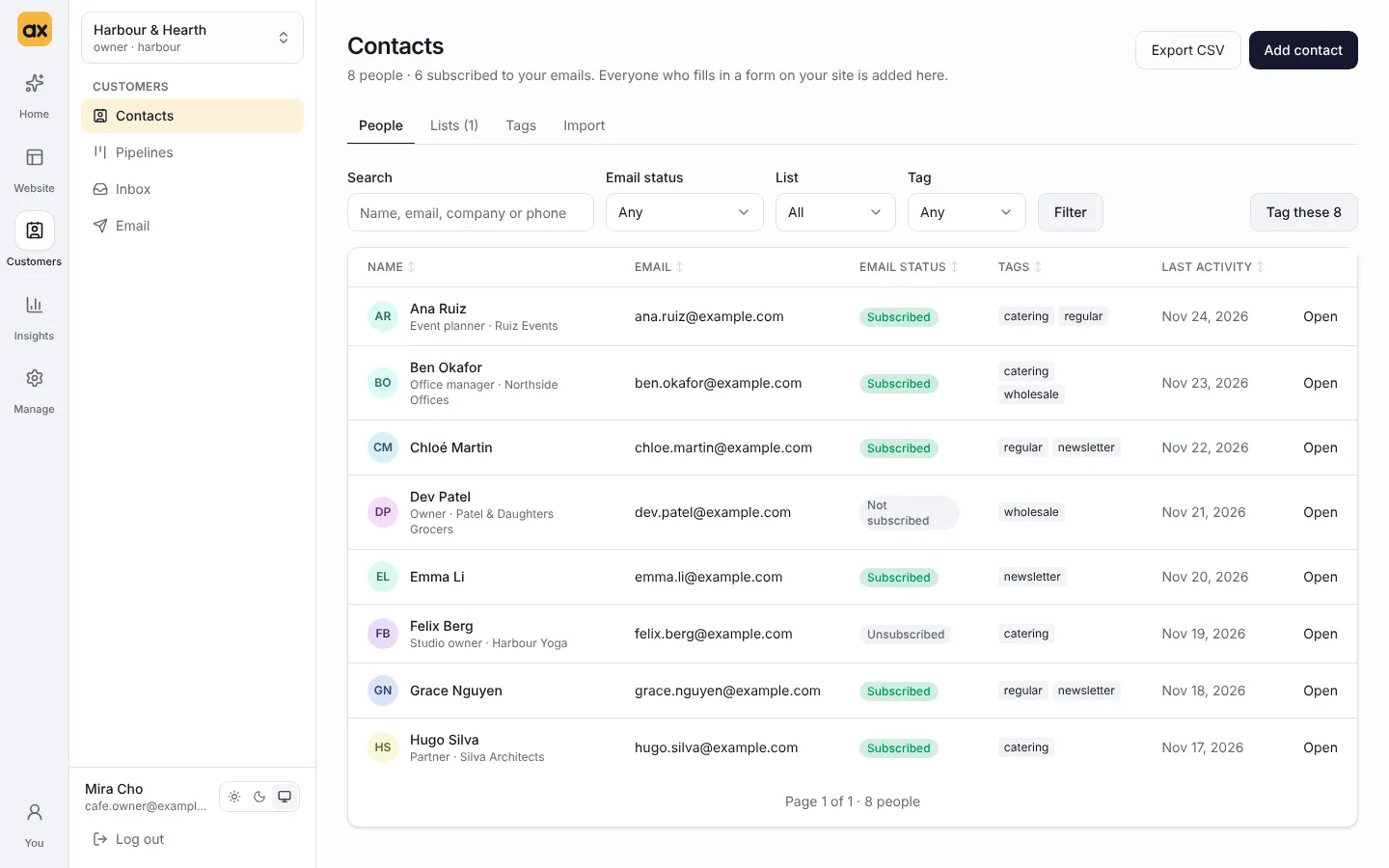
Add and manage your contacts
See everyone who filled in a form or signed up on your site, add people yourself, and keep each customer's details, photo, notes and history in one place.
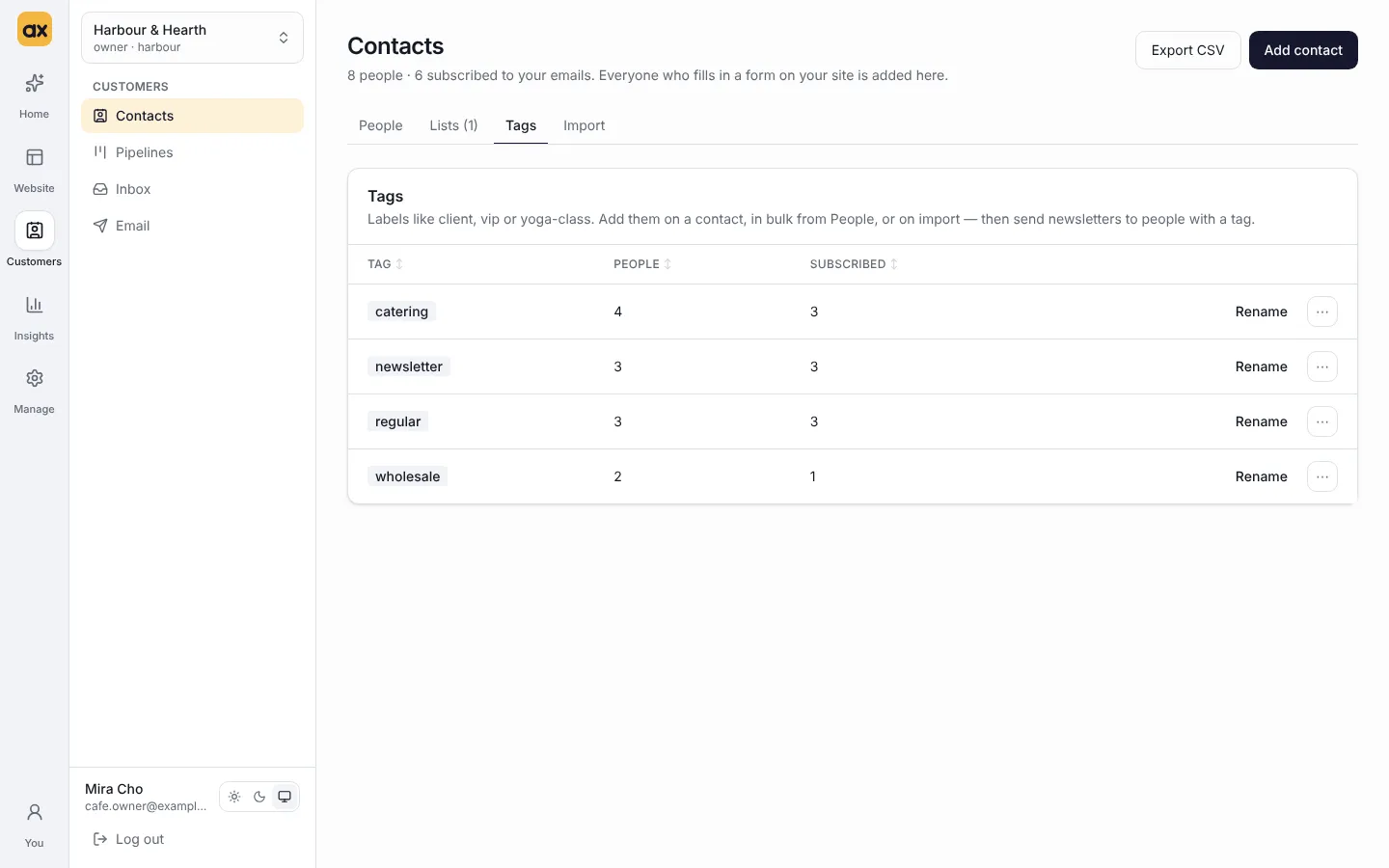
Organise contacts with tags and lists
Label customers with tags like vip or catering, tag many people at once, rename or remove tags, and group people into lists to email the right people.
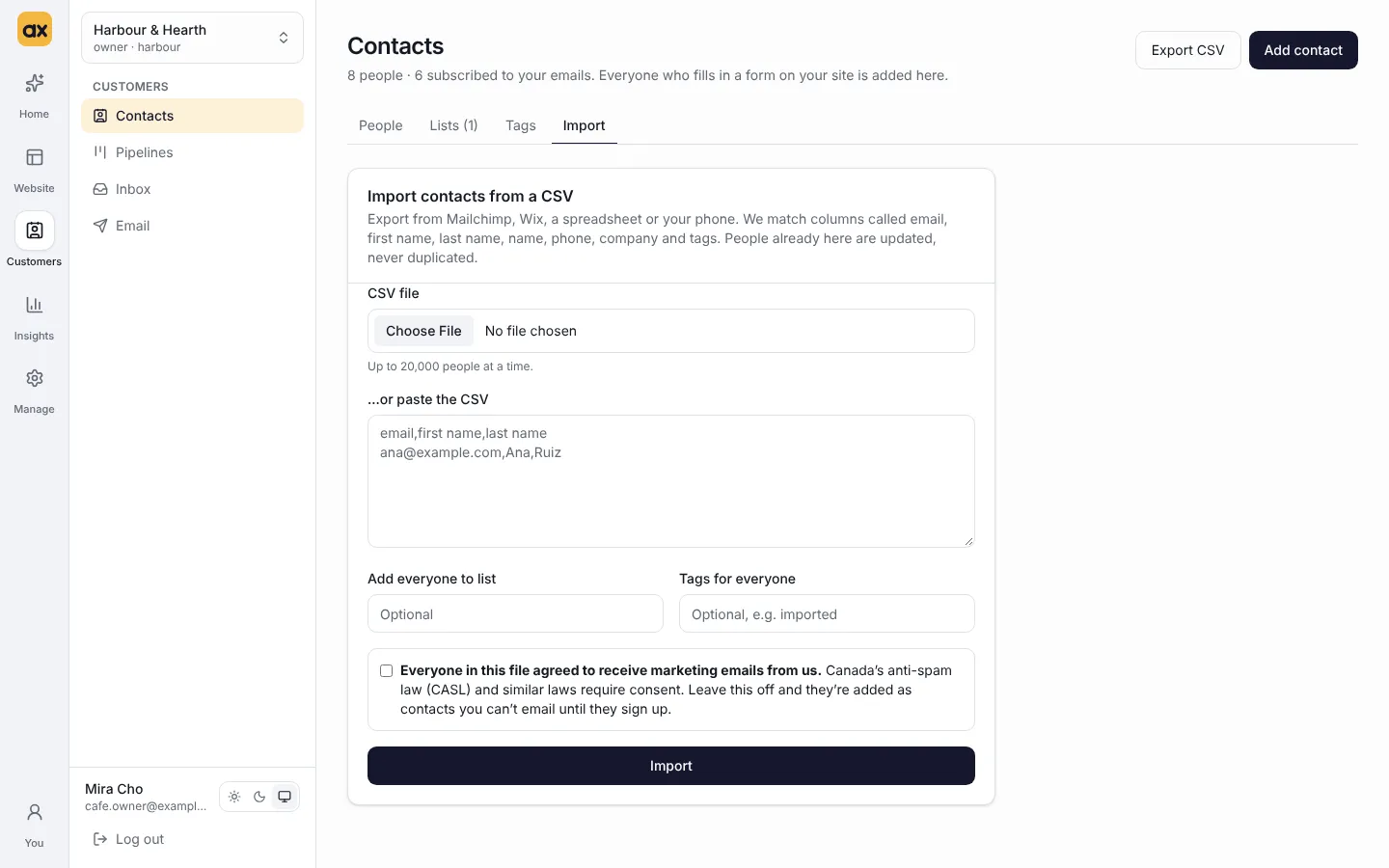
Import and export contacts (CSV)
Bring customers over from Mailchimp, Wix, a spreadsheet or your phone with a CSV file, and download your contacts whenever you like.
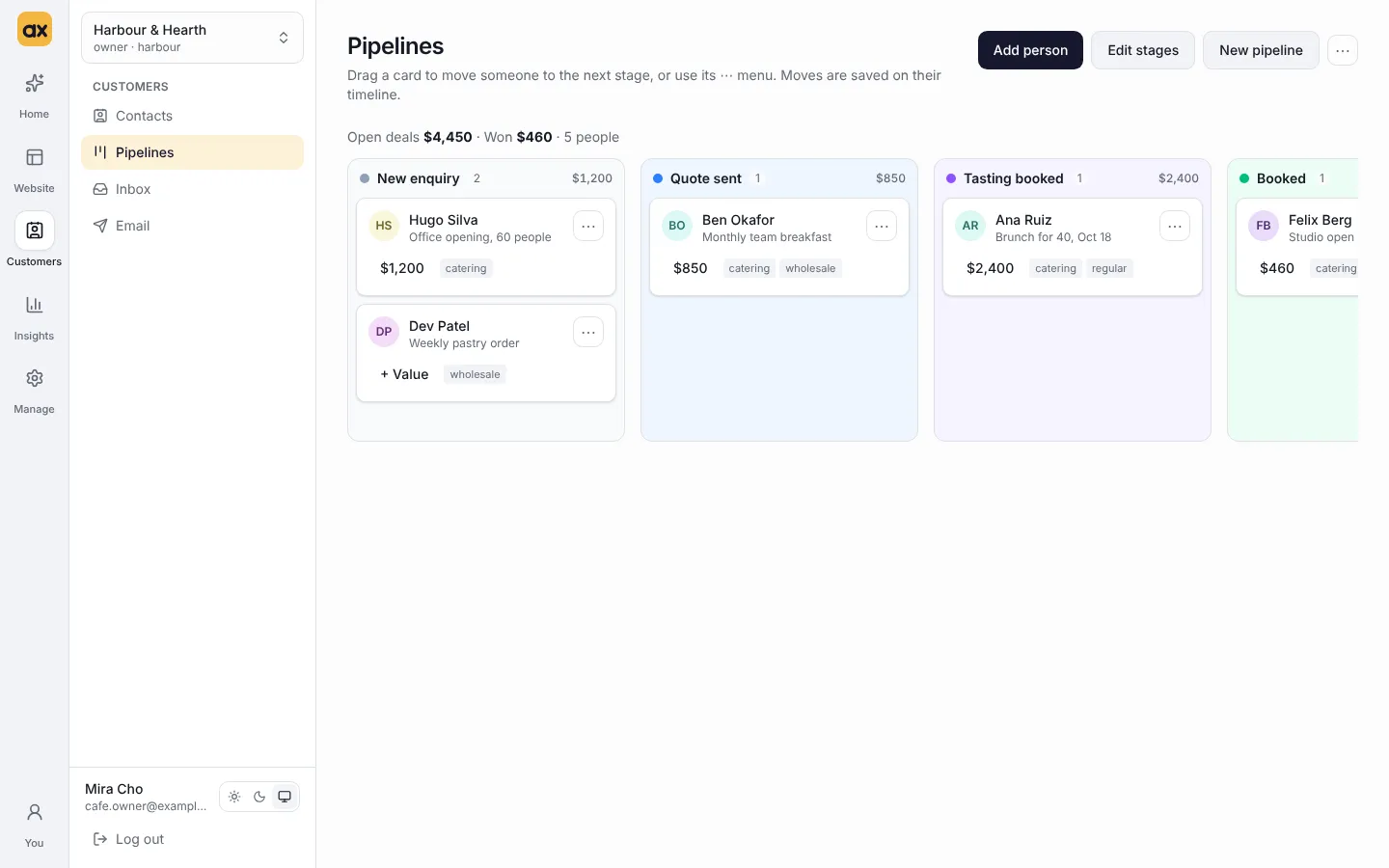
Track deals with pipelines
Use a board like Trello to move customers from new enquiry to booked — with deal values, column totals and your own stages.
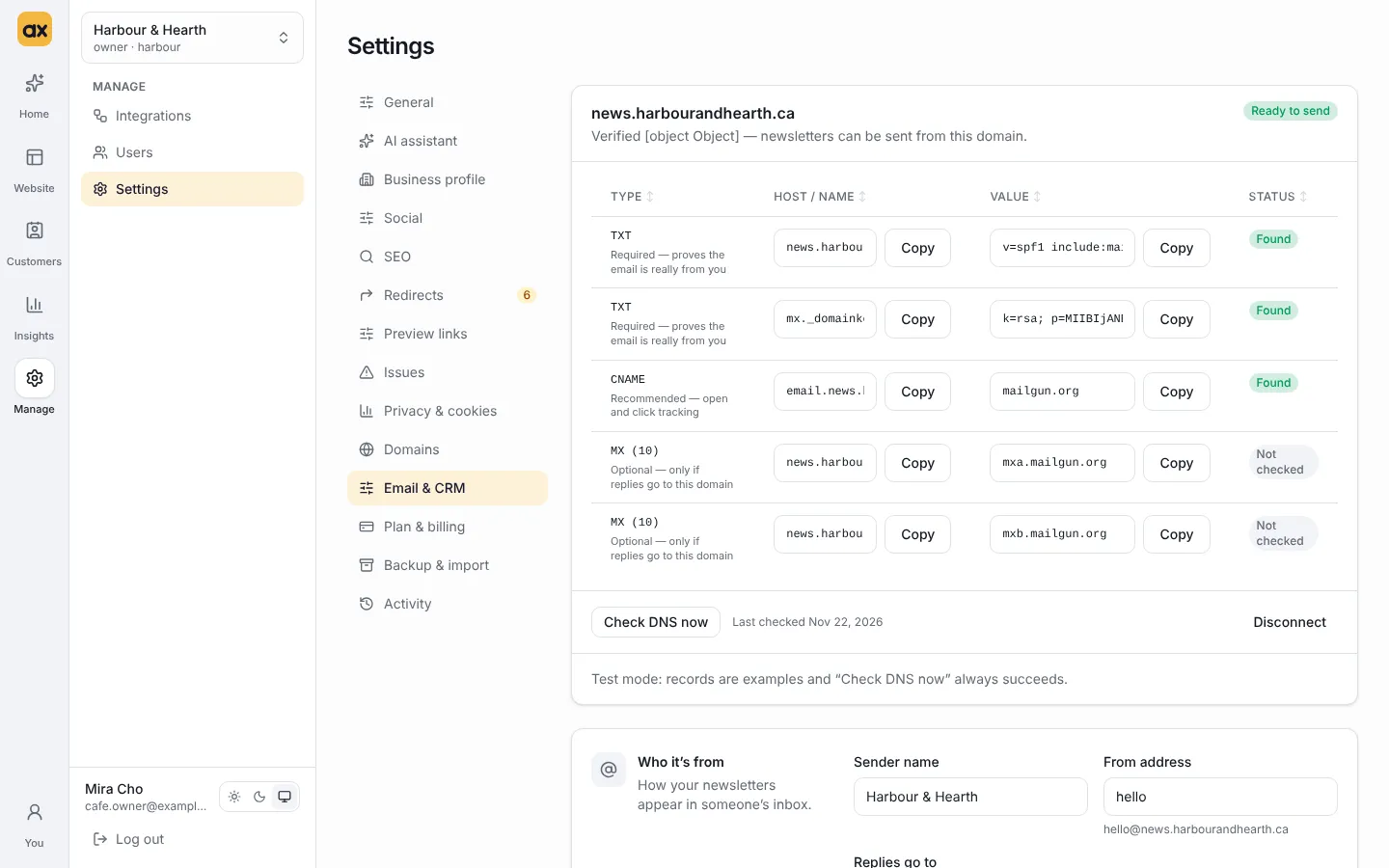
Set up your sending domain for email
Connect a subdomain like news.yourbusiness.com so your emails come from you and land in inboxes — add the DNS records, check them and set sender details.
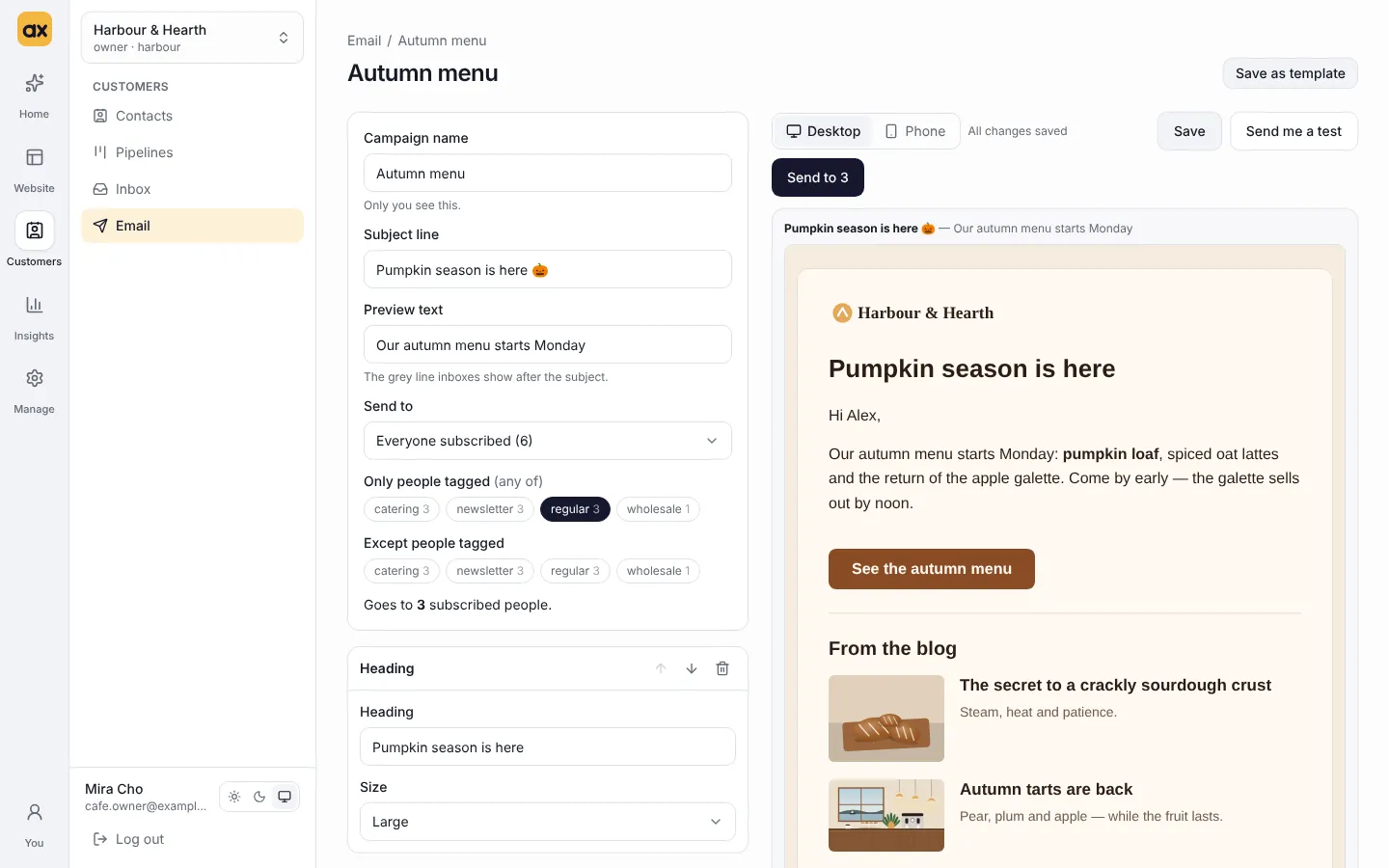
Build and send a newsletter
Make a newsletter from blocks in your own branding, preview it on desktop and phone, send yourself a test, send it to your subscribers and see how it did.
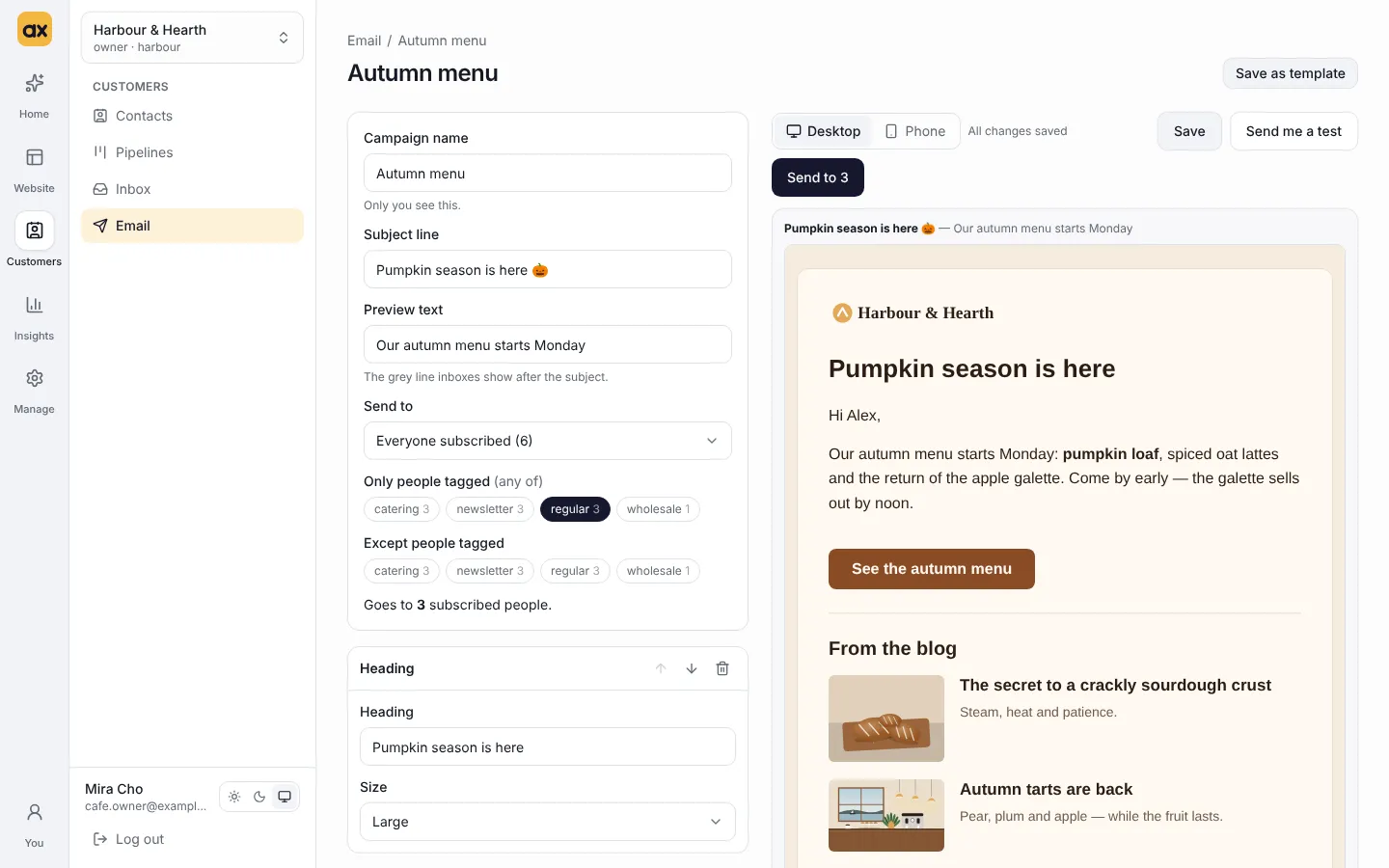
Choose who gets a newsletter
Send a newsletter to everyone subscribed, one list, or only people with certain tags — and leave out others — with a live count of who it reaches.
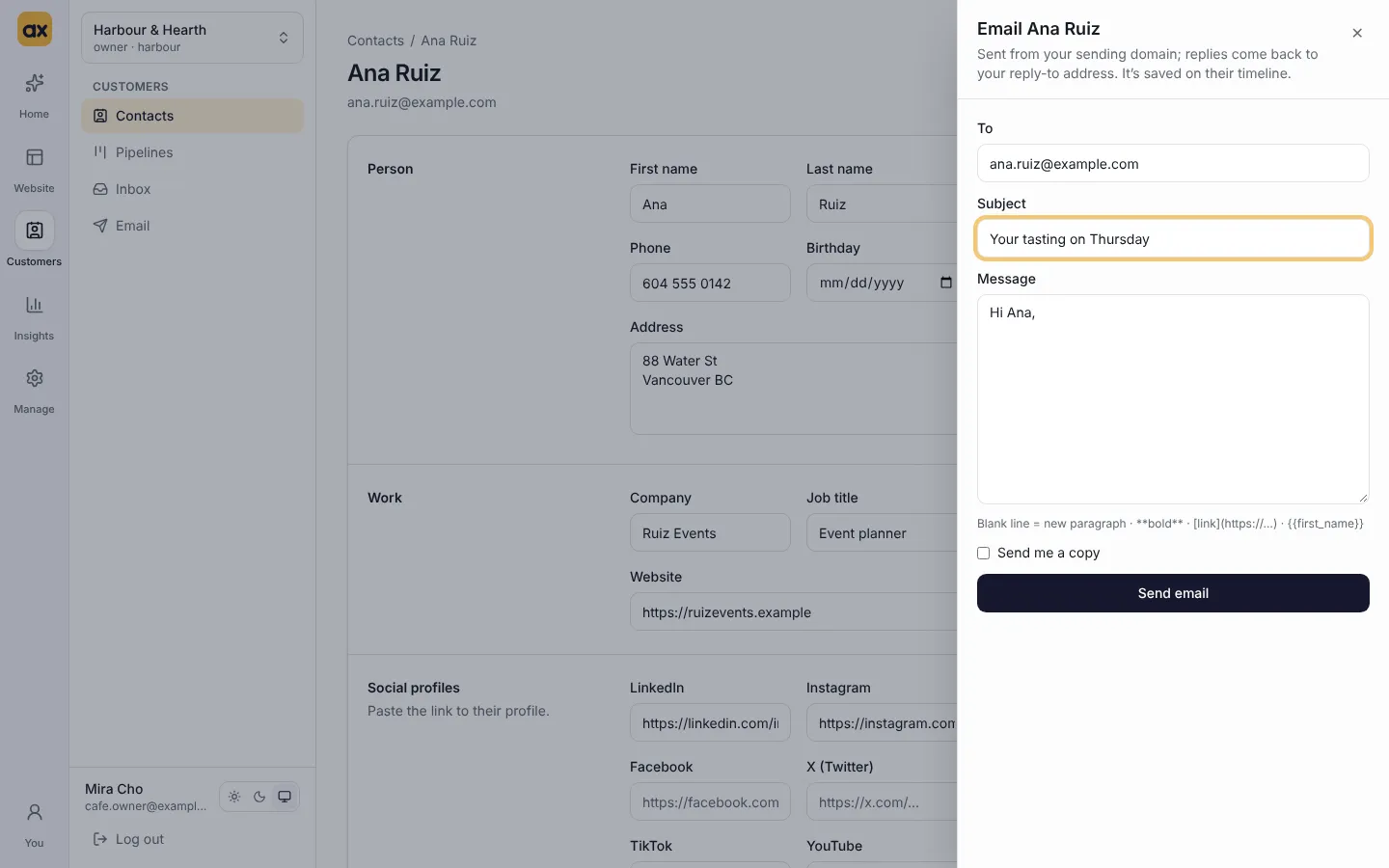
Email one customer
Send a personal email to a customer from their contact page — from your own domain, in your branding, with replies to your inbox and a copy on their timeline.
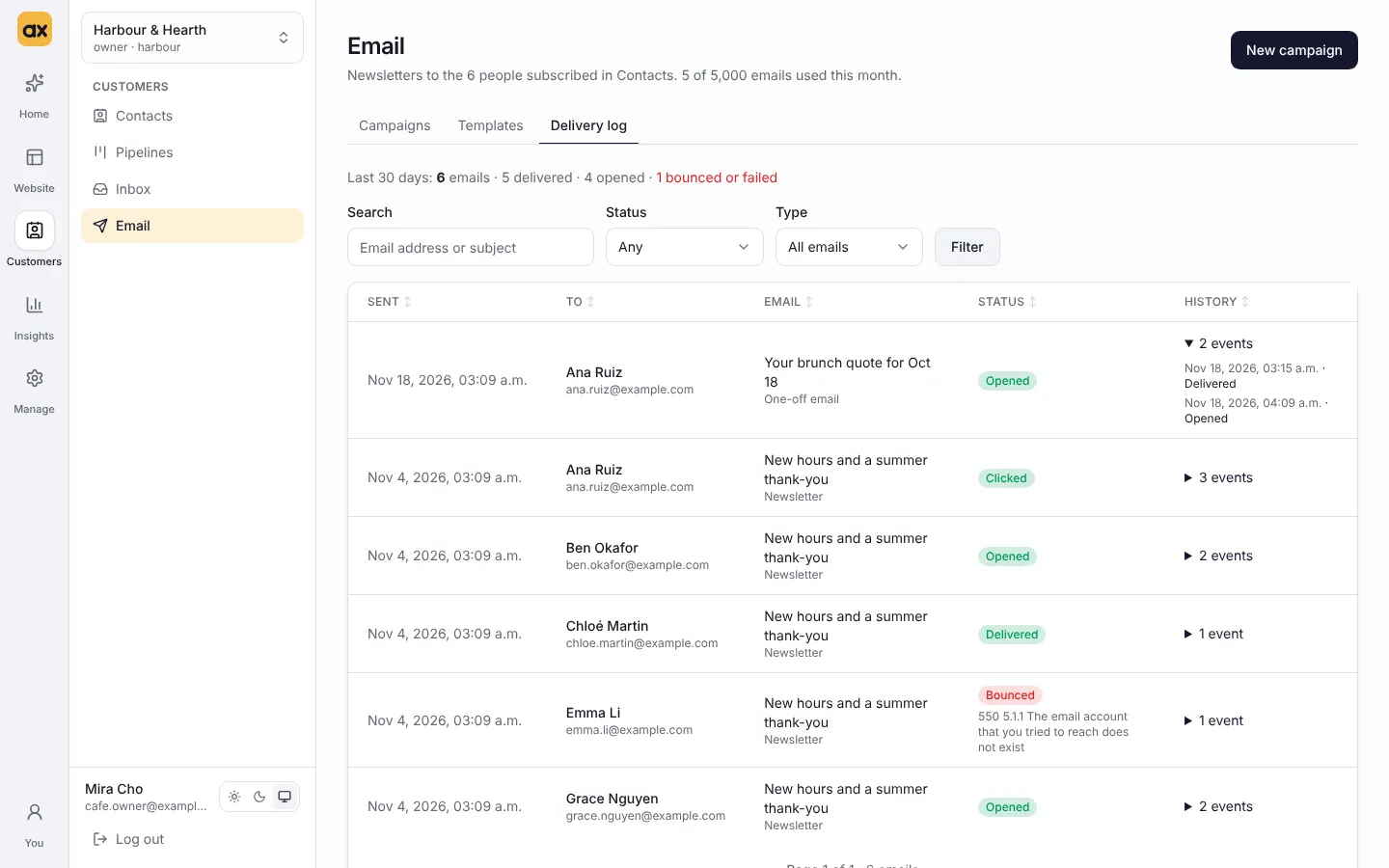
Check the email delivery log
See every newsletter and email sent to your customers with its delivery status — delivered, opened, clicked, delayed, bounced or marked as spam — and why.
Can’t find what you need?
Tell us what you’re trying to do. A real person replies, usually within one business day.