Check the email delivery log
See every newsletter and email sent to your customers with its delivery status — delivered, opened, clicked, delayed, bounced or marked as spam — and why.
On this page
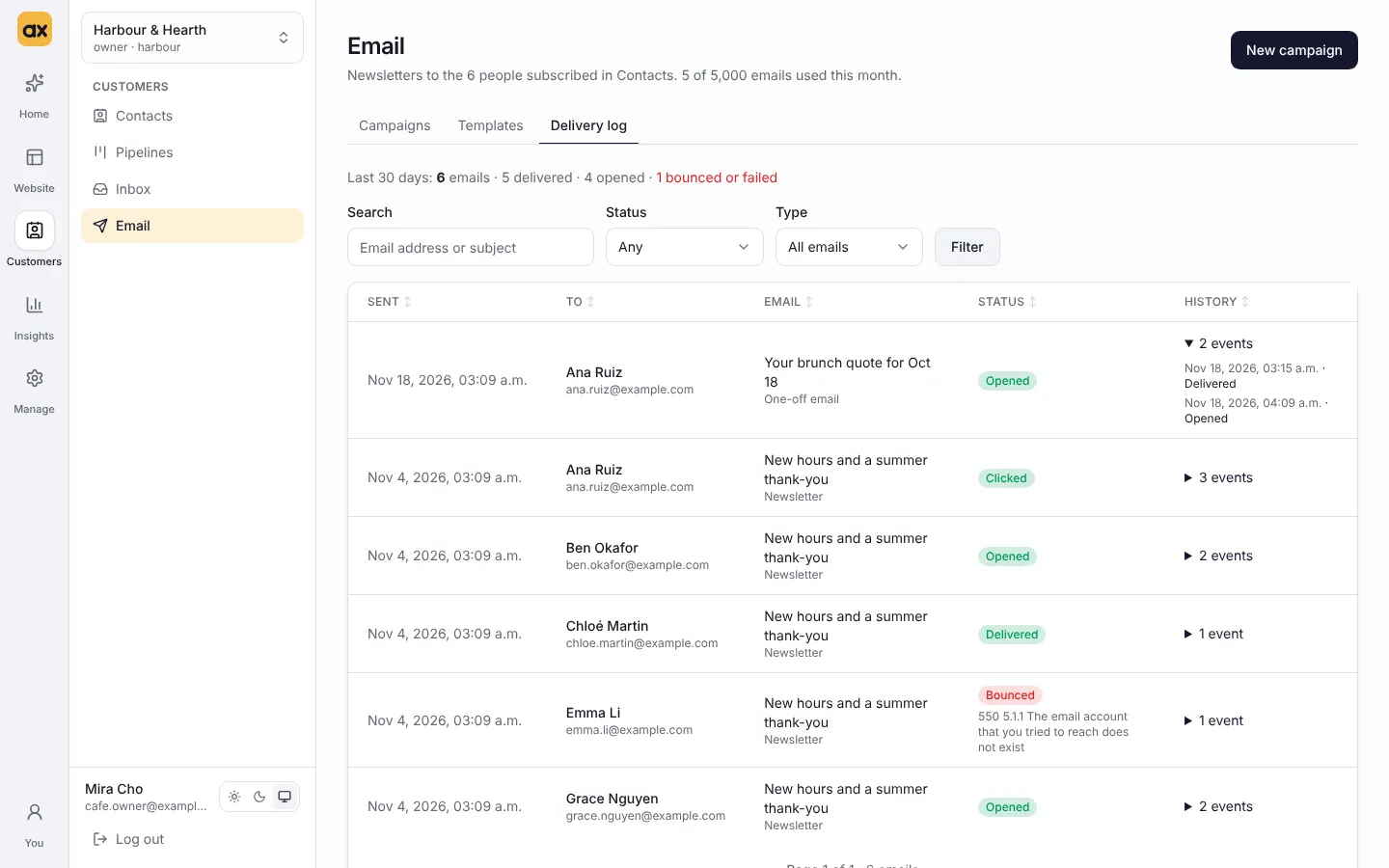
Email → Delivery log lists every email sent to your customers — each newsletter copy and each one-off email — newest first.
Statuses
| Status | Means |
|---|---|
| Queued / Sent | On its way to their mail server. |
| Delivered | Their mail server accepted it. |
| Opened / Clicked | They opened it or clicked a link (opens are approximate). |
| Delayed | Their server asked us to try again later; we keep retrying. |
| Bounced | The address doesn't exist or refused it — the reason is shown. |
| Failed | It couldn't be sent at all. |
| Marked as spam | They reported it; they won't get newsletters again. |
Click … events on a row to see each step with its time.
Find an email
Search by address or subject, and filter by Status or Type (newsletters or one-off emails). The line at the top sums up the last 30 days.
A customer's own page also shows their last emails under Emails, with a link to their entries in the log.
Common questions
A customer says they didn't get my email. What do I check?
Search for their address in the delivery log. Bounced shows the reason; Delivered means it reached their mail server — ask them to check spam or promotions.
What does Delayed mean?
Their mail server asked us to try later. We keep retrying for a while; it usually turns into Delivered.
What happens after a bounce or spam report?
The contact is marked Bounced or Marked as spam and won't get newsletters again.
Something out of date or unclear? Search other guides or tell us from your dashboard.