Track deals with pipelines
Use a board like Trello to move customers from new enquiry to booked — with deal values, column totals and your own stages.
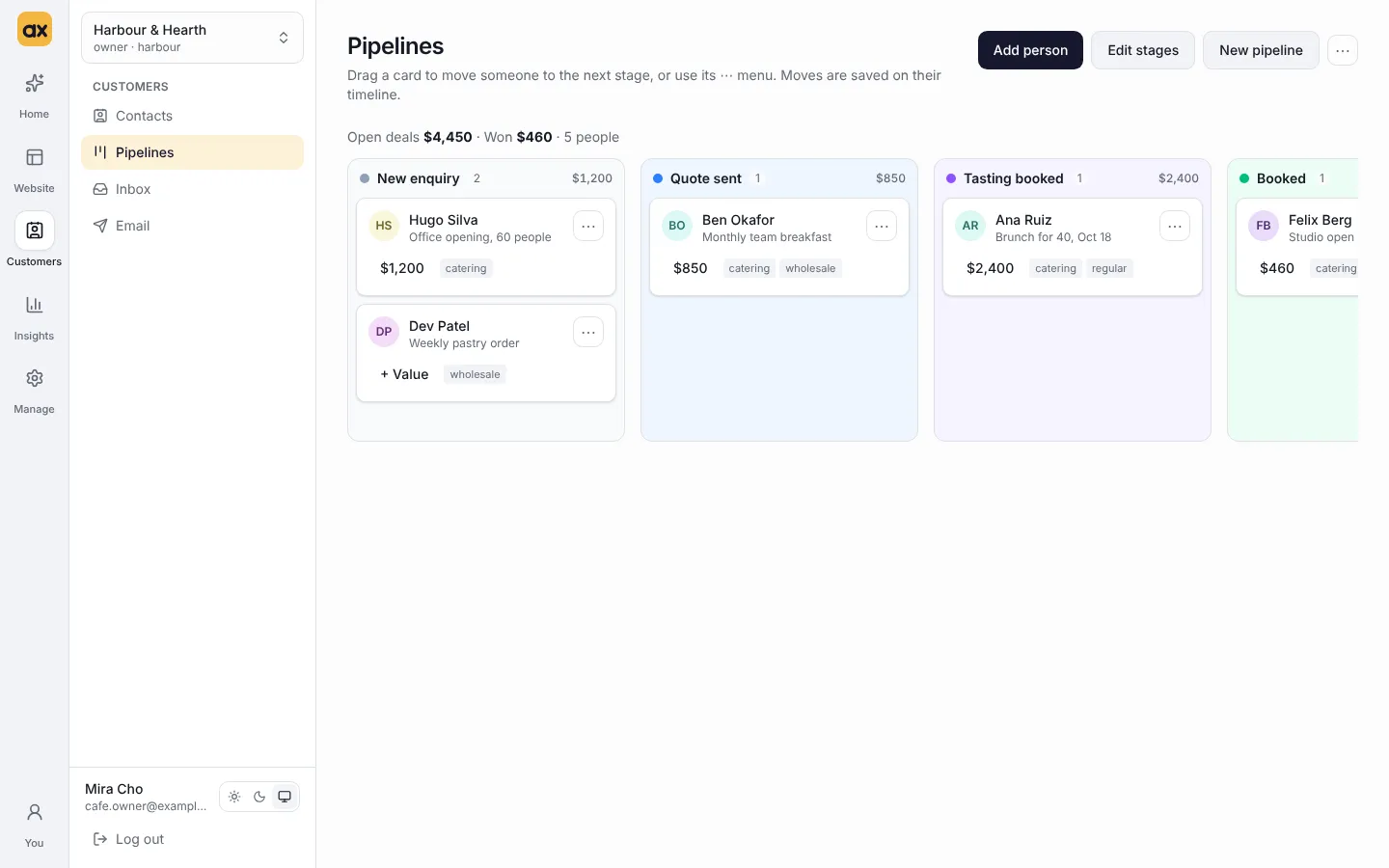
Pipelines (under Customers) are boards of columns. Each card is a customer, and you drag them along as things move forward.
Create a pipeline
Click New pipeline, give it a name (Sales, Catering, Hiring…) and click Create pipeline. It starts with New lead → Contacted → Proposal sent → Won → Lost.
Add people
Click Add person, pick a contact by email (or type a new email to create them), choose the stage and, if you like, what the deal is and its value. You can also add someone from their contact page, under Pipelines.
Move cards
- Drag a card to another column, or up and down in its column.
- Or open the card's ⋯ menu and choose Move to… — handy on a phone or keyboard.
Each move is saved on the customer's timeline (for example “Catering: Quote sent → Tasting booked”).
Deal values and totals
Click a card's value (or + Value) to set what the deal is and what it's worth. Each column shows its total, and the top of the board shows Open deals and Won.
Change the stages
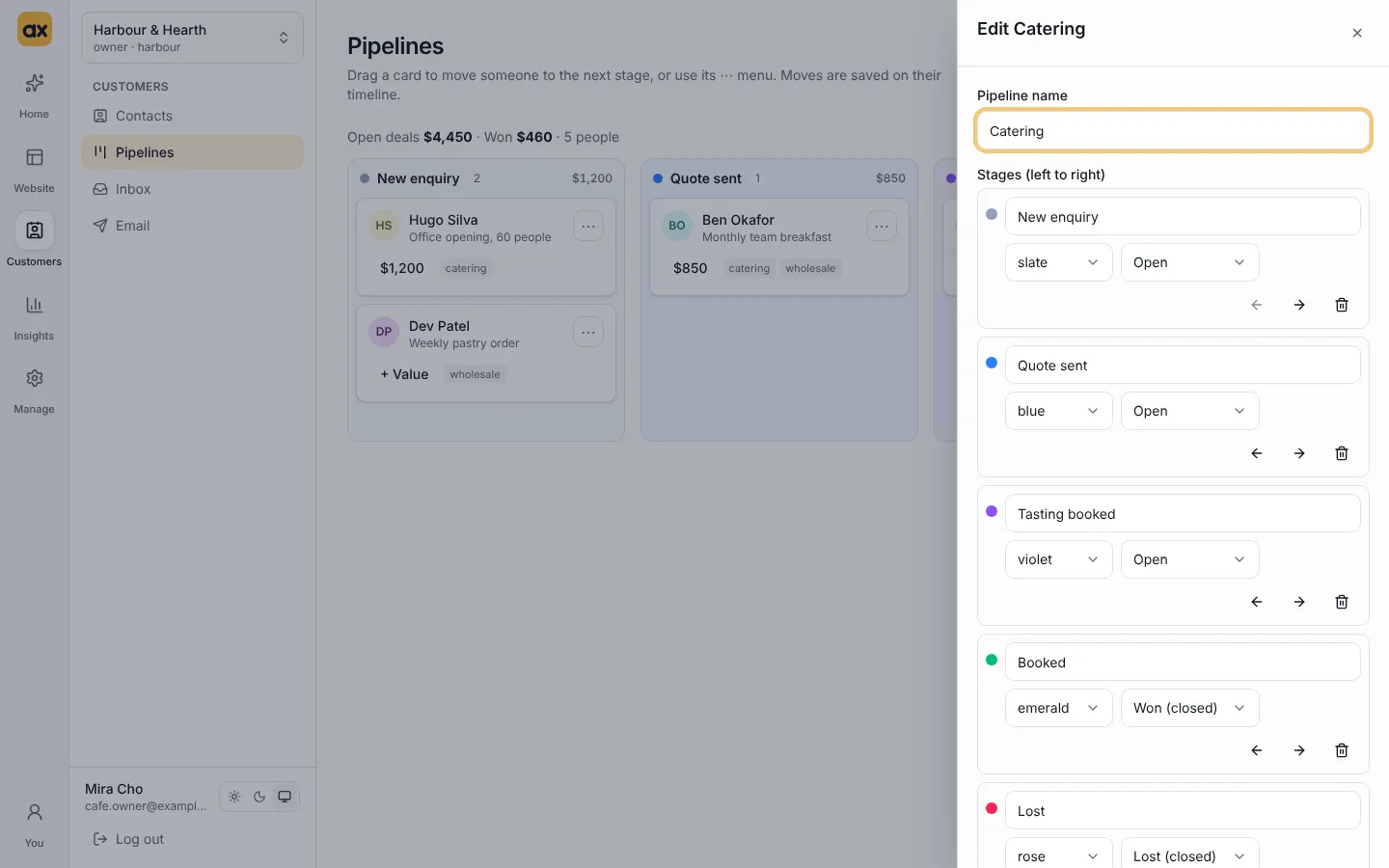
Click Edit stages to rename the pipeline and add, rename, recolour, reorder or remove stages. Mark the stages that close a deal as Won or Lost — their cards don't count toward open deals. Cards in a removed stage move to the first one.
Common questions
Can someone be on more than one pipeline?
Yes — once per pipeline. A customer can be in your Catering pipeline and your Wholesale pipeline at the same time.
Does adding someone to a pipeline subscribe them to emails?
No. Pipelines never change anyone's email status.
Can I use it on my phone?
Yes. Use a card's ⋯ menu and Move to instead of dragging.
Something out of date or unclear? Search other guides or tell us from your dashboard.