Choose who gets a newsletter
Send a newsletter to everyone subscribed, one list, or only people with certain tags — and leave out others — with a live count of who it reaches.
In a newsletter, the Send to panel decides who gets it.
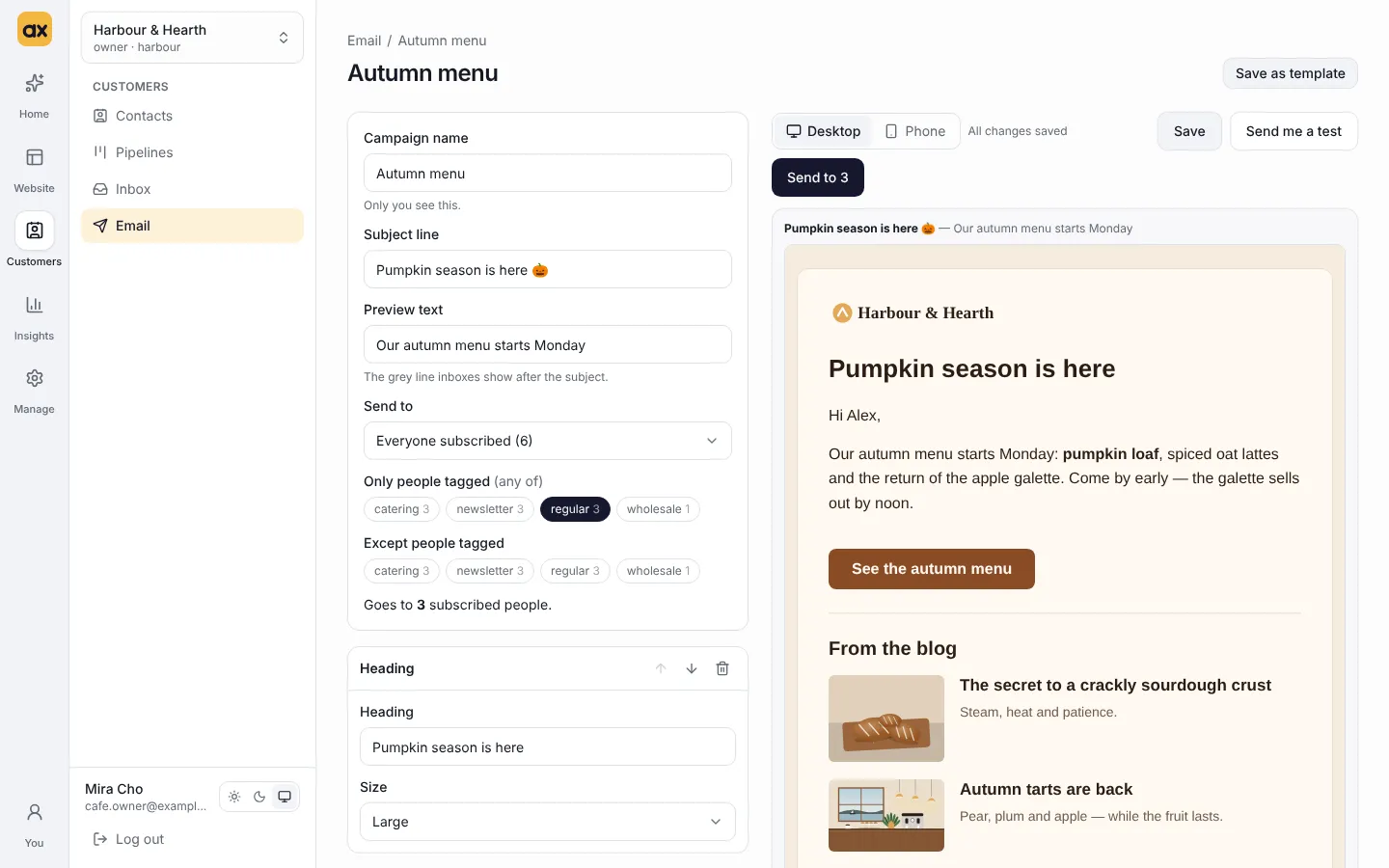
- Send to — Everyone subscribed, or one of your lists.
- Only people tagged (any of) — click tags to send only to people who have at least one of them. Leave all off for no tag filter.
- Except people tagged — click tags to leave those people out, even if they match above.
The line underneath — Goes to … subscribed people — updates as you choose, and the Send button shows the same number.
Example: a catering offer to regulars but not wholesale customers: Everyone subscribed · Only regular · Except wholesale.
Your choices are saved with the newsletter (and with templates made from it).
Common questions
Will someone who isn't subscribed get it if they have the tag?
No. Newsletters only ever go to subscribed people; tags and lists narrow it down from there.
How do "only" tags combine?
Any of them. Picking catering and wholesale sends to people with either tag.
Something out of date or unclear? Search other guides or tell us from your dashboard.