Build and send a newsletter
Make a newsletter from blocks in your own branding, preview it on desktop and phone, send yourself a test, send it to your subscribers and see how it did.
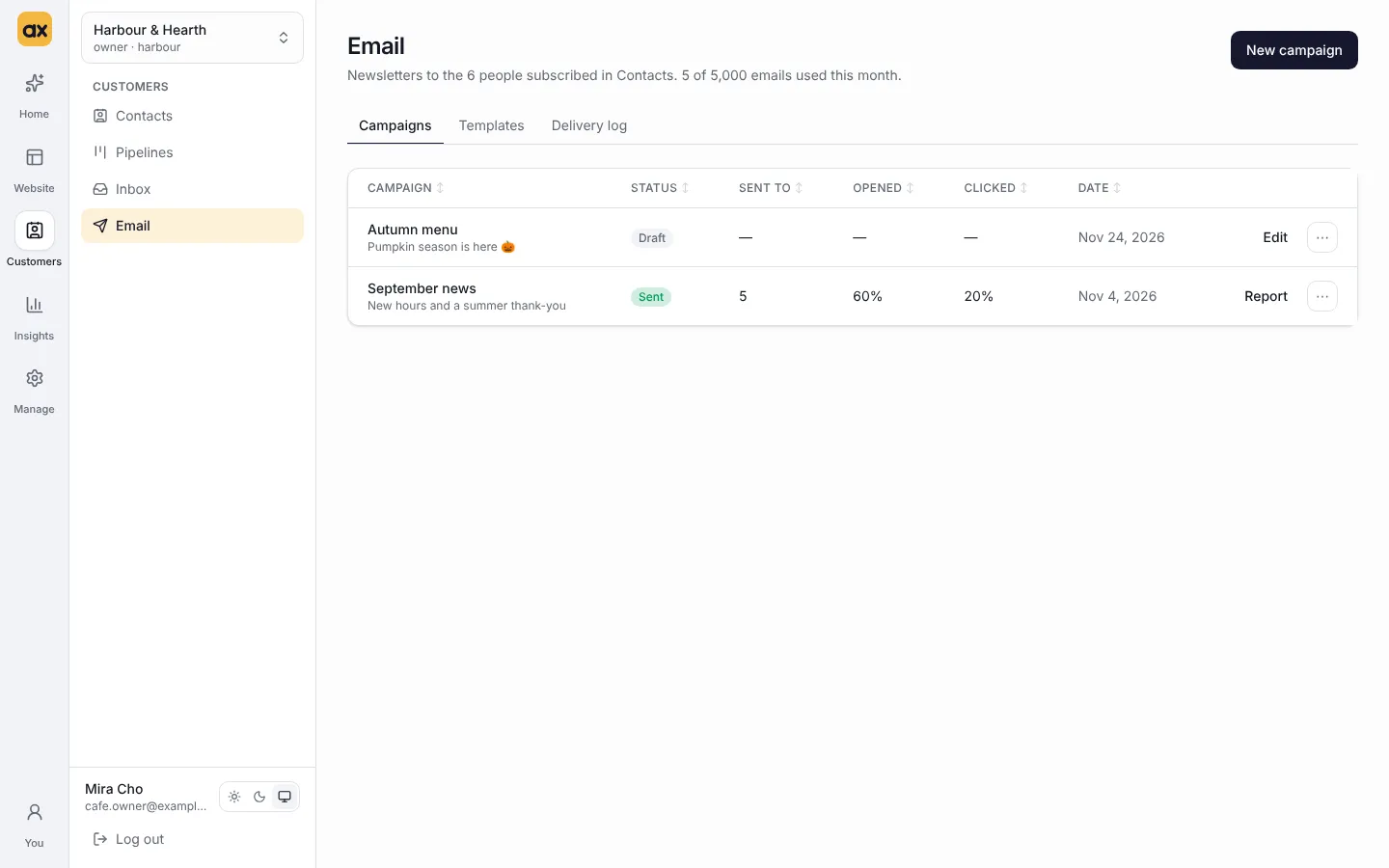
Email (under Customers) is where you write newsletters, keep templates and see the delivery log. You'll need a sending domain first.
Start a newsletter
Click New campaign and pick a starting point — Blank, Monthly update, Announcement, Blog digest or one of your templates — then Start editing.
Write it
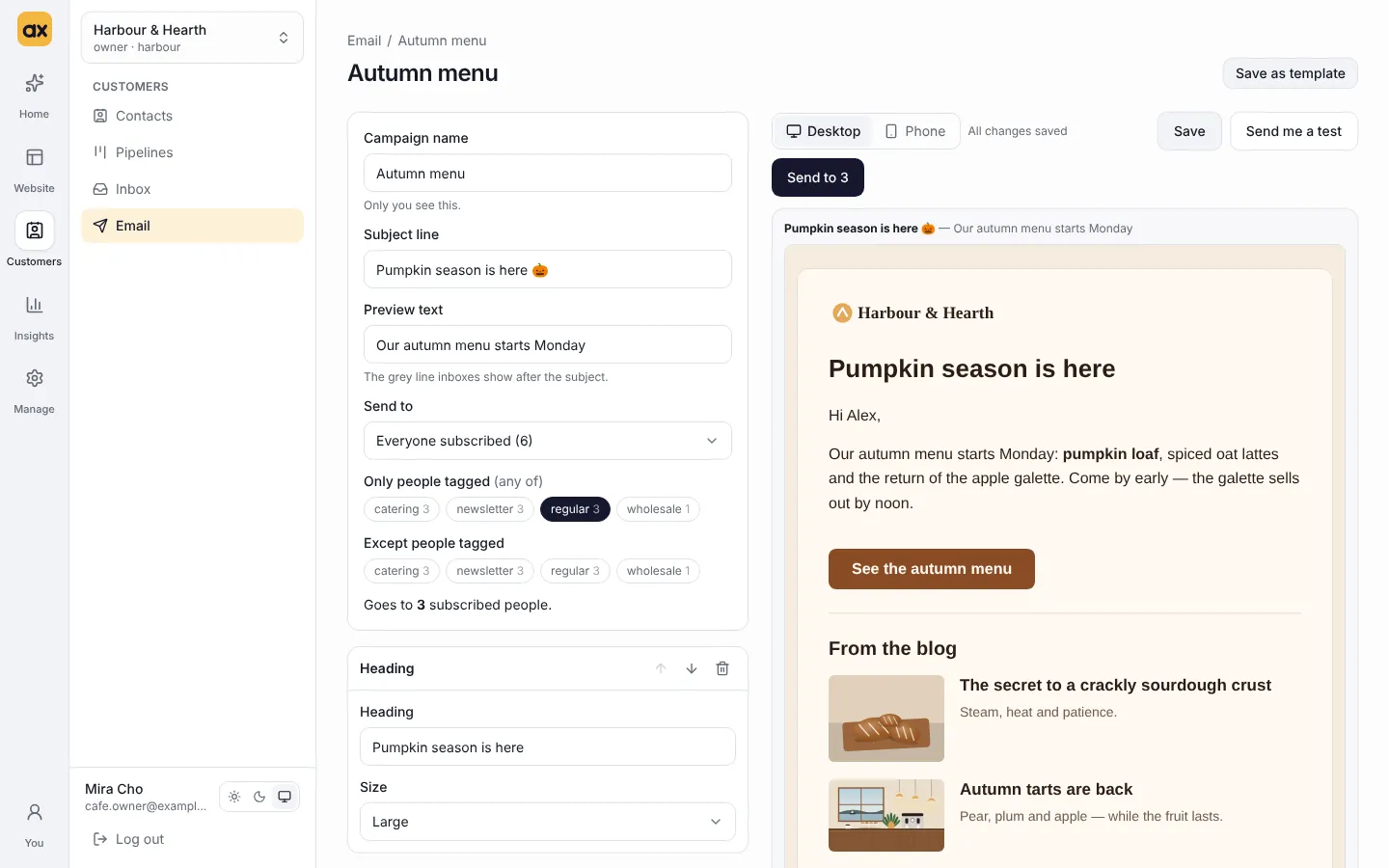
Give it a subject line and preview text (the grey line inboxes show after the subject). Then build it from blocks:
- Heading and Text — blank line for a new paragraph,
**bold**,[link text](https://…), and{{first_name}}for each person's name. - Image — from your media or a link, with a description for people who can't see it.
- Button — a link to a page on your site (
/menu) or anywhere. - Divider, and Latest blog posts — your newest posts when you send.
Move blocks with the arrows, and remove them with the bin. The preview on the right shows exactly what people will get, in your logo, colours and font. Switch between Desktop and Phone.
Choose who gets it
Under Send to, pick everyone subscribed or a list, and narrow it with tags. See Choose who gets a newsletter.
Test, then send
Click Save, then Send me a test to get a copy. When it looks right, click Send to … and confirm. It can't be undone.
Every newsletter has an unsubscribe link and your postal address in the footer, and supports one-click unsubscribe in Gmail and Apple Mail.
See how it did
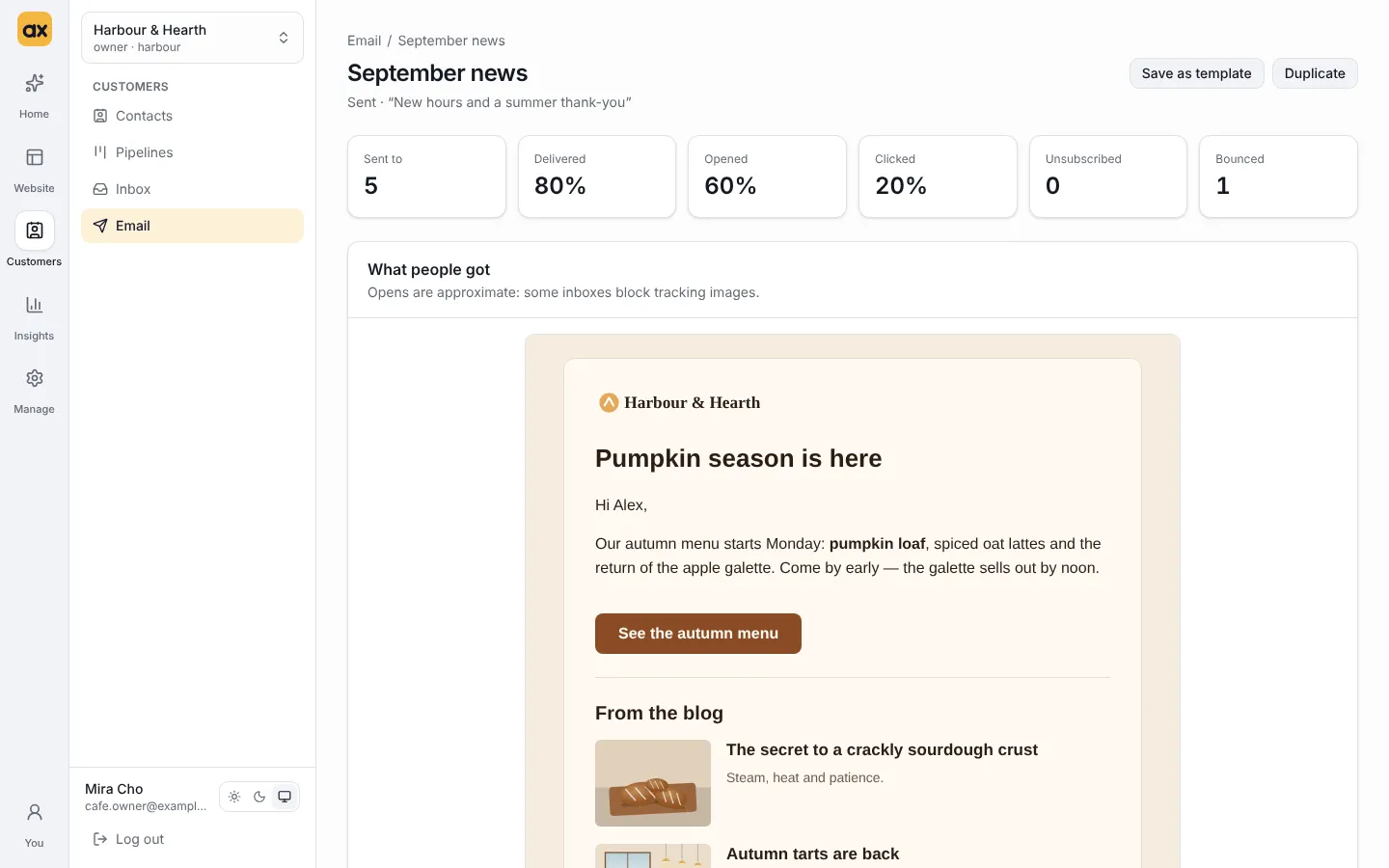
Open a sent campaign for its report: how many it went to, and how many were delivered, opened, clicked, unsubscribed and bounced. Each person is counted once.
Reuse it
Save as template keeps the layout under Templates. Duplicate copies any campaign, sent or not, as a new draft.
Common questions
How many emails can I send?
It depends on your plan — your monthly allowance is shown at the top of Email. Tests don't count.
Does it work in Gmail and Outlook?
Yes. Newsletters are built to look right in Gmail, Outlook, Apple Mail and on phones.
Can I schedule a newsletter for later?
Not yet — it goes out when you click Send.
Something out of date or unclear? Search other guides or tell us from your dashboard.