See who visits your site with Analytics
Track visitors, page views, top pages, where people came from and what they did — calls, emails, bookings, directions and downloads — with no cookies.
Open Analytics
In the menu, open Insights and click Analytics, then choose Last 7 days, Last 30 days or Last 90 days.
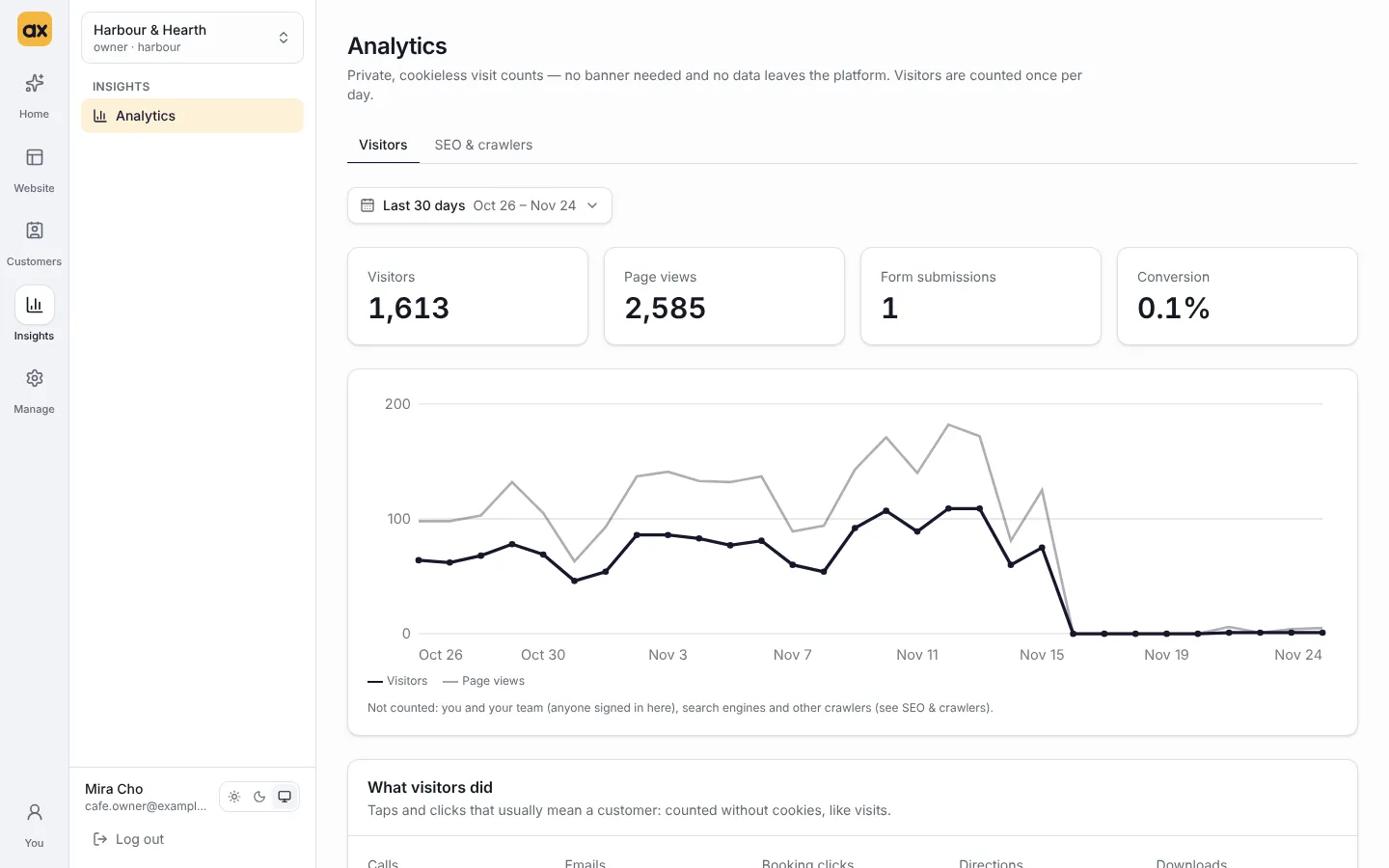
At the top: visitors, page views, form submissions and conversion (the share of visitors who sent a form). The chart shows them day by day, and the dashboard shows the last 7 days at a glance.
What visitors did
Below the chart are the taps and clicks that usually mean a customer:
- Calls — taps on phone numbers,
- Emails — taps on email addresses,
- Booking clicks — on Calendly, Fresha, Jane, Square, OpenTable and other booking links,
- Directions — Google or Apple Maps links,
- Downloads — files from your library, with a table per file.
Top pages, sources, devices and countries
See which pages are most popular, where visitors came from (Google, Instagram, another site…), whether they used a phone or computer, and which countries they're in.
Common questions
Do I need a cookie banner for this?
No. AgencyX Analytics doesn't use cookies or store IP addresses, and it respects Do Not Track and Global Privacy Control.
Why don't my own visits count?
Visits from people signed in to your site are left out, so your numbers show real visitors.
Can I use Google Analytics as well?
Yes. Add it on Integrations. It runs alongside, behind a cookie banner.
Something out of date or unclear? Search other guides or tell us from your dashboard.