Review, comment on and approve page drafts
Authors submit pages for review, editors approve or send them back, and everyone can leave comments on a page or block and @mention a teammate.
On this page
For authors: submit for review
Authors can create and edit drafts but not publish. When your page is ready, click Submit for review in the editor. The site's owners and editors get an email, and the page shows In review on the Pages list.
For owners and editors: approve or send back
Open the page from the Pages list. Check it with Preview, then click Approve & publish — or Send back with a note on what to change.
Comment on a page
Click Comments in the editor's top bar.
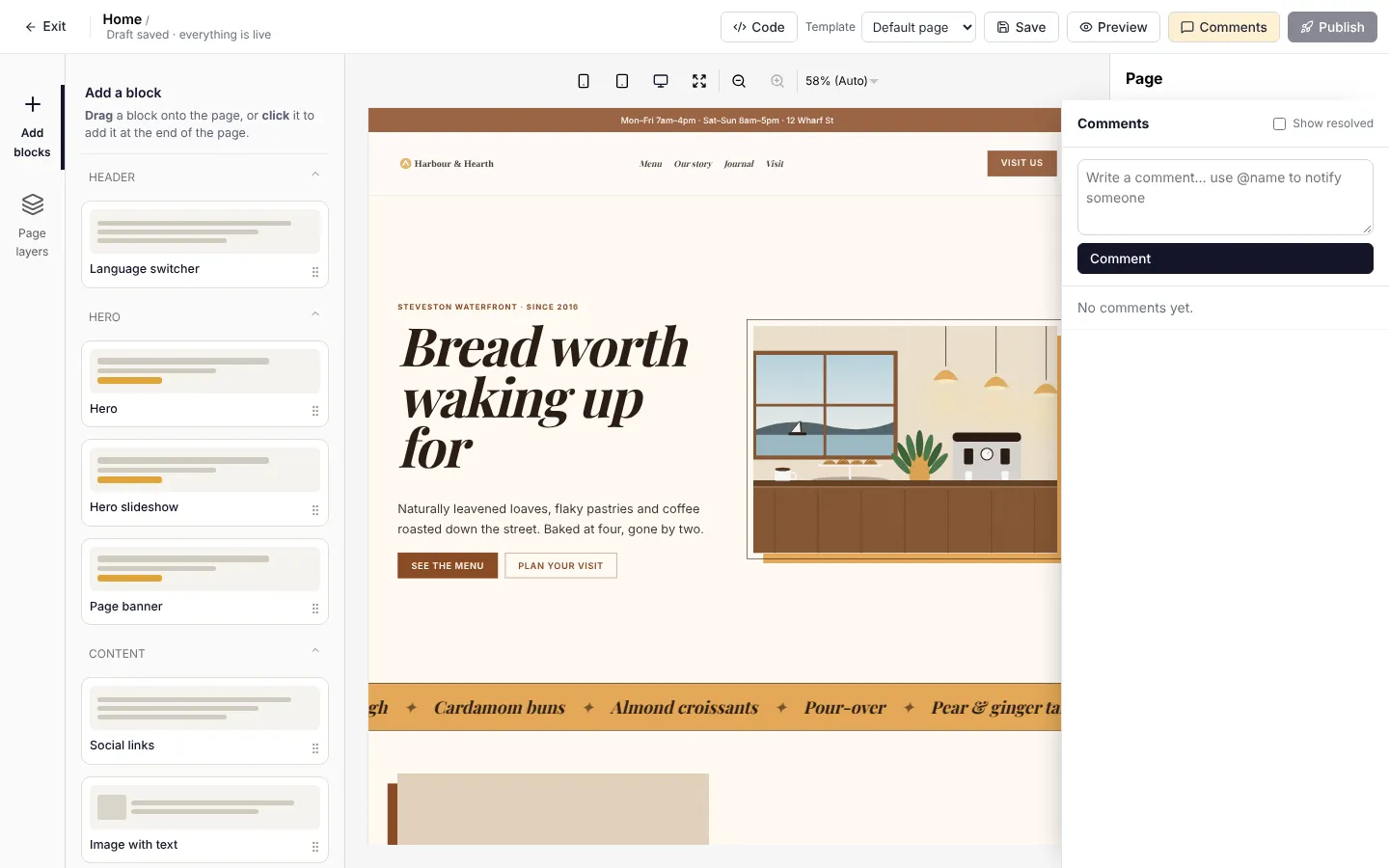
- Write a comment about the whole page, or select a block first to comment on that block.
- Type
@and a name to mention someone — they get an email. - Reply, resolve a thread when it's done, or reopen it.
Common questions
Who gets notified when a page is submitted?
The site's owners and editors get an email, and the page shows In review on the Pages list.
Does @mentioning someone email them?
Yes. They get an email with your comment and a link to the page.
Something out of date or unclear? Search other guides or tell us from your dashboard.