Publish, unpublish and roll back a page
Put your changes live, take a page offline, throw away edits you don't want, or restore an earlier version of a page from its history.
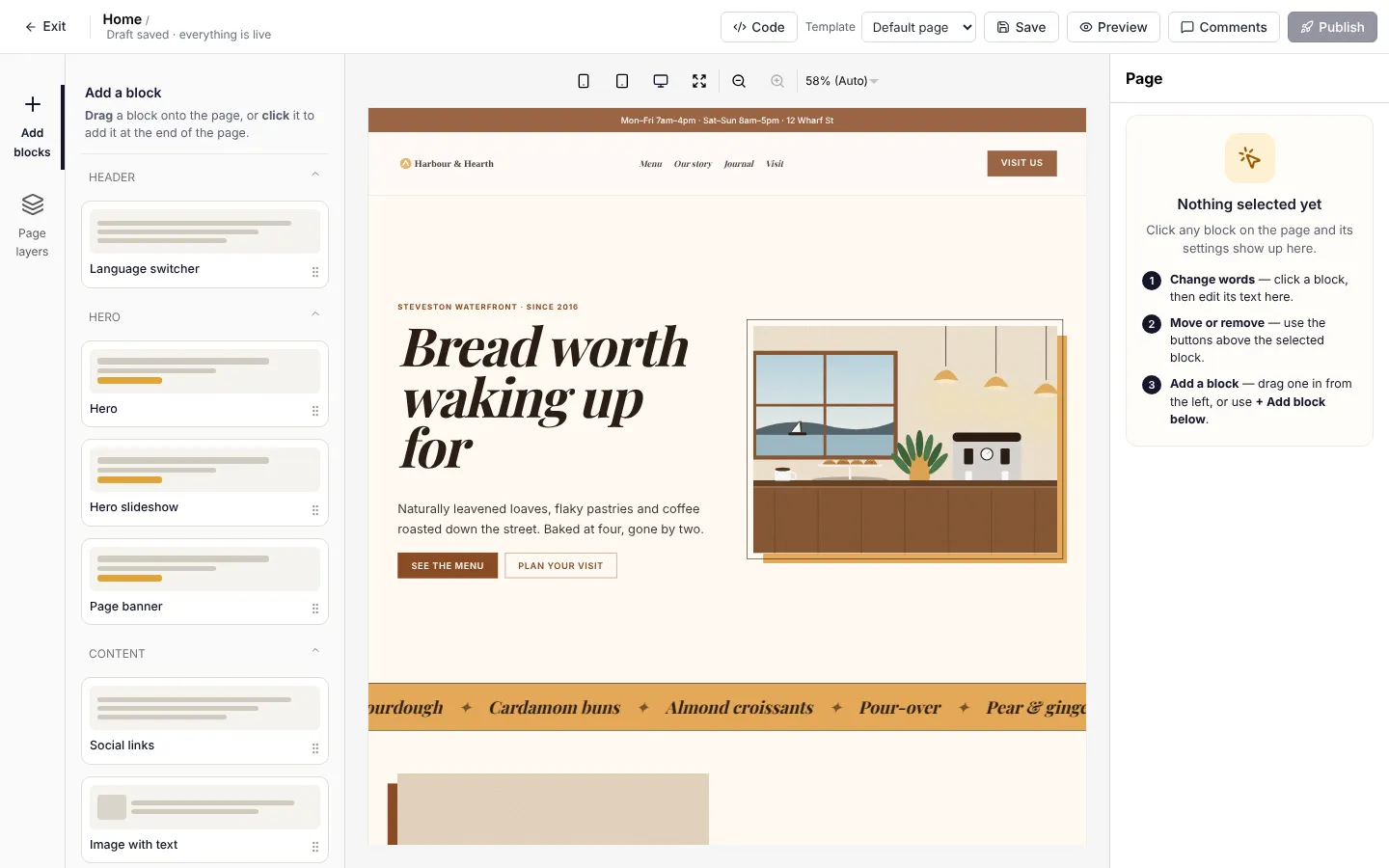
Every page has two copies: the draft you edit and the published version visitors see. Nothing you do in the editor reaches visitors until you publish.
Publish
In the editor, click Publish in the top bar. Each publish keeps a version of the page, so you can always go back.
The status line beside the title tells you where you are:
- Draft saved · not published yet — a new page nobody can see yet.
- not live yet — Publish to update the site — the page is live, but your latest edits aren't.
- everything is live — nothing to publish; the Publish button is greyed out.
Discard changes you don't want
If you've edited a live page and want to go back to what visitors see:
- In the editor, click Discard changes in the top bar (it only shows when the draft differs from the live page), or
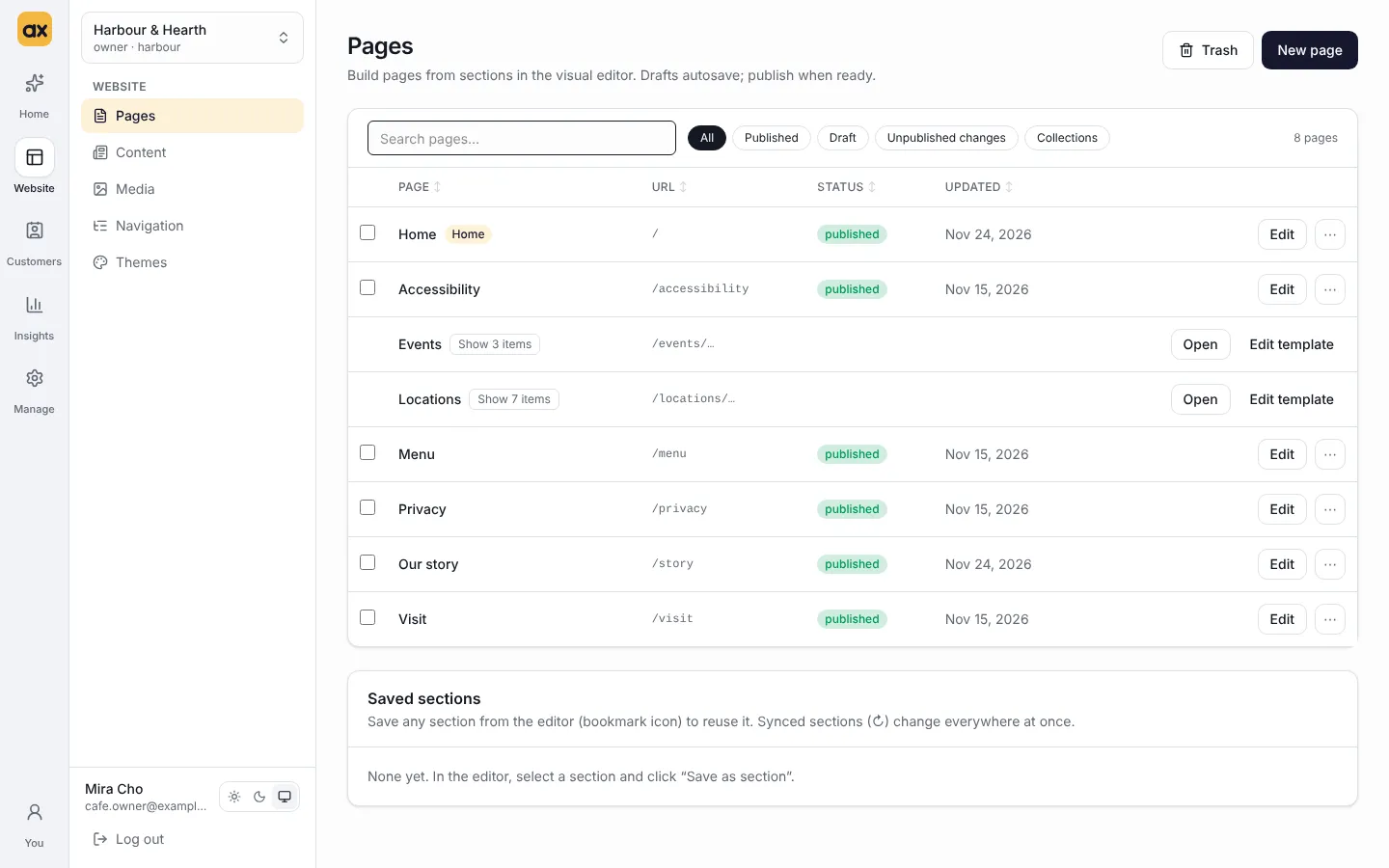
- On the Pages list, open the page's ⋯ menu and choose Discard changes.
After you confirm, the draft is replaced with the published version. The page's title, address and SEO settings save live, so they aren't affected.
Restore an earlier version
Open the page from Pages and scroll to Version history. Choose a version and restore it into the draft, then check it and click Publish.
Unpublish a page
Unpublishing hides the page from visitors without deleting it. Use the page's ⋯ menu on the Pages list. Its address then shows page not found and menu links to it stop showing until you publish it again.
Common questions
Is my page visible as soon as I edit it?
No. Your edits are saved to a draft. Visitors keep seeing the published version until you click Publish.
Can I unpublish the home page?
No — every site needs a home page. Edit it instead, or set the whole site to Coming soon in Manage → General.
How far back does version history go?
Every time you publish, a version is kept, so you can go back to any of them.
Something out of date or unclear? Search other guides or tell us from your dashboard.