Connect Mailchimp, Brevo, MailerLite or Kit
Send newsletter signups — and optionally contact-form senders — straight to your email marketing list in Mailchimp, Brevo, MailerLite or Kit.
Open your tool's tile
Go to Integrations and choose the Email marketing chip. Click Set up on Mailchimp, Brevo, MailerLite or Kit.
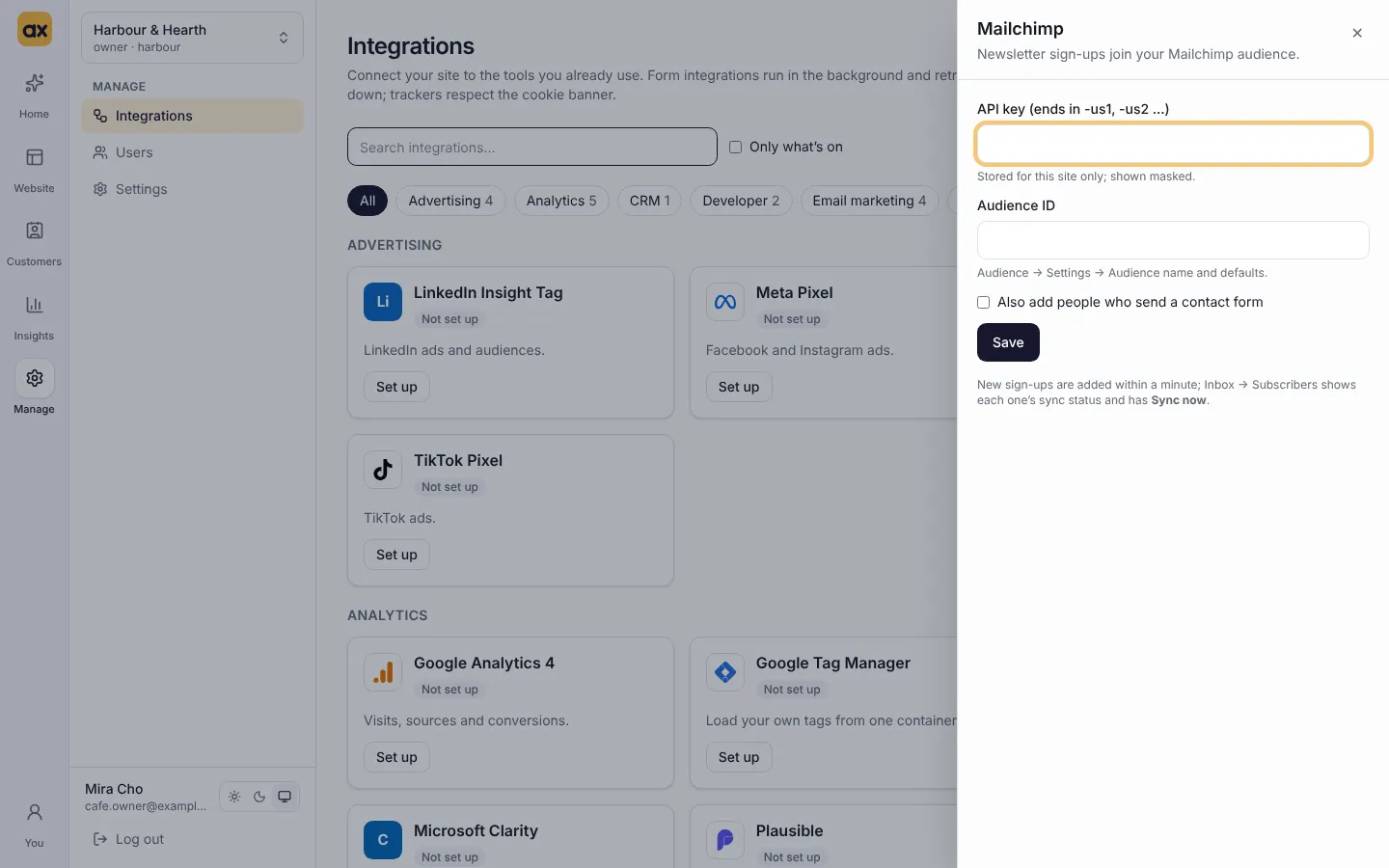
Paste your API key and list
- Mailchimp: your API key (it ends in
-us1,-us2…) and the Audience ID (in Mailchimp: Audience → Settings → Audience name and defaults). - Brevo: your API key and the list to add people to.
- MailerLite and Kit: your API key.
Keys are stored encrypted and shown masked.
Choose who's added
Newsletter signups are always added. Tick Also add people who send a contact form to include them too. Click Save.
New sign-ups are added within a minute. Check each one's status under Inbox → Subscribers.
Common questions
Can I connect two email tools?
One email marketing tool is on at a time.
Are people who fill in my contact form added too?
Only if you tick “Also add people who send a contact form”.
Something out of date or unclear? Search other guides or tell us from your dashboard.