Change your plan, seats and payment details
Compare Free, Pro and Max, upgrade or downgrade, add seats for your team, update your card and download invoices — all from Plan & billing.
See your plan and usage
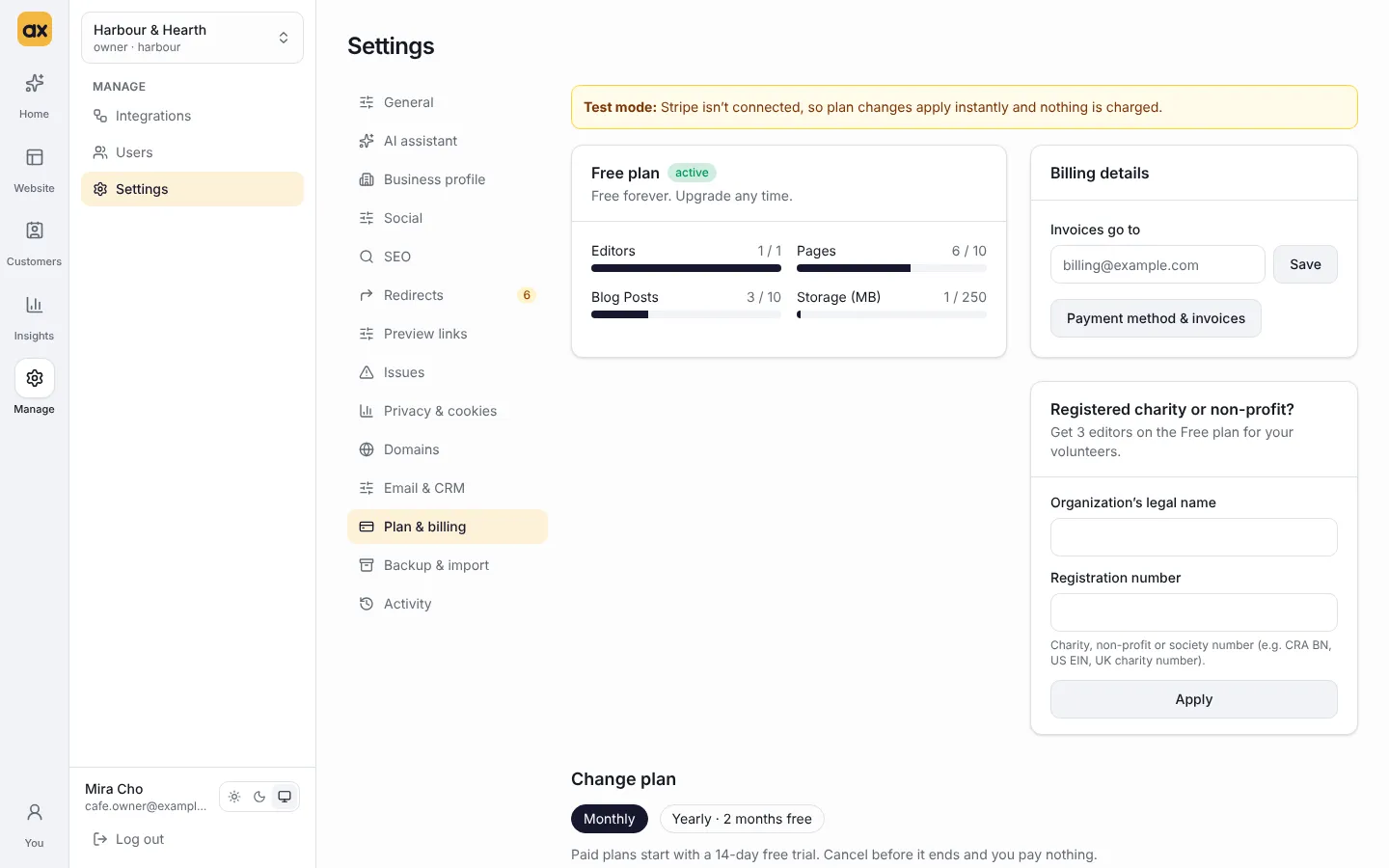
Go to Manage → Plan & billing. You'll see your plan, its status (active, trialing or past due), when it renews and meters for seats, pages, blog posts and storage.
Compare plans
| Free | Pro | Max | Enterprise | |
|---|---|---|---|---|
| Price | $0 | $15 / seat / month | $35 / seat / month | Custom |
| Seats | 1 | up to 3 | up to 10 | Unlimited |
| Pages | 10 | 20 | 100 | Unlimited |
| Blog posts | 10 | 50 | 500 | Unlimited |
| Storage | 250 MB | 2 GB | 20 GB | Unlimited |
| Custom domain, no badge, analytics | — | ✓ | ✓ | ✓ |
| AI helpers, priority support | — | — | ✓ | ✓ |
Change plan
Under Change plan, choose a plan. A new subscription opens a secure Stripe checkout; changing an existing one happens in place, with the price adjusted for the rest of the period. For Enterprise, click Talk to sales.
Add or remove seats
Change the number of seats — never fewer than the people already on the site, and up to the plan's limit.
Card and invoices
Under Billing details, set the email invoices go to and click Payment method & invoices to update your card and download past invoices.
Common questions
Is there a free trial?
Pro and Max start with a free trial when you first subscribe. You won't be charged until it ends.
What happens if I downgrade to Free?
Your content is kept, but Free limits apply again — for example the “Made with AgencyX” badge comes back and custom domains stop.
Is each website billed separately?
Yes. Each website has its own plan.
Something out of date or unclear? Search other guides or tell us from your dashboard.